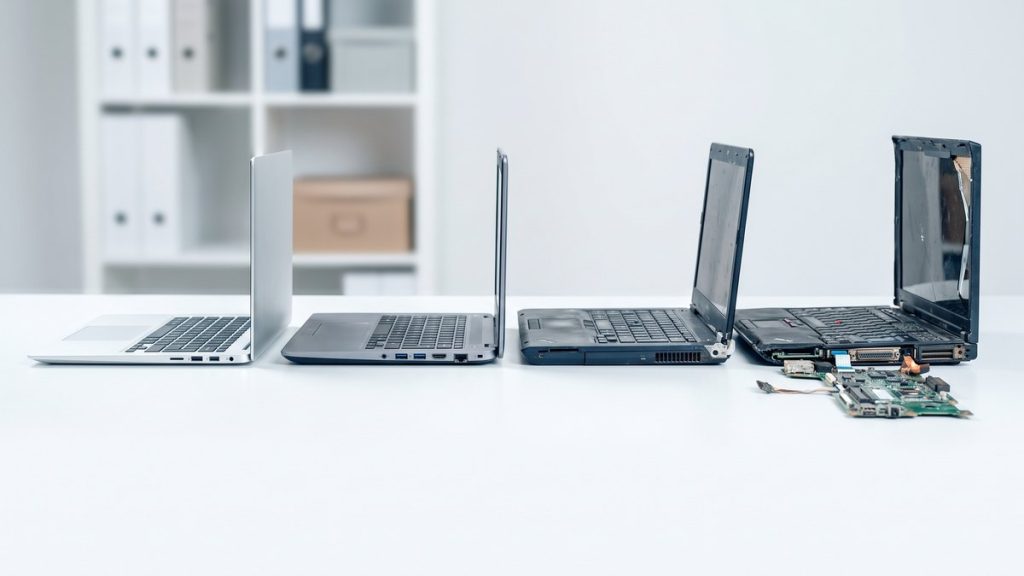
What determines how long a business laptop lasts?
Business laptops are built to a higher standard than consumer models, but they still have finite working lives. Several factors determine where in the three-to-five-year window a specific device falls.
Manufacturer support is often the defining constraint. When a laptop model reaches end of support, the manufacturer stops issuing firmware updates and the operating system vendor may stop issuing security patches. Running unsupported hardware is a security risk that most IT teams cannot accept, regardless of whether the device still functions.
Battery degradation affects usability rather than function. Most lithium-ion laptop batteries retain reasonable capacity for two to three years of full-time use, after which charge duration drops noticeably. A laptop tethered permanently to a power cable is a mobility asset that has lost its main advantage.
Component performance relative to software requirements changes over time. A laptop that handled business applications well in year one may struggle by year four as software updates, browser engines, and collaboration tools grow more demanding.
Physical wear — keyboard failures, hinge damage, worn trackpads — tends to accumulate in year four and beyond, particularly on devices used intensively or transported frequently.
What are the signs a business laptop should be replaced?
Performance has degraded noticeably
Slow boot times, frequent freezes, and applications taking longer to load than on comparable newer devices are indicators that hardware is no longer keeping pace with software demands. Before assuming replacement is needed, rule out software causes — malware, accumulated startup items, or a failing hard drive can mimic age-related slowdown. If a clean install does not resolve the issue, hardware is likely the constraint.
The battery no longer supports a working day
Most organisations expect a laptop to support a full working day away from a power source. When battery life drops below four hours under typical use, productivity suffers. Battery replacement is possible and sometimes economical, but on older models the labour cost plus the cost of a compatible battery may approach the residual value of the device.
Manufacturer support has ended
Check the manufacturer’s support lifecycle for each model in your fleet. Microsoft, Lenovo, HP, Dell, and Apple all publish end-of-support dates. A device that no longer receives security patches is a liability regardless of physical condition. This is the point at which even well-functioning hardware should be considered for retirement.
Repair costs exceed residual value
The general rule is that a single repair costing more than 50% of the device’s current replacement cost signals it is time to retire. Track repair history by serial number — devices that have required multiple repairs in their fourth or fifth year are poor candidates for continued service.
The device cannot run your standard image
If a planned operating system upgrade or enterprise software deployment requires hardware that a laptop cannot meet — RAM thresholds, TPM version, storage capacity — that device will need to be excluded from your standard environment. Managing a split fleet with different software configurations adds administrative overhead that often outweighs the cost of refreshing.
How do refresh cycles affect disposal planning?
Most IT managers plan laptop refreshes on a rolling basis — replacing a proportion of the fleet each year to avoid a large capital outlay in a single budget period. A three-year rolling refresh means roughly one third of devices are retired annually. A four-year cycle means one quarter.
Planning the disposal of outgoing devices at the same time as planning the refresh is good practice. It avoids a situation where retired hardware accumulates in a store cupboard with data still present on drives.
Our IT refresh cycle guide goes into more detail on planning refresh schedules and how to align disposal with procurement.
What happens to retired laptops?
Laptops that are three to four years old and still functional often have useful life remaining. Recycle4Charity assesses each device and, where it meets our criteria, donates it free of charge to digitally excluded Londoners. A laptop that is no longer suitable for your corporate environment can still make a real difference for someone who has none.
Devices that do not qualify for reuse are recycled through a certified process. Data destruction is completed first, followed by disassembly and materials recovery. You receive documentation for every device. Read our full guide to laptop recycling for businesses for details on what the process involves.