

Recycle4Charity technician with business laptops, a server unit and hard drives ready for secure collection
Tech-for-good · London

How to Recycle Printer Toner and Cartridges

Printer toner cartridges and ink cartridges can be recycled through manufacturer take-back schemes, office supply retailer programmes, or specialist cartridge recyclers. They should not enter general waste — toner powder is a respiratory hazard and cartridge plastics and metals have recoverable value. For businesses recycling both cartridges and the printer itself, certified WEEE disposal covers the hardware.

Business tech → someone's new start

Certified data destruction
WEEE-registered
Fully insured
Proudly London

One problem on each side. One simple loop.

The UK throws away around 1.65 million tonnes of electronic waste a year — the fastest-growing waste stream. At the same time, up to 19 million adults live in digital poverty, without the device they need to work, learn or stay connected.

So we take the tech your business has finished with and put it back to work. Every device is collected, wiped to certified standards and refurbished — then given free to a Londoner who needs one. Nothing usable is thrown away, and nothing is sold for profit.

Book a free collection
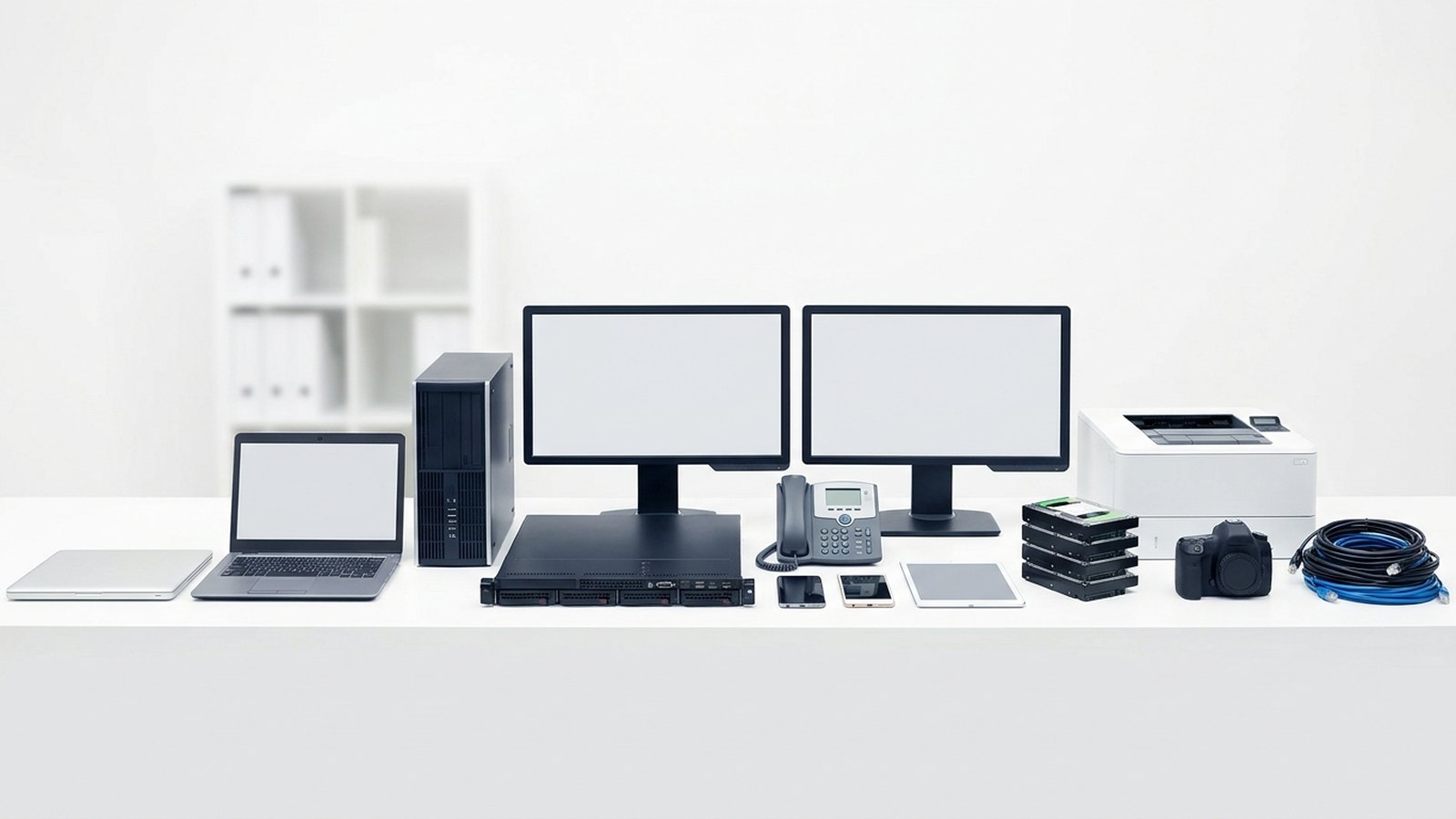
The range of business IT we collect: laptops, desktop tower, server, monitors, desk phone, mobiles, tablet, hard drives, printer, camera and cables

How it works

1

Book a collection

Tell us roughly what you have.

2

We collect & log

We pick up and record every asset.

3

Certified data wipe

Secure destruction + a certificate.

4

Refurbish & rehome

Reuse what we can, recycle the rest.

5

Your impact report

Proof of where it all went.

Refurbished laptops boxed and ready to be given to digitally-excluded Londoners

Where your old kit ends up

Every device that still has life in it is wiped, refurbished and tested, then given free to a Londoner who can't afford one — through our network of partner charities, schools and community organisations.

Nothing is resold for profit. Whatever can't be reused is recycled responsibly through licensed WEEE channels, and you get the paperwork that proves it.

See our impact

Our impact so far

0
Devices rehomed
0
People connected
0
E-waste diverted
0
CO₂ saved

Launching 2026 — numbers update as we grow.

Frequently asked questions

No. Toner and inkjet cartridges should not go in general or kerbside recycling. They contain residual toner or ink that can contaminate recycling streams. Use a manufacturer take-back scheme, a retailer programme, or a specialist cartridge recycler.

This depends on the scheme. Manufacturer take-back programmes typically accept only their own OEM cartridges. Some specialist recyclers and remanufacturers accept compatible cartridges — check before dropping off.

Toner powder is a fine particulate and a potential respiratory irritant. Avoid inhaling it and handle leaking cartridges with gloves. Toner is not acutely toxic in small quantities but should not be inhaled repeatedly or in large amounts.

Contact the printer manufacturer's business services team or your copier maintenance provider. Most offer separate collection for high-volume cartridges and drum units. Alternatively, your ITAD provider can include cartridges in a wider printer disposal collection.

Some schemes direct proceeds from cartridge recycling to nominated charities. If this is important to your organisation, look for a programme operated by or in partnership with the charity of your choice, and confirm what percentage of the recycling value is passed on.

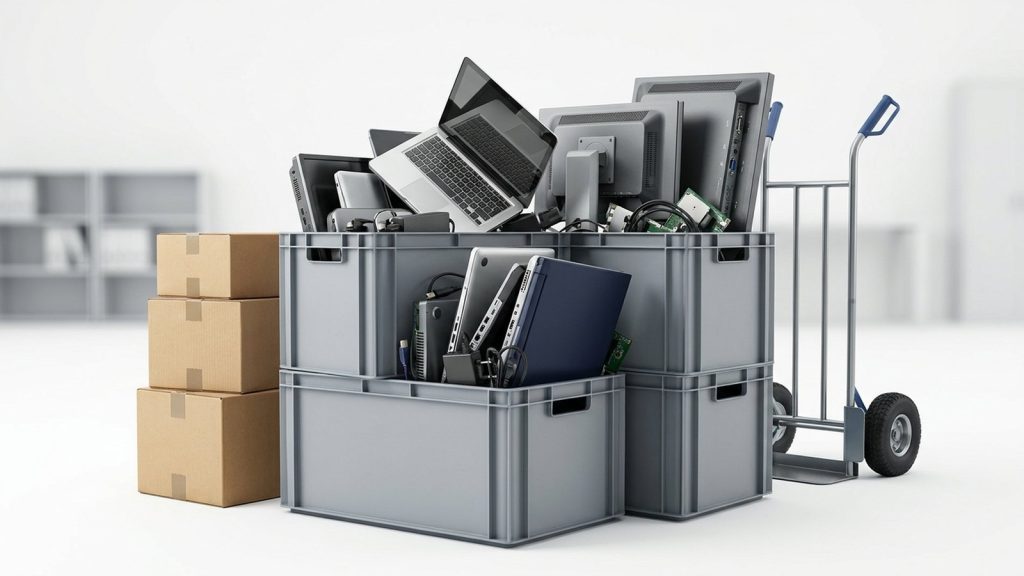
Crates and boxes of office IT equipment stacked with a sack trolley, staged for collection

Upgrading your office IT?

Turn your old kit into compliance, ESG impact and digital opportunity for someone who needs it.

Book a free collection

Are printer cartridges classified as WEEE?

Strictly speaking, printer cartridges — toner and inkjet — are consumables rather than electrical or electronic equipment, so they do not fall under the WEEE Regulations 2013 in the same way as the printer itself. However, they should not be placed in general waste:

  • Toner powder is a fine particulate classified as a potential respiratory irritant. Some toners contain carbon black, which is listed as a possible carcinogen by the International Agency for Research on Cancer.
  • Cartridge casings are predominantly made from high-quality ABS and other engineering-grade plastics that can be remanufactured or recycled.
  • Metal components and residual toner have recoverable value when processed through specialist streams.

The correct route is a dedicated cartridge return programme or specialist recycler.

Options for recycling printer toner and cartridges

Manufacturer take-back schemes

Most major printer manufacturers operate cartridge return programmes. HP, Canon, Epson, Brother, Xerox, Lexmark, and others all provide freepost envelopes or collection boxes for empty cartridges. These programmes are usually free and available to both businesses and individuals.

Check the manufacturer’s website for the specific returns process for your cartridge type. OEM (original equipment manufacturer) cartridges are generally accepted; third-party compatible cartridges may or may not be.

Office supply retailer programmes

Retailers including Staples and similar office supply chains operate in-store cartridge recycling collections. Drop off empties at the designated collection point. This is convenient for small quantities but not practical for high-volume business users.

Specialist cartridge recyclers

Several UK companies specialise in cartridge recycling and remanufacturing. They collect used cartridges, clean them, replace worn components, and refill them with toner or ink. Remanufactured cartridges typically cost less than new OEM cartridges and use significantly less energy and material to produce than manufacturing a new unit from scratch.

Through your ITAD provider (when disposing of the printer too)

If you are disposing of a printer along with its remaining cartridges, a certified ITAD provider can collect both. Cartridges are separated and passed to appropriate recycling streams. This is the most convenient option when decommissioning an office printer fleet. See our printer recycling service for London businesses for more detail on how this works.

Toner versus ink cartridges: are they recycled differently?

Yes. The processing routes differ.

Cartridge type Contents Recycling route
Laser toner (powder) Dry toner powder, plastic casing, metal contacts Manufacturer return or specialist remanufacturer
Inkjet (liquid ink) Liquid ink, printhead (in some models), plastic casing Manufacturer return or retailer take-back
High-yield / XL Same as above, larger capacity Same routes as standard
Compatible / third-party Varies by supplier Check with the recycler — some schemes accept them

How to handle toner cartridges safely

Toner powder should be treated with care:

  • Never shake a toner cartridge to redistribute powder — this can release fine particles into the air.
  • If a cartridge has leaked, wear gloves and avoid inhaling any loose toner. Clean up with a damp cloth rather than a dry brush or vacuum (unless the vacuum has a HEPA filter).
  • If you have a large quantity of part-used cartridges, store them sealed in their original packaging or a sealed bag until they can be collected.

Can cartridges be donated?

Empty cartridges in good condition can be donated to charity through schemes that sell them to recyclers and use the proceeds for charitable purposes. Several UK charities operate these programmes — search for “empty cartridge donation” and your preferred cause. This does not apply to cartridges that have leaked or are significantly damaged.

What about cartridges from decommissioned printers?

When an office printer is decommissioned, any remaining toner cartridges should be removed before the printer is collected for recycling. This serves two purposes: it prevents toner from spilling during transport, and it allows the cartridges to enter the most appropriate recycling stream rather than being processed generically with the printer chassis.

For guidance on disposing of the printer itself — including the data risk from internal hard drives — see our article on how to dispose of old printers.

Large-format and specialist toner: any differences?

Large-format printers use bulk toner or high-capacity cartridges. The same recycling principles apply: return through the manufacturer or a specialist recycler. Drum units, fuser assemblies, and maintenance kits from laser printers are also recyclable — check with the manufacturer or your ITAD provider.

Ready to arrange printer and cartridge disposal?

Recycle4Charity provides certified collection and recycling of office printers for London businesses. When booking a printer collection, let us know if you have cartridges to include. Visit our printer recycling page to get started.

What counts as a computer for WEEE purposes?

Desktop towers, all-in-one PCs, workstations, and their internal components — hard drives, RAM, graphics cards, power supplies — are classified as Waste Electrical and Electronic Equipment (WEEE) under the WEEE Regulations 2013. This means they cannot be disposed of in general commercial or household waste. Businesses that do so risk enforcement action from their local authority or the Environment Agency.

Monitors, keyboards, mice, and cables are also WEEE, though they fall under different sub-categories. If you are disposing of a full desktop set-up, treat every component as WEEE.

Why data destruction must come first

Before any computer leaves your premises, you must address the data on its storage media. Hard disk drives (HDDs) and solid-state drives (SSDs) can retain sensitive information long after files are deleted or a factory reset is performed. A standard delete operation removes the pointer to a file, not the file itself.

Under the UK General Data Protection Regulation (UK GDPR) and the Data Protection Act 2018, organisations are responsible for personal data until it is provably destroyed. The Information Commissioner’s Office (ICO) has issued fines for organisations that allowed equipment containing personal data to enter the second-hand market or recycling stream without adequate erasure.

Acceptable methods include:

  • Software overwrite — tools that meet HMG Infosec Standard 5 or NIST 800-88 guidelines write random data across every sector, making recovery impractical.
  • Physical destruction (degaussing or shredding) — appropriate for drives that cannot be wiped (failed drives, encrypted drives with lost keys).
  • Certified erasure with an auditable certificate — the preferred route for businesses, as it provides documented proof of destruction.

For a fuller explanation of these options, see our guide to data destruction for businesses.

How to recycle old computers: step by step

1. Audit your equipment
List every machine by make, model, serial number, and condition. This record supports your duty-of-care documentation and helps a recycler assess whether devices are suitable for refurbishment.

2. Back up any data you need
Transfer files, licences, and application data to a new machine or secure cloud storage before wiping.

3. Wipe or destroy storage media
Use certified erasure software or arrange for a recycler to destroy drives on your behalf. Request a data destruction certificate for each device.

4. Choose a certified WEEE recycler
Look for a recycler approved under the UK WEEE compliance scheme, or one that holds ISO 14001 (environmental management) and ISO 27001 (information security) certification. Ask for a Waste Transfer Note — you are legally required to keep this for two years.

5. Arrange collection or drop-off
Many certified recyclers, including Recycle4Charity, offer free business collection across London. Devices in working condition may be refurbished and donated to people who cannot afford digital access, extending their useful life before materials are eventually recovered.

6. Receive your documentation
A reputable recycler will issue a certificate of recycling or reuse, confirming compliant disposal. Keep this alongside your Waste Transfer Note.

Can computers be donated instead of recycled?

Yes — and donation is preferable wherever a device is functional. Refurbished computers support digital inclusion and reduce the environmental cost of manufacturing new equipment. Recycle4Charity gives refurbished devices free to digitally-excluded Londoners, so your old hardware can have a meaningful second life.

Donated machines still require data wiping before they leave your organisation. No exceptions apply under UK GDPR.

Comparison: recycling options for businesses

Option Data security Compliance documentation Cost
Certified ITAD provider High (certificate issued) Waste Transfer Note + destruction certificate Often free for bulk collections
Local authority HWRC Low (no erasure service) None Free (consumer only)
Manufacturer take-back Variable Variable Free or low cost
General waste bin None None — and it is illegal Potentially significant fine

What happens to a recycled computer?

A certified recycler will first assess whether the machine can be refurbished. If so, the device is wiped, tested, and prepared for reuse — the most environmentally preferable outcome. Devices beyond repair are disassembled: plastics, steel, aluminium, copper, and circuit boards are each processed through specialist waste streams. Hazardous materials such as lead solder and cadmium-containing components are handled by licensed contractors to prevent soil and groundwater contamination.

Ready to recycle your computers?

Recycle4Charity provides certified WEEE recycling and secure data destruction for London businesses, with free collection for qualifying volumes. Visit our computer recycling for businesses page to book a collection or request a quote.

What Makes E-Waste Recycling Different?

Recycling e-waste is not the same as putting cardboard in a blue bin. Electrical and electronic equipment contains a complex mixture of materials — valuable metals, hazardous substances, and data-bearing components — that each require specialist handling. A responsible recycling process addresses three distinct problems simultaneously: environmental compliance, resource recovery, and data security.

Under the WEEE Regulations 2013 (SI 2013/3113), UK businesses are legally required to follow a defined disposal chain. Getting it right protects the environment, protects your business from enforcement action, and — if you choose a social enterprise provider — can support people in your community.

Step 1: Apply the Waste Hierarchy

Before arranging recycling, apply the waste hierarchy — a principle embedded in UK waste law that requires waste prevention to be prioritised above all other options, with recycling preferred over disposal.

In practice, this means:

  • Can the equipment be repaired? A faulty device that costs less to fix than replace should be repaired
  • Can it be reused? Working IT equipment — laptops, desktops, monitors, tablets — can be refurbished and donated or sold rather than recycled
  • Can parts be harvested? Some items can be cannibalised for components before the remainder is recycled

Only equipment that genuinely cannot be reused or repaired should enter the recycling stream. Organisations like Recycle4Charity accept working IT equipment from London businesses and donate refurbished devices to digitally excluded residents — keeping kit in use and out of the waste stream.

Step 2: Audit What You Have

Before arranging a collection, create a list of equipment due for disposal. For each item, note:

  • Device type (laptop, desktop, server, monitor, printer, phone, etc.)
  • Serial number (useful for data destruction records and certificate matching)
  • Whether it contains a hard drive, SSD, or other data storage
  • Whether it contains a battery (which must be removed and separately treated)
  • Whether it is a CRT device or contains mercury (hazardous WEEE — additional documentation required)

This audit supports both compliance documentation and data destruction planning.

Step 3: Choose a Responsible Recycler

Not all recycling contractors are equal. When selecting a provider, verify the following:

Check What to ask Where to verify
Waste carrier licence Registration number and expiry date Environment Agency public register on gov.uk
AATF permit Facility name and permit number Environment Agency public register on gov.uk
Data destruction capability Method used, standards followed (e.g. NIST SP 800-88, HMG Infosec Standard 5) Ask for a sample certificate
Evidence of downstream recycling Where materials go after de-pollution Ask for their material flow documentation
Social or environmental accreditations ISO 14001, ISO 27001, Cyber Essentials, or similar Ask for certificates

Avoid contractors who offer significantly below-market pricing with no documentation — this is a warning sign that WEEE may be exported improperly or processed at unlicensed facilities.

Step 4: Arrange Secure Data Destruction

If any equipment contains personal data or commercially sensitive information, data must be destroyed before or at the point of disposal. This is a requirement under UK GDPR and the Data Protection Act 2018, separate from your WEEE obligations.

The two main methods are:

Software-based overwrite: data is overwritten using a method that meets a recognised standard (NIST SP 800-88 or HMG Infosec Standard 5). Suitable for functioning hard drives and SSDs. Produces a per-device audit trail.

Physical destruction: drives are shredded or crushed to render them unreadable. Suitable for faulty drives or where software erasure is not practicable. Produces a destruction certificate.

Request a certificate of data destruction specifying the method, standard, serial numbers, and date. This is your primary evidence of compliance in the event of a data breach or ICO investigation.

For more on this topic, see our guide to what is data destruction and our data destruction service.

Step 5: Complete and Retain Documentation

On collection, your waste carrier must provide:

  • A waste transfer note — required for all WEEE collections; retain for at least two years
  • A hazardous waste consignment note — required for CRT screens, mercury-containing items, and other hazardous WEEE; retain for three years
  • A certificate of data destruction — for all data-bearing devices

Keep these documents in a compliance file. If you are ever audited by the Environment Agency, an insurance provider, or a client procurement team, these records demonstrate that your disposal was lawful.

What Does Recycling Actually Do With the Material?

At a licensed authorised treatment facility, equipment goes through a defined process:

  1. De-pollution — batteries, mercury lamps, oils, and other hazardous substances are removed by hand before mechanical processing begins
  2. Dismantling — larger items are broken down; reusable components are extracted
  3. Shredding — remaining material passes through shredders
  4. Sorting — metals, plastics, glass, and circuit boards are separated by density and magnetic properties
  5. Downstream processing — sorted fractions are sent to specialist smelters, plastics recyclers, and glass processors

The recoverable materials from e-waste include copper, aluminium, steel, gold, silver, and palladium. These re-enter the manufacturing supply chain, displacing demand for virgin materials.

Making Your Recycling Count Twice

By choosing Recycle4Charity for your London business’s WEEE disposal, you are doing more than achieving compliance. Equipment that can be refurbished goes directly to Londoners who cannot afford digital devices. Equipment that cannot be reused is processed through our AATF-partnered recycling chain with full documentation.

To arrange a collection, visit our WEEE recycling service for London businesses.

What do the UK Battery Regulations say?

The UK Battery Regulations 2008 (as amended) transpose into UK law the obligations of the EU Battery Directive. They regulate the manufacture, placing on the market, and disposal of batteries, including portable device batteries of the type found in laptops, phones, tablets, cameras, and other consumer electronics.

Key obligations include:

  • Landfill ban: All batteries are prohibited from landfill disposal under the Regulations.
  • Retailer take-back: Retailers selling batteries or battery-powered devices above a threshold volume are required to accept used portable batteries free of charge for recycling, regardless of whether the customer bought the device from them.
  • Producer responsibility: Battery producers are required to fund the collection and recycling of used portable batteries through compliance schemes.

Alongside the Battery Regulations, device batteries are also covered by the WEEE Regulations 2013 when they are contained within or supplied as part of an electronic device. In practice, this means device batteries must be handled through either a WEEE or battery recycling stream — never through general waste.

What types of device batteries are there?

Battery type Common in Recycling route
Lithium-ion (Li-ion) Phones, laptops, tablets, power banks Retailer drop-off, HWRC, ITAD provider
Lithium polymer (LiPo) Slim phones, wearables, some laptops As above
Nickel-metal hydride (NiMH) Older phones, some cameras Retailer drop-off, HWRC
Nickel-cadmium (NiCd) Older cordless tools and phones Retailer drop-off, HWRC — cadmium is hazardous
Alkaline (AA/AAA) Wireless keyboards, mice, remotes Retailer drop-off, HWRC

The batteries most commonly encountered in IT asset disposal are lithium-ion and lithium polymer, found in laptops, smartphones, and tablets.

Why lithium-ion batteries need careful handling

Lithium-ion batteries are energy-dense and chemically reactive. A damaged, punctured, or short-circuited lithium cell can enter a condition called thermal runaway — generating heat rapidly, which can lead to fire or explosion. This is why:

  • Batteries must not be placed in general waste or recycling bins (many waste fires at recycling facilities are caused by lithium batteries in the waste stream).
  • Damaged or swollen batteries should not be transported with other items — store them in a fire-resistant container and inform your recycler before collection.
  • Batteries should not be incinerated or crushed.

If you discover a swollen or leaking battery in a device, do not attempt to remove it without specific guidance. Contact your ITAD provider or the device manufacturer for safe handling advice.

How to recycle device batteries: your options

Keep them with the device

The simplest approach is to pass the device to a certified WEEE recycler with the battery still installed. The recycler will safely remove and process the battery as part of their WEEE handling procedure. Recycle4Charity handles batteries in this way when collecting devices from London businesses through our WEEE recycling service.

Drop off at a retailer

Under the UK Battery Regulations, retailers of batteries and battery-powered devices are required to accept used portable batteries for recycling. Most large supermarkets, DIY stores, and electrical retailers have battery collection boxes near the entrance. This is the most convenient route for individuals and small quantities.

Drop off at a council HWRC

All London borough HWRCs accept batteries for recycling, including device batteries. Check your borough council’s website for your nearest site.

Through a certified ITAD provider

For businesses disposing of a fleet of devices, a certified ITAD provider will handle batteries as part of the collection. This is covered under the Waste Transfer Note for the overall collection. Ask your provider to confirm that batteries are processed through a licensed battery recycling stream.

What about removable versus non-removable batteries?

Many modern smartphones and some laptops have non-removable batteries — they are glued or screwed into the device and cannot be easily separated by the user. In this case, do not attempt to remove the battery yourself. Pass the device to a certified recycler; they have the tools and training to safely extract and process the battery.

For devices with easily removable batteries (many older phones, some laptops), you can remove the battery and recycle it separately or together with the device.

Batteries from bulk device disposals

When a business disposes of a large number of devices — a mobile phone refresh, a laptop estate update — the aggregate weight and energy of batteries in those devices is significant. Certified ITAD providers log batteries separately in their recycling records to comply with reporting requirements under the UK Battery Regulations. Ask your provider to confirm this is part of their standard process.

For more on how bulk device disposal works for businesses, see our guide to how to dispose of IT equipment.

What happens to recycled device batteries?

Licensed battery recyclers process lithium-ion batteries through a specialised hydrometallurgical or pyrometallurgical process:

  1. Batteries are discharged to a safe energy level.
  2. They are shredded or dismantled in controlled conditions.
  3. The resulting material — known as “black mass” — is processed chemically to recover lithium, cobalt, nickel, and manganese.
  4. Recovered metals re-enter the battery supply chain, reducing reliance on primary mining.

Recovering these materials is increasingly important as demand for battery materials grows and primary sources face supply pressure. Battery recycling infrastructure in the UK is expanding as a result.

Ready to dispose of your business devices and their batteries?

Recycle4Charity collects devices from London businesses, handling battery disposal safely and in compliance with UK Battery Regulations and WEEE Regulations. Visit our WEEE recycling page to book a collection.

Why cables and chargers cannot go in the bin

It is easy to assume that a USB cable or phone charger is too simple to matter for waste regulations. In practice, every cable and charger is classified as WEEE because it is an electrical item that has reached the end of its useful life.

The environmental case is equally clear. Cables contain copper conductors, aluminium shielding, and PVC or cross-linked polyethylene insulation. When these materials reach licensed recycling facilities, the copper is recovered and returned to the supply chain — reducing the need for primary copper mining, which is energy-intensive and damaging to ecosystems. When cables enter landfill, insulation degrades and copper may leach into groundwater.

What types of cables and chargers are covered?

The following are all WEEE and should not go in general waste:

  • Mains power cables and extension leads
  • USB cables (USB-A, USB-C, Micro-USB, Lightning)
  • Phone chargers and wireless charging pads
  • Laptop power adapters and docking station cables
  • Monitor cables (HDMI, DisplayPort, VGA, DVI)
  • Network cables (Ethernet, coaxial)
  • Audio and video cables (3.5mm jack, RCA, optical)
  • Keyboard and mouse cables
  • Printer and scanner USB/parallel cables

Essentially: if it has a plug, a connector, or runs an electrical signal, it is WEEE.

Do cables hold personal data?

Standard cables and power adapters do not store data. However, some smart charging cables marketed as containing chips that negotiate fast-charging protocols may have minimal embedded firmware. For standard office and consumer cables, data security is not a concern.

For smart USB hubs, docking stations with integrated storage, or KVM switches with memory — check the manufacturer specification before disposal. If in doubt, treat them as data-bearing devices.

Options for recycling cables and chargers

Through a certified WEEE recycler

For businesses, this is the appropriate route. A certified ITAD or WEEE recycler will collect cables and chargers alongside other end-of-life equipment, issue a Waste Transfer Note, and process materials through licensed streams. Recycle4Charity’s WEEE recycling service for London businesses accepts mixed loads including cables.

At a council Household Waste Recycling Centre (HWRC)

London residents can drop cables and chargers at their local HWRC free of charge. HWRCs accept WEEE including small items such as cables. Check your borough council’s website for your nearest site and opening hours.

Electrical retailer take-back

Under the WEEE Regulations, retailers selling electrical goods must accept like-for-like returns of old equipment. This technically covers cables and chargers. In practice, most large electrical retailers (including those operating under producer compliance schemes) accept small WEEE items at customer service desks or designated collection points.

Manufacturer and brand take-back schemes

Some manufacturers operate take-back programmes specifically for accessories including cables. Apple, for example, accepts Apple-branded accessories at its retail stores. Check your device manufacturer’s environmental page for details.

What happens when cables are recycled?

Licensed WEEE recyclers process cables through a granulation and separation process:

  1. Cables are shredded into small fragments.
  2. The fragments are passed through separation equipment — typically using air classification or eddy-current separation — that separates copper and aluminium from plastic insulation.
  3. Metal fractions are baled and sent to smelters for refining.
  4. Plastic fractions are processed for secondary plastics use or energy recovery, depending on the plastic type and contamination level.

Copper recovered from cable recycling is a high-quality secondary material. It re-enters the manufacturing supply chain, reducing the demand for primary copper from mines.

Comparison of recycling routes for cables and chargers

Route Cost Suitable for businesses? Bulk volumes Documentation
Certified WEEE recycler Often free for bulk Yes Yes Waste Transfer Note issued
Council HWRC Free No (household only) No None
Electrical retailer Free No Small quantities only None
Kerbside recycling bin N/A — illegal No No None

Tips for collecting cables before disposal

Cables accumulate quickly in office environments. Before arranging a collection:

  • Bundle cables by type and tie loosely — do not use tight cable ties that make separation difficult for recyclers.
  • Separate cables that still have usable life (consider donating working chargers to reuse schemes before they reach end of life).
  • Include power adapters and docking stations in the same collection to avoid multiple separate arrangements.
  • Do not mix cables with general rubbish — even a single bin bag containing cables and general waste is technically non-compliant.

Cables disposed of alongside IT equipment

If you are decommissioning computers, monitors, or other hardware, cables are often the last category to be addressed. Including cables in the same ITAD collection as the main hardware reduces administrative overhead. When you book an ITAD collection with Recycle4Charity, let the team know you have cables to include — they can be added to the same Waste Transfer Note.

For a complete overview of business IT disposal — including computers, servers, and peripherals — see our WEEE recycling page for London businesses.

Ready to recycle your cables and chargers?

Recycle4Charity collects cables and mixed WEEE from London businesses, with full WEEE compliance documentation. Contact us via our WEEE recycling page to arrange a collection.

Why phone disposal needs care

Mobile phones pack a significant amount of sensitive information into a small device. Contacts, messages, email accounts, banking apps, two-factor authentication codes, photos, and browsing history are all stored locally, even when cloud sync is enabled. For businesses, work phones may also hold corporate email, VPN credentials, and access to internal applications.

Under UK GDPR and the Data Protection Act 2018, organisations that process personal data on mobile devices must ensure that data is destroyed before the device leaves their control. The Information Commissioner’s Office (ICO) has published guidance on secure disposal of mobile devices, noting that a standard factory reset may not be sufficient depending on the device’s operating system and encryption state.

Beyond data security, phones also contain materials that make careless disposal harmful: lithium-ion batteries, rare earth metals, lead solder, and small quantities of other hazardous substances. These must be handled within licensed WEEE and battery waste streams.

Step-by-step: how to recycle a phone

1. Back up any data you need
Transfer contacts, photos, messages, and app data to a new device or secure cloud backup. Confirm the backup has completed before wiping.

2. Sign out of all accounts
This is essential — particularly for iPhones, where Activation Lock can prevent a device being reused if the Apple ID is not removed. On Android, remove the Google account to clear factory-reset protection. Sign out of banking, email, and work applications individually.

3. Remove the SIM card
The SIM stores contacts and is linked to your phone number and network account. Remove it and retain it, transfer it to your new device, or arrange for it to be destroyed. Do not leave a SIM in a phone being passed to a recycler.

4. Remove the memory (SD) card if present
SD cards in Android devices may hold photos, documents, and downloaded files. Remove and retain, transfer, or destroy separately.

5. Perform a factory reset
On most modern smartphones, a factory reset combined with full-disk encryption (which is enabled by default on iOS and most recent Android devices) provides an adequate level of data protection for standard business requirements. For devices containing highly sensitive data, certified software erasure or physical destruction of the device is preferable.

6. Request certified erasure if required
Businesses with formal data destruction requirements should use a certified ITAD provider that issues erasure certificates naming each device by IMEI number. This provides auditable proof of destruction.

7. Pass the device to a certified recycler
Businesses must use an authorised WEEE treatment facility and obtain a Waste Transfer Note. Recycle4Charity provides free collection for London businesses and donates working handsets to digitally-excluded individuals and community organisations. Our mobile device recycling service covers all London boroughs.

Can a phone be donated instead of recycled?

Yes — and this is strongly preferable where the device is functional. Refurbishing and donating a smartphone avoids the significant environmental cost of producing a new one; manufacturing a single smartphone consumes substantial quantities of water, energy, and rare materials. Reuse is the first step in the waste hierarchy established in UK law.

As with recycling, data must be wiped before donation. Do not assume the recipient organisation will handle this.

What about business mobile fleets?

Organisations refreshing large numbers of handsets should treat mobile disposal as a formal IT asset disposal process rather than an informal hand-back. Each device should be documented (make, model, IMEI), wiped to a consistent standard, and covered by a destruction certificate. Aggregating disposals into a single certified collection reduces administrative overhead and ensures consistent documentation.

Phones, tablets, and the WEEE categories

Mobile phones fall under WEEE Category 2 (small IT and telecommunications equipment). Tablets are treated similarly and follow the same disposal rules. If you are disposing of both at the same time, a single ITAD collection can cover both device types. See our guide on how to recycle a tablet for more detail.

Options compared

Route Data wiped? WEEE compliant Documentation Suitable for businesses?
Certified ITAD provider Yes (certificate issued) Yes Waste Transfer Note + IMEI cert Yes
Network operator trade-in Sometimes Yes Variable Sometimes
Charity refurbishment Usually Yes Variable Yes (with care)
Council HWRC No Yes No No (household only)
General waste No No — illegal None No

Ready to recycle your business phones?

Recycle4Charity collects mobile devices from London businesses, provides certified data erasure by IMEI, and donates working handsets to people who need them. Visit our mobile device recycling page to book a free collection.

Are laptops classified as WEEE?

Yes. Laptops — including Chromebooks, ultrabooks, and MacBooks — are classified as Waste Electrical and Electronic Equipment (WEEE) under the WEEE Regulations 2013. This applies to businesses and households alike. Neither commercial nor household waste streams are permitted to accept WEEE.

Internal components, including the battery, screen, and any removable storage media, are also covered. If you are disposing of a laptop bag or power adapter at the same time, the charger and cable are WEEE too.

Why data wiping is non-negotiable

A laptop’s SSD or HDD may contain years of files, browser history, saved passwords, financial records, and personal correspondence. Standard deletion — emptying the recycle bin, or even performing a factory reset — does not reliably remove this data.

Under UK GDPR and the Data Protection Act 2018, organisations processing personal data are responsible for ensuring it is destroyed when no longer needed. The Information Commissioner’s Office (ICO) has published guidance on secure disposal, emphasising that responsibility does not pass to a recycler until data has been demonstrably destroyed.

For individual users: even if you are not subject to UK GDPR in a business capacity, identity theft is a real risk if personal data is accessible on a resold or donated device.

How to wipe a laptop before recycling

Option 1: Software overwrite
Use a tool that meets NIST 800-88 or HMG Infosec Standard 5. These write patterns of data across every storage sector, making recovery impractical with standard forensic tools. Many ITAD providers apply this process as part of their collection service.

Option 2: Factory reset with encryption
For modern laptops with full-disk encryption enabled (BitLocker on Windows, FileVault on macOS), a factory reset combined with encryption key destruction provides a strong level of protection. This method is less suitable for older machines that may not have been encrypted throughout their use.

Option 3: Physical destruction
If the drive has failed or the laptop was not encrypted, physical shredding of the storage media is the most reliable option. A certified recycler can arrange this and issue a destruction certificate.

For businesses, always request a data destruction certificate — documented proof that each device has been wiped or destroyed.

How to recycle a laptop: step by step

1. Back up your files
Transfer documents, photos, and application data to a new device or secure cloud storage before wiping.

2. Sign out of all accounts
Log out of email, cloud services, iCloud, Google, and any subscription services. On a Mac, deauthorise the device in iTunes and iCloud before wiping.

3. Remove peripheral accessories
Collect chargers, docking stations, and carrying cases. Chargers are WEEE; arrange their recycling separately or pass them to your ITAD provider at the same time.

4. Wipe the drive
Apply the appropriate method for your device, or arrange for your ITAD provider to handle erasure.

5. Choose a certified recycler
Look for ISO 14001 and ISO 27001 certifications, and registration as an authorised WEEE treatment facility with the Environment Agency. Ask for a Waste Transfer Note and destruction certificate.

6. Retain your documentation
Keep the Waste Transfer Note for at least two years. For business disposals, also keep the data destruction certificate.

Refurbishment versus recycling: which is better?

Where a laptop is still functional, refurbishment is preferable to material recycling. The waste hierarchy — established in UK law via the Environmental Protection Act 1990 and the revised Waste Framework Directive — places reuse above recycling. Refurbishing a laptop avoids the energy and resource cost of manufacturing a new device and extends the life of the materials already invested in it.

Recycle4Charity refurbishes working laptops and donates them to digitally-excluded Londoners — individuals and community organisations that cannot afford new equipment. Our laptop recycling service for London businesses includes free collection and full documentation.

What cannot go in the recycling bin

Item Can go in general waste? WEEE?
Laptop No Yes
Charger / power brick No Yes
Laptop battery No Yes — also covered by Battery Regulations
Carrying case (no electronics) Yes (if non-electronic) No
USB drive No Yes

Laptop batteries: a special note

Lithium-ion batteries, which power almost all modern laptops, are subject to the UK Battery Regulations 2008 as well as the WEEE Regulations. They must not be placed in general waste or incinerated. Most certified WEEE recyclers handle laptop batteries as part of the device, but check with your provider if the battery is removable and already separated.

Ready to recycle?

Recycle4Charity offers free collection of laptops from London businesses, with certified data destruction and full WEEE compliance documentation. Visit our laptop recycling page to book a collection.

Why tablet disposal requires the same care as a laptop or phone

Tablets — iPads, Android tablets, Windows tablets, and e-readers with connectivity — are powerful devices that store significant amounts of personal and business data. Email, documents, app credentials, browsing history, photos, cloud service logins, and VPN configurations may all be present on a device used for work.

Unlike a desktop or laptop, tablets are often used more personally even in business contexts — browsing, communication, and app usage mix personal and organisational data in ways that make complete data removal essential before any device leaves your organisation.

Under UK GDPR and the Data Protection Act 2018, your organisation is responsible for all personal data on a device until it is demonstrably destroyed. This obligation does not pass to a recycler simply by handing over the device.

Step-by-step: how to recycle a tablet

1. Back up any data you need
Transfer documents, photos, and app data to another device or secure cloud storage. Check that the backup is complete and accessible before wiping.

2. Sign out of all accounts
This step is particularly important for:
iPads: Remove the Apple ID and disable Find My iPad. If Find My is still active, Activation Lock will prevent the device being reused by anyone else.
Android tablets: Remove the Google account to disable Factory Reset Protection (FRP). Sign out of Samsung, Huawei, or other manufacturer accounts if applicable.
Business-managed devices: Unenrol the device from your mobile device management (MDM) system before wiping, or wipe via MDM and then unenrol.

3. Remove SIM and SD cards
If your tablet has a cellular SIM, remove it and retain it or destroy it separately. Remove any SD card if present — it may hold documents, photos, or downloaded files.

4. Perform a factory reset or certified erasure
On modern tablets with full-disk encryption enabled by default (all current iPads, Android tablets running Android 6 and later), a factory reset combined with encryption key destruction provides strong data protection for most purposes.

For business disposals involving sensitive data, use a certified ITAD provider that issues erasure certificates by device serial number. This provides auditable documented proof of destruction — the standard expected under UK GDPR.

5. Choose a certified WEEE recycler
Tablets are WEEE. Businesses must use an authorised WEEE treatment facility and obtain a Waste Transfer Note. Individuals can use council HWRCs or retailer take-back schemes.

Recycle4Charity collects tablets from London businesses and, where devices are functional and in good condition, refurbishes and donates them to digitally-excluded Londoners. Our mobile device recycling service covers tablets, phones, and other portable devices.

6. Retain documentation
Keep the Waste Transfer Note for at least two years. Keep the data destruction certificate for at least as long, and longer if your data governance policy requires it.

Can a tablet be donated rather than recycled?

Donation is strongly preferable where the device is still functional. A refurbished tablet can support a child’s education, help an elderly person stay connected, or enable someone to access job-seeking services and online banking that otherwise require a device they cannot afford.

As with any donation, the device’s drive must be fully wiped before the tablet leaves your organisation. Confirm this has been done to a documented standard — do not assume the recipient charity or scheme will do it for you.

For businesses, donating through a certified ITAD provider gives you both the data destruction certificate and the knowledge that the device has been assessed for quality before being passed on.

Comparing tablet disposal options

Route Data destruction WEEE compliant Documentation Suitable for businesses?
Certified ITAD (e.g. Recycle4Charity) Yes (certificate) Yes Waste Transfer Note + cert Yes
MDM remote wipe + HWRC MDM wipe only Yes None Limited
Manufacturer trade-in Sometimes Yes Variable Sometimes
Retailer take-back No Yes No No
Council HWRC No Yes No No (household only)
General waste bin No No — illegal None No

Business tablet disposals: mobile fleet considerations

For organisations running managed tablet fleets — iPads in education, Android tablets in field operations, Windows tablets in healthcare — disposal should be built into the mobile lifecycle management process. Key steps include:

  • MDM unenrolment: Remove each device from your MDM platform (Jamf, Microsoft Intune, VMware Workspace ONE, etc.) before or as part of the wipe process.
  • Licence deregistration: Deregister software licences (Microsoft 365, Adobe apps, etc.) tied to the device.
  • Cellular contract management: Notify your mobile provider if the device has a data SIM on a corporate contract.
  • Documentation: Record each device’s serial number and IMEI in the disposal inventory.

Aggregating a fleet of tablets into a single certified collection is far more efficient than dealing with devices individually. For phones and tablets being disposed of at the same time, see our article on how to recycle a phone for points specific to smartphone recycling.

What materials are recovered from recycled tablets?

Tablets contain a range of recoverable materials:
Aluminium — used in premium tablet chassis (iPad, Surface), highly recyclable
Lithium-ion battery — lithium, cobalt, nickel recovered through specialist battery processing
Display glass and screen assembly — processed for glass and rare earth recovery
Circuit boards — copper, gold, silver, and palladium recovered at specialist e-waste processors

Tablets also contain materials that require controlled handling: lead solder on circuit boards, brominated flame retardants in some plastics. These are handled within the licensed WEEE treatment stream.

Ready to recycle your business tablets?

Recycle4Charity provides certified tablet and mobile device recycling for London businesses — with free collection for qualifying volumes, certified data destruction, and full WEEE documentation. Visit our mobile device recycling page to book a collection or contact us for a quote.

Why monitors cannot go in general waste

Computer monitors are classified as Waste Electrical and Electronic Equipment (WEEE) under the WEEE Regulations 2013. This applies to all display types: cathode ray tube (CRT), liquid crystal display (LCD), LED-backlit, and OLED screens. Placing a monitor in commercial or household general waste is illegal and risks prosecution by the Environment Agency or local authority.

Monitors also contain materials that cause environmental harm if they reach landfill. CRT screens use lead-oxide glass in their tubes — a significant quantity per unit. LCD panels may contain mercury in fluorescent backlights (though this varies by age and manufacturer). Both require processing by licensed facilities equipped to handle hazardous waste.

Types of monitor and recycling considerations

CRT monitors

CRT monitors are largely obsolete but still appear in IT disposals from organisations that have not refreshed equipment recently. They are bulky and heavy, and the funnel glass contains significant concentrations of lead. Licensed CRT recyclers separate the panel glass from the funnel glass and process each stream separately. Do not attempt to break a CRT screen — this releases lead dust and risks injury from implosion.

LCD and LED monitors

These are the most common type in current business use. They contain less hazardous material than CRTs but still require WEEE-compliant disposal. Fluorescent CCFL-backlit screens may contain small amounts of mercury. LED-backlit screens avoid this but contain other materials — indium in the panel, for example — that are valuable to recover.

Touchscreen and specialist displays

Touchscreens, interactive whiteboards, and dual-monitor arms are also WEEE. A certified ITAD provider can advise on the correct classification if you are unsure.

Do monitors hold personal data?

Standard monitors do not contain storage media and do not retain personal data. However, some smart monitors with built-in computing functions or USB hubs may have internal memory. If you are unsure, check the manufacturer’s specification sheet before disposal.

Monitors disposed of alongside computers and laptops should still be part of an organised audit to confirm no storage media are present. For a full overview of data destruction requirements, see our guide to data destruction for businesses.

How to recycle a monitor: step by step

1. Check for damage
Cracked or broken screens should be wrapped carefully to prevent further breakage. Inform your ITAD provider so they can handle the item appropriately.

2. Remove cables and stands
Cables are WEEE in their own right. Keep them for separate disposal or pass them to your ITAD provider at the same time. Monitor stands are usually plastic and metal; most ITAD providers accept them with the screen.

3. Assess whether the monitor can be reused
A monitor in working condition with no dead pixels or significant cosmetic damage may be suitable for refurbishment and reuse. This is preferable to material recycling under the waste hierarchy.

4. Choose a certified WEEE recycler
For businesses, this means a provider registered as an authorised WEEE treatment facility with the Environment Agency. Ask for ISO 14001 certification as evidence of environmental management standards.

5. Arrange collection or drop-off
Recycle4Charity offers free monitor collection from London businesses. Working monitors that pass refurbishment assessment are donated to digitally-excluded Londoners. Our monitor recycling service for London businesses covers all London boroughs.

6. Retain documentation
Keep the Waste Transfer Note for at least two years. This is a legal requirement under the Environmental Protection Act 1990 (duty of care provisions) and the WEEE Regulations.

Business options compared

Option Cost WEEE compliant Reuse offered Documentation
Certified ITAD provider (e.g. Recycle4Charity) Often free for bulk Yes Yes Waste Transfer Note issued
Manufacturer take-back Varies Yes Sometimes Variable
Council HWRC Free (households only) Yes No None
In-store electrical retailer return Free Yes No None
General waste N/A — illegal No No None

What happens during monitor recycling?

A certified recycler will first assess whether a monitor is suitable for refurbishment. Working screens that meet quality standards are cleaned, tested, and prepared for reuse. Screens that fail the assessment are disassembled: metal frames are separated for scrap; plastic housings are shredded and granulated for secondary plastics processing; circuit boards are sent to specialist processors for precious metal recovery; CRT glass is separated by type and processed by licensed lead-glass recyclers; LCD panels are processed for mercury recovery where applicable.

Recycling multiple monitors at once

Businesses refreshing a fleet of monitors should plan disposal in advance. Bundling monitor disposal with computer, laptop, or other hardware disposal allows a single ITAD collection to cover all WEEE in one visit, reducing disruption and administrative overhead. Recycle4Charity can accommodate mixed-load collections.

Ready to recycle your monitors?

Visit our monitor recycling for London businesses page to book a free collection. We provide full WEEE documentation and, where possible, donate working screens to community organisations across London.

What counts as WEEE when you recycle a camera?

All cameras — DSLRs, mirrorless bodies, compact cameras, film scanners, and digital camcorders — are classified as Waste Electrical and Electronic Equipment (WEEE) under the WEEE Regulations 2013. That means you cannot legally dispose of them in general commercial or household waste.

WEEE regulations exist to prevent hazardous materials — including lithium-ion battery cells, circuit board chemicals, and certain optical coatings — from entering landfill. If you are a business disposing of cameras on behalf of your organisation, you carry an additional duty of care under the Environmental Protection Act 1990 to ensure they go to an authorised treatment facility.

What data is stored on a camera, and does it matter?

This is a question many people overlook. Modern cameras store data in more places than most users realise:

  • Memory cards (SD, CFast, XQD, CF cards) — these hold image and video files and must be formatted or wiped before disposal
  • Internal storage — some compact cameras and camcorders have built-in flash memory
  • Wi-Fi credentials — cameras with wireless connectivity store network passwords
  • GPS data — location-tagging information embedded in image metadata
  • Custom settings and profiles — less sensitive, but can include personal naming conventions or client references

For businesses, failure to remove personal or client data before disposal could constitute a breach of UK GDPR / Data Protection Act 2018. The ICO expects organisations to implement appropriate technical measures when decommissioning equipment that has processed personal data. Our guide on how to wipe data from a camera before selling walks through each step in plain language.

How to recycle a DSLR camera

DSLR bodies are relatively straightforward to recycle. Before you hand them over:

  1. Remove and securely wipe or destroy all memory cards
  2. Perform a factory reset via the camera menu to clear Wi-Fi credentials and internal settings
  3. Remove the battery (lithium-ion batteries must be recycled separately under battery regulations)
  4. Include any lens caps, straps, and chargers if you want to keep the set together

If the camera is still functional, consider whether donation is a better option than recycling — working DSLRs can go to community photography projects, schools, and charities that cannot afford new equipment.

How to recycle a mirrorless camera

Mirrorless bodies follow the same process as DSLRs. One additional consideration: many mirrorless systems use proprietary memory card formats (CFexpress Type A, XQD) that require specific card readers to wipe. If you cannot wipe the card, physical destruction of the card is an acceptable alternative for businesses with a data security obligation. Our secure data destruction service covers removable media as well as drives.

How to recycle compact cameras and camcorders

Compact cameras and camcorders often have more internal storage than DSLR or mirrorless bodies. Check the camera’s settings menu for a “format internal memory” or “reset all” option. For camcorders with mini-DV tape, remove and retain or destroy tapes separately — tape is not covered by camera WEEE recycling routes.

Recycle4Charity’s free business camera collection

Recycle4Charity collects camera equipment from businesses across London and the South East at no charge. Equipment that is still functional is refurbished and given free to digitally-excluded Londoners — community groups, schools, refugee programmes, and individuals who cannot access technology. Equipment beyond economic repair is processed through a certified authorised treatment facility (ATF), and you receive a waste transfer note as evidence of compliant disposal.

We handle complete studio and production setups as well as individual items. If you have a larger clearance — including lenses, lighting, tripods, and AV equipment — our team on the AV and camera equipment recycling page can arrange a single collection covering everything.

What happens to cameras after recycling?

At a certified ATF, cameras are dismantled by category. Metals (aluminium body shells, copper wiring, steel components) are separated and sent to smelters. Plastics are sorted by polymer type for mechanical recycling where possible. Optical glass from fixed lenses is processed separately. Lithium-ion cells go through a dedicated battery recycling stream.

Nothing goes to landfill. You receive a certificate of recycling on request.

Can I put a camera in a council recycling bin?

Householders can take cameras to most local authority household waste recycling centres (HWRCs), where they should go in the WEEE skip rather than general recycling. Businesses cannot use HWRCs — they must use a commercial WEEE collector.

If you are unsure whether your organisation qualifies as a business producer of WEEE, the Environment Agency’s guidance on WEEE regulations offers a straightforward check.

To arrange a free business collection or find out what happens to donated equipment, contact the Recycle4Charity team.