

Recycle4Charity technician with business laptops, a server unit and hard drives ready for secure collection
Tech-for-good · London

How to Keep Data Secure Under GDPR: Practical Steps for UK Businesses

Keeping data secure under GDPR means applying appropriate technical and organisational measures at every stage of the data lifecycle — from collection through to deletion and device disposal. UK GDPR Article 5(1)(f) does not prescribe specific technologies, but it does require that the measures chosen are proportionate to the risk of the data being processed.

Business tech → someone's new start

Certified data destruction
WEEE-registered
Fully insured
Proudly London

One problem on each side. One simple loop.

The UK throws away around 1.65 million tonnes of electronic waste a year — the fastest-growing waste stream. At the same time, up to 19 million adults live in digital poverty, without the device they need to work, learn or stay connected.

So we take the tech your business has finished with and put it back to work. Every device is collected, wiped to certified standards and refurbished — then given free to a Londoner who needs one. Nothing usable is thrown away, and nothing is sold for profit.

Book a free collection
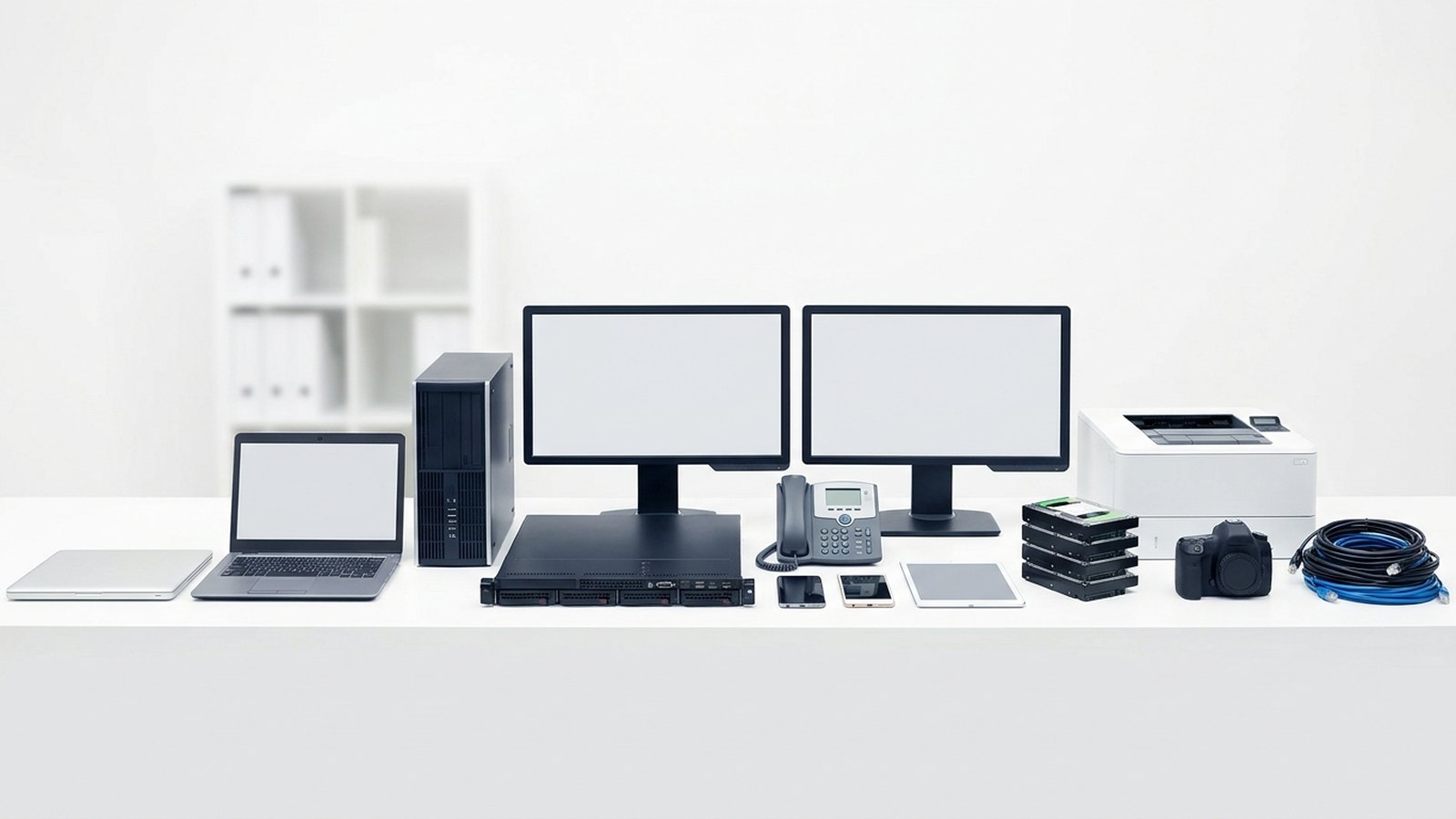
The range of business IT we collect: laptops, desktop tower, server, monitors, desk phone, mobiles, tablet, hard drives, printer, camera and cables

How it works

1

Book a collection

Tell us roughly what you have.

2

We collect & log

We pick up and record every asset.

3

Certified data wipe

Secure destruction + a certificate.

4

Refurbish & rehome

Reuse what we can, recycle the rest.

5

Your impact report

Proof of where it all went.

Refurbished laptops boxed and ready to be given to digitally-excluded Londoners

Where your old kit ends up

Every device that still has life in it is wiped, refurbished and tested, then given free to a Londoner who can't afford one — through our network of partner charities, schools and community organisations.

Nothing is resold for profit. Whatever can't be reused is recycled responsibly through licensed WEEE channels, and you get the paperwork that proves it.

See our impact

Our impact so far

0
Devices rehomed
0
People connected
0
E-waste diverted
0
CO₂ saved

Launching 2026 — numbers update as we grow.

Frequently asked questions

UK GDPR Article 32 does not specify a fixed list of technologies, but it does require measures appropriate to the risk. The ICO considers encryption of personal data (particularly on portable devices), access controls, multi-factor authentication and secure data destruction at end of life to be baseline expectations for most organisations.

Encryption is an important measure during active use, but it does not substitute for certified data destruction at disposal. When a device is retired, the storage media should be wiped to a recognised standard or physically destroyed. A certificate of data destruction provides the accountability evidence UK GDPR requires.

Training should cover what personal data the organisation holds, why it is sensitive, how to handle it correctly, how to recognise and report a suspected breach, and the organisation's specific procedures — including how to handle devices securely. Training should be repeated regularly, not delivered as a single induction event.

A data retention policy documents how long each category of personal data is held and what happens to it when the retention period expires. UK GDPR's storage limitation principle (Article 5(1)(e)) requires that data not be kept longer than necessary. A written policy supports both compliance and accountability.

Yes. The security principle applies to all personal data, including data stored on physical devices — laptops, mobile phones, USB drives, servers, photocopiers and backup tapes. Secure physical destruction or certified data wiping is required when these devices are no longer needed.

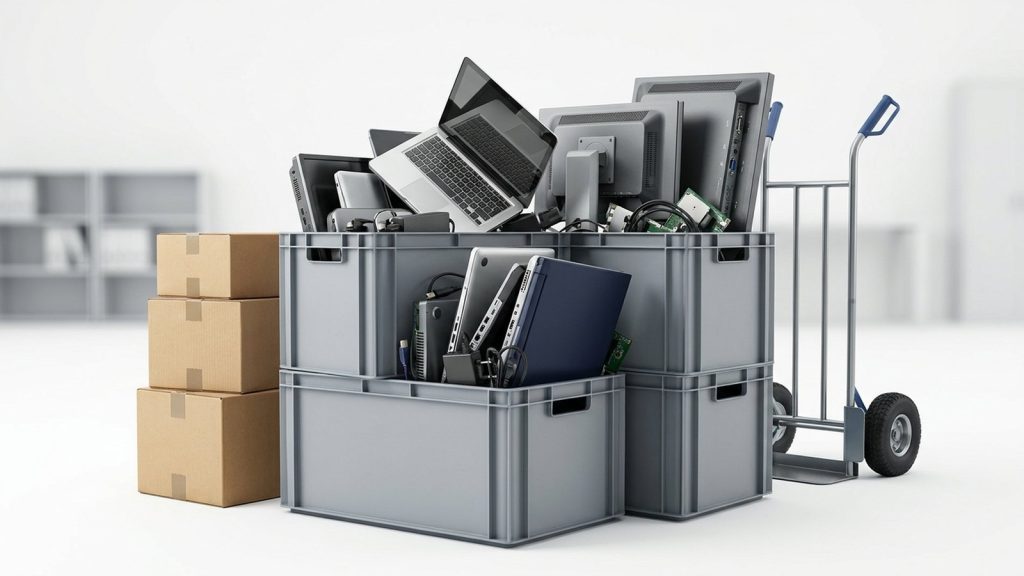
Crates and boxes of office IT equipment stacked with a sack trolley, staged for collection

Upgrading your office IT?

Turn your old kit into compliance, ESG impact and digital opportunity for someone who needs it.

Book a free collection

What Does “Appropriate Security” Mean Under UK GDPR?

Article 5(1)(f) of UK GDPR — the integrity and confidentiality principle — requires that personal data be “processed in a manner that ensures appropriate security of the personal data, including protection against unauthorised or unlawful processing and against accidental loss, destruction or damage, using appropriate technical or organisational measures.”

Article 32 elaborates on this, requiring organisations to implement measures “appropriate to the risk”. This risk-based approach means there is no single prescribed checklist. A GP surgery holding patient records faces different risks to a florist holding customer email addresses, and their security measures should reflect that difference.

The ICO’s guidance at ico.org.uk sets out a practical framework for thinking about appropriate security, structured around technical and organisational measures. Both categories are required — technical controls alone are insufficient if staff are not trained to use them correctly.

Technical Measures to Keep Data Secure

Technical measures are controls implemented in your systems and infrastructure. Key examples include:

Encryption
Encrypting data at rest (on devices and servers) and in transit (across networks) significantly limits the impact of unauthorised access. If an encrypted laptop is stolen, the data on it is not readily accessible without the encryption key. The ICO consistently cites encryption as a baseline expectation for portable devices holding personal data.

Access controls
Role-based access controls ensure that staff can only access the personal data they need to do their jobs. Strong authentication — ideally multi-factor authentication — reduces the risk of unauthorised access through compromised credentials.

Patching and updates
Unpatched software is one of the most common routes through which attackers gain access to personal data. A systematic approach to applying security patches promptly is a basic but important technical measure.

Network security
Firewalls, intrusion detection systems and secure Wi-Fi configurations reduce the risk of external attackers accessing your systems.

Secure data destruction
When a device reaches end of life, the data it holds must be securely destroyed. Certified data wiping (overwriting all sectors to a recognised standard) or physical destruction of the storage media are the accepted methods. Standard file deletion is not sufficient — data deleted in this way remains recoverable using freely available tools.

Organisational Measures to Keep Data Secure

Organisational measures are policies, processes and practices that govern how people handle data.

Staff training
Human error is responsible for a significant proportion of personal data breaches. Staff must understand what personal data they handle, why it is sensitive, and what to do if they suspect a breach. Regular training — not a one-off induction — is expected.

Data retention policies
A documented retention policy specifying how long each category of data is kept — and how it is deleted when the retention period expires — directly supports the storage limitation principle and reduces the volume of data at risk.

IT asset disposal procedures
A formal procedure for retiring hardware should specify that all devices are wiped or destroyed before leaving the organisation’s control, and that a certificate of data destruction is obtained and retained. Ad hoc disposal without a process is a common source of breaches.

Supplier and vendor management
Where personal data is processed by third-party suppliers, data processing agreements must be in place. You should assess your suppliers’ security practices and ensure they are contractually required to meet appropriate standards.

Incident response plans
If a breach does occur, you need a documented procedure for identifying it, containing it, assessing the risk to individuals, and reporting it to the ICO within 72 hours where required. Practising this procedure through tabletop exercises significantly improves the response.

Security Measures by Stage of the Data Lifecycle

Lifecycle stage Key technical measure Key organisational measure
Collection Encrypted transfer (HTTPS/TLS) Privacy notice; minimal data collection
Storage Encryption at rest; access controls Retention policy; regular audits
Sharing Encrypted transmission; secure portals Data processing agreements
Deletion Certified data wiping or physical destruction IT asset disposal procedure; certificate of destruction

The Relationship Between Security and Accountability

Article 5(2) of UK GDPR requires organisations to be able to demonstrate that they are complying with the security principle, not merely assert it. This means keeping records: training completion records, security audit logs, supplier contracts, and — crucially — certificates of data destruction for retired hardware.

The ICO expects organisations to maintain documentation proportionate to their size and the risk of their processing activities. Larger organisations and those processing special category data (such as health records or criminal conviction data) will be expected to have more comprehensive documentation.

Where Disposal Fits Into Your Security Programme

Secure disposal is a security measure, not an afterthought. Under UK GDPR, an organisation that fails to securely destroy data on retired hardware has failed the security principle. If that data is subsequently accessed by an unauthorised party, a personal data breach has occurred and must be reported to the ICO.

We provide certified data destruction for businesses of all sizes, with a certificate issued for every device. For devices that can be refurbished after wiping, we pass them free to digitally-excluded Londoners — combining your compliance with a positive social outcome.

Learn more about what certified data destruction involves on our data destruction service page, and read our article on GDPR and old IT equipment for guidance on the disposal process.

To discuss building secure disposal into your IT lifecycle management, contact Recycle4Charity.

What Do You Need to Do Before Donating a Laptop?

Preparing your laptop properly protects your personal data and ensures the charity can actually use the device. There are three steps: data removal, a quick physical check, and choosing your donation method.

Step 1: Wipe Your Data

This is the most important step. Deleting files or formatting a drive is not enough — a determined person can recover that data. You need a full factory reset or, better still, a certified data wipe.

Windows laptops
Go to Settings → System → Recovery → Reset this PC. Choose “Remove everything” and select “Remove files and clean the drive.” This overwrites your data so it cannot be recovered through standard means.

Apple MacBooks
On macOS Monterey or later, go to System Preferences → General → Transfer or Reset → Erase All Content and Settings. On older macOS versions, restart in Recovery Mode (hold Command + R), open Disk Utility, erase the drive, and reinstall macOS.

Chromebooks
Open Settings, search for “Powerwash,” and follow the prompts. Chromebooks store very little locally, but a Powerwash still removes your Google account and local files.

If you are not confident doing this yourself, do not worry. Recycle4Charity wipes every donated device to the Blancco or ADISA-certified standard before it is refurbished — so you can send your laptop as-is and we handle the rest. Find out more on our device donation page.

Step 2: Check the Device Condition

Most charities and refurbishers accept laptops that are in working order with no cracked screens, no missing keys, and no swollen batteries. Minimum specification requirements vary, but as a general guide:

Component Typical minimum
Processor Intel Core i3 / AMD equivalent (4th gen or later)
RAM 4 GB
Storage 128 GB HDD or any SSD
Operating system Capable of running Windows 10 or later
Screen Intact, no dead pixels covering usable area
Battery Charges and holds some charge

Laptops that fall below these thresholds may still be accepted for parts or responsible recycling — they do not go to landfill.

Step 3: Decide How to Donate

There are two main options:

Free collection — Recycle4Charity offers free collection from anywhere in London for businesses and individuals donating five or more devices. For smaller donations, we can advise on the nearest drop-off point. Book via our donate page.

Drop-off — Some community centres, libraries, and social enterprises across London accept laptop donations during opening hours. Always phone ahead to confirm they are accepting devices and ask about data wiping requirements.

What Should You Include With the Laptop?

Include the charger if you have it. A laptop without a charger is still usable, but the recipient will need to source one — including the charger makes the gift more complete.

Do not include:
– Laptop bags or cases (the charity must store or dispose of them)
– USB drives or memory cards (wipe and keep them, or donate separately)
– Software licence discs for old software that is no longer supported

What Happens After You Donate?

At Recycle4Charity, every device goes through a set process:

  1. Data destruction to a certified standard, with a certificate of destruction issued on request
  2. Hardware testing — screen, keyboard, battery, ports
  3. Refurbishment — cleaning, replacement of failed components where cost-effective
  4. Pre-loading with a clean operating system and essential free software
  5. Allocation to a digitally-excluded Londoner through our community partners

Devices that cannot be refurbished are dismantled and recycled in line with WEEE regulations. Nothing goes to landfill.

Why Does Donating a Laptop Matter?

According to the Good Things Foundation, millions of people in the UK lack the basic digital skills or access needed to get online. A working laptop can be the single most significant barrier between a person and online job applications, NHS services, or their child’s homework.

Read more about the scale of the issue on our digital exclusion explainer and the difference devices make on our donated devices impact page.

Ready to donate? Book a free collection or find a drop-off point — it takes less than five minutes to arrange.

Why You Cannot Dispose of WEEE as General Waste

Putting electrical equipment in an ordinary skip or refuse bin is a criminal offence under both the WEEE Regulations 2013 (SI 2013/3113) and the Environmental Protection Act 1990. WEEE contains hazardous substances — including lead, cadmium, mercury, and brominated flame retardants — that can contaminate soil and groundwater if sent to landfill. It also contains valuable recoverable materials such as copper, gold, and rare earth elements that are lost when equipment is incinerated or buried.

The Environment Agency actively monitors and prosecutes improper WEEE disposal. Enforcement notices and prosecution records are published publicly on gov.uk. Beyond the legal risk, businesses disposing of equipment that contains personal data face additional exposure under UK GDPR if data is not securely destroyed before disposal.

Step 1: Sort and Identify Your WEEE

Before arranging collection, carry out an inventory of equipment due for disposal. Note:

  • Product type and category (laptop, monitor, server, telephone, etc.)
  • Whether the item contains a battery (which must be removed and separately treated at an AATF)
  • Whether the item is a CRT device or contains mercury (these are classed as hazardous WEEE and require additional documentation)
  • Whether the item holds personal or business-sensitive data (hard drives, mobile devices, USB keys, etc.)

This inventory will help your waste contractor plan the collection, determine which documentation is required, and ensure proper handling at the treatment facility.

Step 2: Assess Whether Equipment Can Be Reused

Before treating equipment as waste, consider whether it still has useful working life. Under the waste hierarchy — a framework embedded in UK waste law — reuse is preferred over recycling, and recycling over disposal. Donating or selling working equipment to a reputable refurbisher extends device life, displaces demand for new manufacturing, and can provide social benefit.

Recycle4Charity accepts working IT equipment — laptops, desktops, tablets, monitors — from London businesses and refurbishes them for donation to digitally excluded residents. Equipment that passes our assessment is given a second life rather than being processed as waste.

Step 3: Choose a Licensed Waste Carrier

Any company that collects or transports WEEE on your behalf must be registered as a licensed waste carrier. In England, carriers are registered with the Environment Agency; the public register is searchable on gov.uk.

Before engaging a contractor, confirm:

  • Their waste carrier registration number and expiry date
  • The name and AATF permit number of the facility they use for WEEE treatment
  • That they can provide a waste transfer note on collection
  • Whether they can provide a certificate of data destruction if required

Using an unlicensed carrier does not discharge your legal duty of care — you remain liable for the waste.

Step 4: Arrange Collection and Complete Documentation

On the day of collection, the waste carrier must complete a waste transfer note. This document records:

  • A description of the waste
  • Its quantity and classification
  • The name and address of the transferor (your business) and transferee (the waste carrier)
  • The date of transfer
  • Both parties’ signatures

You must retain a copy of this note for at least two years. For hazardous WEEE — including CRT monitors, equipment containing mercury, or items with batteries that cannot be removed — a hazardous waste consignment note is also required and must be kept for three years.

Step 5: Secure Data Destruction

If any equipment you are disposing of holds personal data, data must be destroyed before or at the time of disposal to comply with UK GDPR and the Data Protection Act 2018. This means:

  • Physical destruction of storage media (hard drives, SSDs, USB keys, tapes), or
  • Verified secure overwrite using software meeting a recognised standard (such as NIST SP 800-88 or HMG Infosec Standard 5)

A reputable WEEE contractor will provide a certificate of data destruction specifying the method used, the serial numbers of devices processed, and the date of destruction. This certificate is your evidence of compliance in the event of a data breach investigation.

For more on this process, see our guide to what is data destruction and our dedicated data destruction service.

Step 6: Retain All Records

Hold the following in a compliance file:

  • Waste transfer notes (two-year minimum retention)
  • Hazardous waste consignment notes where applicable (three-year retention)
  • Certificates of data destruction
  • Waste carrier licence numbers
  • AATF permit details

This documentation protects your business in the event of an Environment Agency investigation or a client audit.

Getting WEEE Collected in London

Recycle4Charity provides a complete WEEE collection service for London businesses. We are AATF-partnered, issue full documentation including waste transfer notes and certificates of data destruction, and — where equipment still has working life — refurbish and donate devices to Londoners who need them most.

To arrange a compliant, documented WEEE collection, visit our WEEE recycling service for London businesses.

The data risk most businesses miss

Modern office printers, multifunction devices (MFDs), and photocopiers are networked computers. They run operating systems, connect to your server, and — critically — many store a copy of every document they scan, print, copy, or fax on an internal hard drive or flash memory module.

This is not a theoretical risk. Several high-profile data breaches have occurred when organisations sold or disposed of copiers without clearing the internal storage. Under UK GDPR and the Data Protection Act 2018, your organisation is responsible for any personal data stored on that device until destruction is confirmed.

Before your printer leaves the building, you must:

  1. Identify whether it has internal storage — check the manufacturer’s specification sheet or service manual. Most laser printers above entry-level, and virtually all MFDs and copiers, have an internal hard drive or non-volatile memory.
  2. Run the manufacturer’s data deletion routine — many devices have a built-in secure delete function. Consult the user manual or contact the manufacturer’s support line.
  3. Request certified data destruction from your ITAD provider — if the device has a removable hard drive, a certified recycler can extract and shred it, issuing a destruction certificate. For embedded flash memory, physical destruction of the circuit board may be the most reliable method.

The Information Commissioner’s Office (ICO) provides guidance on disposing of equipment securely and recommends obtaining documented evidence of destruction. For broader context on your obligations, see our article on UK GDPR and old IT equipment.

Are printers classified as WEEE?

Yes. Printers, copiers, fax machines, and multifunction devices are all classified as Waste Electrical and Electronic Equipment under the WEEE Regulations 2013. They cannot be placed in commercial or household general waste. Businesses transferring printers to a waste contractor must obtain a Waste Transfer Note and retain it for at least two years.

Ink cartridges and toner cartridges are not covered by WEEE in the same way as the device itself — they are consumables — but they should not go in general waste either. Most manufacturers operate cartridge return schemes, and many office supply retailers accept empties. For a full guide, see our article on how to recycle printer toner and cartridges.

How to dispose of a printer: step by step

1. Identify and address internal storage
Check the specification sheet for the make and model. If an internal hard drive or flash storage module is present, run the manufacturer’s secure delete routine or arrange physical destruction.

2. Remove toner or ink cartridges
Return cartridges through a manufacturer’s scheme or an office supply retailer take-back programme. Do not leave toner inside the machine if it is being transported — toner is a fine powder that can be released and inhaled if the machine is jarred or tipped.

3. Remove paper and consumables
Clear all paper trays, duplexing units, and finisher trays.

4. Document the device
Record the make, model, serial number, and any asset tag before disposal.

5. Choose a certified WEEE recycler
For businesses, this means a provider registered as an authorised WEEE treatment facility. Ask for ISO 14001 and, where data destruction is involved, ISO 27001 certification. Recycle4Charity’s printer recycling service for London businesses includes collection, data destruction, and WEEE documentation.

6. Retain your documentation
Keep the Waste Transfer Note and any data destruction certificate for at least two years.

What options are available for printer disposal?

Route Data destruction WEEE compliant Suitable for businesses? Documentation
Certified ITAD provider Yes (if requested) Yes Yes Waste Transfer Note + cert
Manufacturer take-back Sometimes Yes Sometimes Variable
Office equipment dealer (trade-in) Sometimes Variable Sometimes Variable
Council HWRC No Yes No (household only) None
General waste No No — illegal No None

What happens to a recycled printer?

A certified recycler will first assess whether the device is suitable for refurbishment. Working printers in good condition may be cleaned, tested, and donated to community organisations or resold. Devices beyond economic repair are disassembled: metal casings and frames are separated for scrap recovery; plastic housings are granulated and processed as secondary plastics; circuit boards go to specialist e-waste processors for precious metal recovery; toner residue is processed in compliance with hazardous waste regulations.

Large copiers and MFDs: additional considerations

High-volume copiers and multifunction devices often have larger hard drives, fax memory, and network configuration data in addition to document images. Some models store user authentication data — PIN codes, Active Directory credentials — if they were integrated with an organisational login system.

Before disposal, contact the manufacturer or your service provider to confirm a complete list of storage components and the recommended clearing procedure. A certified ITAD provider with experience in large office equipment will be familiar with the major manufacturers’ procedures.

Ready to arrange printer disposal?

Recycle4Charity collects printers and multifunction devices from London businesses. We handle data destruction, WEEE compliance, and documentation. Visit our printer recycling page to book a free collection.

Why you cannot simply throw away old office computers

Old office computers are not general waste. They are classed as WEEE — Waste Electrical and Electronic Equipment — under the WEEE Regulations 2013, which prohibit businesses from disposing of them in general waste streams. Beyond the environmental rules, they almost certainly contain personal data: employee records, client files, email histories, browser credentials and cached documents.

Under UK GDPR and the Data Protection Act 2018, your organisation is responsible for that data until it is demonstrably, irreversibly destroyed. A computer sitting in a skip or passed to an unlicensed collector still holds your data. If it ends up on eBay with readable files, the ICO may investigate your organisation.

This guide explains how to dispose of old office computers lawfully, whether you have one machine or a hundred.

Step 1: Stop using the devices and secure them

Before disposal begins, take the machines out of active use and store them in a locked room or secure area. Restrict access. Do not allow staff to remove machines without authorisation, and do not allow anyone to take a machine home without certified data destruction first.

Step 2: Do not wipe them yourself (unless you have the right tools)

Many organisations attempt to “wipe” computers by deleting files, emptying the recycle bin or running a factory reset. None of these approaches overwrites data to a forensic standard. Deleted files remain recoverable using freely available software.

If you have the technical capability to run a certified overwriting tool — one that complies with NIST 800-88 or the UK government’s HMG Infosec Standard 5 — and can generate and retain individual certificates for each drive, then in-house wiping may be acceptable. Most organisations do not have this capability or cannot produce the certificates the ICO would expect to see.

The safer approach is to pass the machines to a certified ITAD provider who performs data destruction as part of their service and issues a certificate per device as standard.

Step 3: Choose a certified recycling or disposal provider

When selecting a provider for computer disposal, verify:

  • They hold a valid Environment Agency waste carrier licence — check the public register at gov.uk
  • They are registered with the ICO as a data processor
  • They hold ADISA certification or equivalent independently audited data destruction accreditation
  • They will issue you with a data destruction certificate per device and a waste transfer note confirming WEEE-compliant recycling

Recycle4Charity provides certified computer recycling across London. Every device we process receives a data destruction certificate, and functional computers are refurbished and given free to digitally-excluded Londoners before anything goes to the recycler. You can find out more on our computer recycling page.

For a broader overview of business IT disposal options, visit our business services page.

Step 4: Arrange collection and sign the manifest

A reputable provider will collect from your premises. At collection, you should:

  • Confirm that every machine on your list is captured on the provider’s collection manifest
  • Sign the manifest and keep a copy
  • Note the name of the waste carrier and their licence number

The signed manifest is the beginning of your audit trail. It is also a component of the duty-of-care documentation required under the Environmental Protection Act 1990.

Step 5: Receive your certificates

After processing, your provider should issue:

  • A data destruction certificate for every computer, specifying the make, model, serial number, destruction method and standard used
  • A waste transfer note confirming that WEEE was collected by a licensed carrier and processed at an authorised treatment facility
  • An asset report listing every device and its final outcome (refurbished and donated, resold or recycled)

File these documents. If the ICO ever investigates a data breach linked to a retired device, these certificates are your evidence that you discharged your obligations.

What about computers that still work?

Functional computers should not go straight to recycling. Before the recycler gets involved, ask your ITAD provider about asset recovery: computers in good condition have a secondary market value, and recent models may generate a financial credit that offsets your disposal costs.

Alternatively, if you would like working machines to go to a good cause, Recycle4Charity refurbishes them and provides them free to people in London who lack access to technology. Data is destroyed to the same certified standard regardless of whether the device is recycled or donated.

Our guide to IT asset recovery explains how value recovery works in practice.

Common mistakes to avoid

Mistake Why it matters
Deleting files or reformatting the drive Does not overwrite data; files remain recoverable
Using a general waste contractor Does not satisfy WEEE Regulations 2013; no data destruction certificate
Giving computers to staff without wiping Data breach under UK GDPR if personal data is recoverable
Storing old computers indefinitely Data risk if premises are burgled or devices mislaid
Using a charity shop or skip Neither route provides certified data destruction or WEEE compliance

How many computers do you need to dispose of?

The process is the same whether you are disposing of one machine or a hundred, but the logistics differ. For a single machine, many ITAD providers offer a drop-off option. For a full office clear-out, a scheduled collection is more practical.

If your disposal project is part of a wider office move or closure, see our office IT decommissioning guide for a fuller walkthrough of the planning process.

The three obligations every business must meet

Before covering practical steps, it is worth stating clearly what the law requires of UK businesses disposing of IT equipment.

1. Data security — UK GDPR and the Data Protection Act 2018

If any device you are disposing of has processed personal data — and virtually every computer, phone, or tablet used for work has — you remain responsible for that data until it is provably destroyed. The Information Commissioner’s Office (ICO) has issued significant fines for organisations that allowed equipment containing personal data to enter second-hand markets or recycling streams without confirmed erasure.

This obligation applies regardless of whether the data was stored deliberately. Email caches, browser history, temporary files, and application data routinely accumulate personal information. A standard factory reset or disk format does not destroy this data; it removes the file directory but leaves the underlying data recoverable.

2. Environmental compliance — WEEE Regulations 2013

All IT equipment — computers, laptops, monitors, printers, servers, phones, tablets, networking equipment, cables, chargers, and peripherals — is classified as Waste Electrical and Electronic Equipment (WEEE). It cannot go in commercial or household general waste. Businesses must transfer WEEE to an authorised treatment facility and obtain a Waste Transfer Note for each transfer. Waste Transfer Notes must be retained for two years.

3. Chain of custody documentation

A chain of custody record traces each device from the moment it leaves your premises to confirmed destruction or reuse. For regulated industries — finance, healthcare, legal, public sector — auditors and regulators may ask to see this documentation. For all businesses, it provides demonstrable due diligence in the event of an ICO investigation.

For a deeper look at your WEEE obligations, see our guide on what WEEE recycling means for businesses.

What IT equipment does this cover?

This guide covers the full range of business IT:

  • Desktop computers and workstations
  • Laptops, Chromebooks, and ultrabooks
  • Monitors and display screens
  • Printers, copiers, and multifunction devices
  • Mobile phones and smartphones
  • Tablets and e-readers
  • Servers, NAS devices, and storage arrays
  • Networking equipment: switches, routers, firewalls, access points
  • Cables, chargers, and power adapters
  • Keyboards, mice, and other peripherals
  • Cameras and AV equipment (where part of IT infrastructure)

Step-by-step: how to dispose of IT equipment correctly

Step 1: Audit and inventory

Before any equipment leaves the building, create a complete inventory. Record:
– Make and model
– Serial number
– Asset tag (if applicable)
– IMEI number (for mobile devices)
– Drive serial numbers (for computers and servers)
– Condition assessment

This inventory forms the basis of your chain of custody documentation and is required to match data destruction certificates to specific devices.

Step 2: Back up data you need to retain

Transfer files, licence keys, and application data to new devices or secure storage before wiping. Confirm backups are complete and accessible before proceeding to erasure.

Step 3: Arrange certified data destruction

Choose the appropriate method for each device type:

Device type Recommended data destruction method
Computer / laptop (functioning HDD or SSD) Certified software overwrite (NIST 800-88 / HMG IS5)
Computer / laptop (failed or non-functional drive) Physical shredding
Server (multiple drives, RAID configuration) Break RAID, individually wipe or shred each drive
Mobile phone / tablet (modern, encrypted) Factory reset + encryption key destruction (confirm with provider)
Printer / copier with internal hard drive Manufacturer secure delete routine + certified overwrite or shredding
External hard drives and USB drives Software overwrite or physical shredding

In every case, a data destruction certificate should be issued for each device, naming the serial number and confirming the method and standard applied.

Step 4: Deregister and decommission

Update your internal systems:
– Remove devices from your CMDB or asset register
– Deregister software licences
– Remove devices from your MDM (mobile device management) system
– Notify finance for asset write-off
– Remove from cyber insurance schedules if listed

Step 5: Choose a certified ITAD provider

For businesses, a certified IT asset disposal provider handles the WEEE compliance, data destruction, and documentation in an integrated way. Look for:

  • Registration as an authorised WEEE treatment facility with the Environment Agency
  • ISO 14001 (environmental management) certification
  • ISO 27001 (information security management) certification
  • Ability to issue Waste Transfer Notes and data destruction certificates for every device

Recycle4Charity provides ITAD services for London businesses, with free collection for qualifying volumes. Working devices are refurbished and donated to digitally-excluded Londoners; equipment beyond reuse is processed through certified WEEE streams. Visit our IT asset disposal for businesses page to request a collection.

Step 6: Collect your documentation

At the end of the process, you should hold:

  • Asset inventory — your internal record
  • Collection manifest — signed at point of collection
  • Waste Transfer Note — legally required, retain for two years minimum
  • Data destruction certificate — for each device, listing serial number, method, and standard
  • Certificate of recycling or reuse — confirming WEEE-compliant processing

Step 7: File and retain

File all documentation against your internal IT asset disposal policy. Your data protection records should note the disposal date and reference the destruction certificate for any devices that processed personal data.

Common mistakes businesses make

Disposing of devices in dribs and drabs without documentation
Every disposal requires a Waste Transfer Note. Accumulating devices and arranging a single certified collection is both more efficient and more compliant.

Assuming factory resets are sufficient
They are not, for most devices and most purposes. Always arrange certified erasure or destruction.

Overlooking printers and copiers
These often contain hard drives storing document images. Many businesses wipe computers carefully but overlook the MFD in the corner of the office. See our guide on how to dispose of old printers for the specific steps.

Leaving cables and peripherals behind
All WEEE — including cables, chargers, keyboards, and mice — needs a Waste Transfer Note. Bundle everything into one collection where possible.

Using a general waste contractor for WEEE
General waste contractors are not authorised WEEE treatment facilities. Using one exposes your business to both WEEE Regulations penalties and potential ICO liability.

IT equipment disposal for regulated sectors

Businesses in finance, healthcare, legal services, and the public sector face additional obligations:

  • Financial services: FCA rules require demonstrable data governance throughout the data lifecycle, including disposal.
  • Healthcare: NHS organisations follow NHS Data Security and Protection Toolkit guidance, which specifies certified erasure standards.
  • Legal: Law firms handling client data must satisfy SRA requirements on data protection.
  • Public sector: Central government and local authorities follow the Secure by Design framework and HMG Infosec Standards.

A certified ITAD provider experienced in regulated sectors can provide documentation aligned to these requirements. Ask for sample certificates and confirm the erasure standard applied before instructing.

Ready to dispose of your IT equipment?

Recycle4Charity provides certified ITAD services for London businesses — data destruction, WEEE recycling, full documentation, and free collection for qualifying volumes. Contact us through our business IT disposal page to arrange a collection or request a quote.

Why you cannot simply throw away a hard drive

A hard drive placed in general waste or an office bin poses two distinct risks. First, the data it contains may still be fully recoverable, exposing the personal or confidential information of customers, employees, or patients. Second, hard drives contain hazardous materials — lead, mercury, cadmium — that make them classified as waste electrical and electronic equipment (WEEE) under the WEEE Regulations 2013. Sending WEEE to landfill or general waste is illegal in the UK.

Both risks carry regulatory consequences. The Information Commissioner’s Office (ICO) can take enforcement action against organisations that allow personal data to escape their control on unwiped drives. The Environment Agency can take action against businesses that dispose of WEEE incorrectly.

Secure, compliant disposal requires two steps: data destruction first, then recycling through an authorised treatment facility.

Step 1: Destroy the data

Before a hard drive leaves your control, its data must be permanently destroyed. There are two reliable methods:

Software wiping: Certified overwriting software writes new data over every addressable sector of the drive, then verifies that overwriting was successful. This produces a per-drive verification report and allows the drive to be reused. The process should be carried out to a recognised standard — NIST Special Publication 800-88 or NCSC secure sanitisation guidance.

Physical shredding: The drive is mechanically shredded into fragments too small to reconstruct. This is the most certain method and is appropriate for drives with bad sectors, drives that cannot be reliably wiped, or situations where the data sensitivity demands the highest assurance. Shredded fragments are recycled as raw material.

Do not rely on deletion, formatting, or factory resets as substitutes for proper data destruction. These methods leave data recoverable.

For a detailed comparison of methods, see our guide to data wiping vs shredding vs degaussing.

Step 2: Recycle the hardware

Once data has been destroyed, the drive — whether intact after wiping, or in fragments after shredding — must be recycled through an authorised route under the WEEE Regulations 2013.

Options include:

  • Certified IT asset disposal (ITAD) provider: An ITAD provider handles both data destruction and WEEE-compliant recycling in a single service. This is the most straightforward route for businesses disposing of multiple drives or a mixed IT estate.
  • WEEE take-back scheme: Some manufacturers and retailers operate take-back schemes under which they accept old equipment for recycling. These schemes do not typically include certified data destruction, so drives should be wiped before handover.
  • Local authority HWRC: Household waste recycling centres accept WEEE, but they are not designed for business volumes and do not offer data destruction services.

For business disposal, using a certified ITAD provider is the most efficient and compliant route because it addresses both data destruction and WEEE recycling in one step and provides the documentation needed to demonstrate compliance.

What documentation do you need?

UK GDPR’s accountability principle requires organisations to be able to demonstrate compliance. For hard drive disposal, that means keeping records of:

  • Every drive disposed of (make, model, serial number)
  • The destruction method used
  • The standard to which it was applied
  • The date of destruction
  • The name of the provider or individual who carried out the work

A certificate of data destruction, issued by the ITAD provider for every collection, is the standard way to hold this evidence. Keep certificates for at least as long as your data retention policy requires — and ideally for the duration of any relevant regulatory limitation period.

For more on what a certificate should contain, see our guide to certificates of data destruction.

What about old drives from laptops and desktops?

When a business retires a laptop or desktop, the internal hard drive should be addressed as part of the retirement process. Options are:

  • Wipe the drive in situ before the machine is collected for recycling, if you have the tools and expertise to do so correctly
  • Use an ITAD provider that wipes or shreds drives as part of their collection service and provides certification
  • Remove drives before donating or recycling machines, and arrange separate destruction

Do not donate or sell a machine without first confirming that the drive has been securely wiped. This applies equally to SSDs, which store data in flash memory and require specific wiping commands — standard overwrite tools designed for magnetic drives may not be effective.

Drives from defunct businesses

If a business is being wound up and IT equipment is being disposed of as part of the process, the obligation to destroy personal data does not lapse. The organisation remains responsible for data held on its systems until that data is formally destroyed or the business is dissolved. In practice, this means engaging a certified ITAD provider before equipment is handed over to administrators, landlords, or third parties.

How Recycle4Charity can help

Recycle4Charity is a London-based Community Interest Company providing certified IT asset disposal for businesses. We collect hard drives and full IT estates, carry out certified data wiping or shredding, issue a certificate of data destruction for every collection, and recycle all materials through WEEE-compliant routes.

Drives that pass data wiping and quality checks are refurbished and donated free of charge to digitally-excluded Londoners — so your disposal also has a social benefit.

Visit our hard drive and media destruction page to learn more, or contact us to arrange a collection.

Do camera lenses contain data?

Unlike camera bodies, lenses do not store personal data. There are no memory cards, no Wi-Fi credentials, and no image files. The lens communicates electronically with the camera body via contacts on the mount, but it retains no stored information after disconnection.

This makes lenses simpler to dispose of than camera bodies — the data-wiping steps required before selling a camera body do not apply. That said, lenses are still classified as Waste Electrical and Electronic Equipment (WEEE) under the WEEE Regulations 2013 because of their electronic mount contacts and, in some cases, internal image stabilisation motors, autofocus drives, and optical correction electronics. They cannot go in general waste.

When does selling a lens make sense?

Lenses retain their value better than camera bodies. The optical quality of glass does not degrade in the same way electronics do, and many lenses remain usable across multiple generations of camera systems via adapters. A lens that a studio no longer needs may be exactly what another photographer is looking for.

Specialist camera dealers

Dealers such as MPB, Wex Photo Video, and London Camera Exchange buy lenses directly. They inspect condition, grade the glass and coatings, check autofocus function, and make an offer. The process is fast and reliable — particularly for popular mount systems (Canon EF, Sony E, Nikon Z, Leica M).

Expect dealer offers to sit below private sale prices, as dealers build in margin to cover inspection, listing, and resale risk. However, for business clearances where speed and simplicity matter more than extracting maximum value, dealers offer a clean transaction with no packaging, postage, or buyer management.

Selling on eBay

eBay is the largest market for used lenses in the UK and often returns the highest price for items in clean condition. Accurate description of any fungus, haze, dust, or coating wear is essential — experienced buyers know what to look for and misrepresented condition leads to disputes.

Good eBay listings for lenses include:
– Front and rear element photographs in good light
– Photographs of the aperture blades
– A description of any marks, haze, or wear
– Confirmation of autofocus and image stabilisation function (if applicable)
– Mount system and compatibility information

For high-value cinema lenses or specialist optics, eBay’s international reach can find buyers that UK-only platforms cannot.

Lens-specific auction and classified platforms

Beyond eBay, platforms such as Catawiki, Grays of Westminster, and photographic specialist auctions attract buyers specifically interested in cameras and optics. These work well for unusual, vintage, or high-value glass where the right buyer makes a significant difference to the final price.

When donating a lens is the better choice

Lenses in working condition but low enough value that selling is not worth the effort can go to community photography projects, school programmes, or charities running creative media initiatives. Recycle4Charity accepts lens donations alongside camera bodies and uses them to equip community projects across London.

A standard kit lens — the kind that ships with entry-level DSLRs — has a low private sale price but is exactly what a community photography group or school needs to get students started. Donating it directly means it stays in use rather than gathering dust or going to landfill.

See the how to donate a camera to charity page for details on who benefits from donated equipment and how to arrange a collection.

Recycling lenses that cannot be sold or donated

Lenses that are damaged beyond repair — cracked elements, seized aperture blades, broken mount contacts — cannot be sold or meaningfully donated. These must be recycled through a certified WEEE route.

Recycle4Charity accepts broken lenses alongside other camera equipment as part of its business collection service. At an authorised treatment facility (ATF), lenses are dismantled: optical glass is separated for appropriate processing, metal components (aluminium barrels, steel mounts) go to metals recycling, and electronic components are processed under WEEE protocols.

For a clearance that includes lenses alongside camera bodies, AV equipment, or other studio gear, our AV and camera equipment recycling service handles mixed loads in a single collection. You receive a waste transfer note confirming compliant disposal under UK WEEE regulations.

Lens filters, hoods, caps, and accessories

Filters (UV, ND, polarising) contain glass and metal or plastic frames. They are WEEE if they contain any electronic components (some variable ND filters have electronic elements); otherwise they can go in general metal and glass recycling streams at a household waste recycling centre (HWRC) or scrap metal dealer. Check with your local authority.

Lens hoods, caps, and non-electronic accessories are generally plastics — dispose of them in your kerbside plastic recycling if your local authority accepts rigid plastics, or take them to an HWRC.

A note for businesses clearing studio lenses

Cinema lenses, broadcast telephoto lenses, and large-format optics are high-value and should be assessed individually before a clearance goes ahead. A single PL-mount cinema prime can be worth several thousand pounds in the right market. If you are clearing a production facility or studio, it is worth asking a specialist dealer to assess the lens inventory before defaulting to bulk recycling or donation.

For everything else — standard EF, E-mount, or F-mount glass in mixed condition — Recycle4Charity can arrange a single collection covering lenses alongside the rest of your camera and AV equipment.

Why disposal of a laptop is not straightforward

Laptops combine two obligations that often catch businesses off guard: data security and environmental compliance. Get either wrong and the consequences range from ICO enforcement to Environment Agency penalties.

This guide works through both, in the correct order: data destruction first, then disposal.

Step one: secure data destruction

What is at risk on a laptop drive?

A typical laptop used for work or personal tasks may contain:
– Emails, contracts, and financial records
– Saved passwords and browser autofill data
– HR files, client details, or health information
– Login credentials cached in applications

Standard file deletion marks a file’s storage space as available for reuse but leaves the data intact until overwritten. A factory reset typically deletes the file allocation table rather than the underlying data. In both cases, freely available recovery software can restore files.

Methods for secure laptop data wiping

Certified software overwrite
This is the method of choice for drives that are still functioning. Software meeting HMG Infosec Standard 5 or NIST 800-88 makes multiple overwrite passes across every storage sector. At the end of the process, a certified ITAD provider issues a data destruction certificate naming the device’s serial number and confirming the erasure standard applied.

Factory reset with full-disk encryption
Modern laptops with full-disk encryption enabled (BitLocker on Windows, FileVault on macOS) can achieve an acceptable security level through a factory reset combined with destruction of the encryption key. This is less reliable on older machines, or those that were not encrypted for their entire working life.

Physical destruction (shredding)
Where a drive has failed or cannot be wiped by software, physical destruction is the definitive method. The drive is shredded to a particle size that makes data recovery impossible. A destruction certificate is issued for each device.

Under UK GDPR and the Data Protection Act 2018, organisations must be able to demonstrate that personal data has been destroyed. A data destruction certificate is the standard way to evidence this. The ICO has emphasised that passing a device to a third party without confirmed data destruction does not end the data controller’s liability.

For a detailed explanation of these methods, see our guide on what data destruction means.

Step two: dispose of the laptop legally

Once data has been dealt with, the laptop must be disposed of through a lawful route. The WEEE Regulations 2013 classify laptops as Waste Electrical and Electronic Equipment. This means:

  • They cannot go in general commercial or household waste.
  • They cannot go in office or kerbside recycling bins.
  • They must be transferred to an authorised WEEE treatment facility, with a Waste Transfer Note issued and retained by the business for at least two years.

Your disposal options compared

Route Data destruction included WEEE compliant Documentation Suitable for businesses?
Certified ITAD provider Yes (certificate issued) Yes Waste Transfer Note + destruction cert Yes
Manufacturer take-back Sometimes Yes Variable Sometimes
Council HWRC No Yes No No (household only)
In-store retailer take-back No Yes No No
General waste No No — illegal None No

Certified IT asset disposal (ITAD)

A certified ITAD provider collects laptops from your premises, wipes or destroys the drives, and either refurbishes the devices for reuse or processes the materials through licensed WEEE streams. For London businesses, Recycle4Charity provides this service free of charge for qualifying volumes, with full documentation.

Working laptops collected by Recycle4Charity are refurbished and donated to digitally-excluded Londoners, giving devices a meaningful second life before materials are eventually recovered. Our laptop recycling service for London businesses covers all London boroughs.

Donation

If your laptop is still functional, donation to a verified reuse scheme is preferable to recycling — the waste hierarchy in UK law prioritises reuse. The drive must still be wiped to certified standards before the device leaves your organisation. Do not assume a charity will handle this; confirm the process before handing over equipment.

Council Household Waste Recycling Centres

These are available to householders but not to businesses. They do not offer data destruction. Individual members of the public can use them for personal laptops after wiping their own devices.

What about the laptop battery and charger?

Both are WEEE. Laptop batteries are also subject to the UK Battery Regulations 2008 and must not enter general waste. Pass them to your ITAD provider together with the laptop, or use a dedicated battery drop-off point.

For more on battery disposal, see our article on how to recycle batteries from old devices.

Checklist before your laptop leaves the building

  • Data backed up to new device or secure storage
  • All accounts signed out (email, cloud, software licences deauthorised)
  • Drive wiped to certified standard or arranged for on-collection wiping
  • Data destruction certificate requested
  • Waste Transfer Note requested from recycler
  • Documentation filed for minimum two years

Ready to dispose of your business laptops?

Book a free collection with Recycle4Charity across London. We provide certified data destruction, a Waste Transfer Note, and a certificate of recycling or reuse. Visit our laptop recycling page to get started.

Why server disposal carries the highest data risk

A single server may contain terabytes of data across multiple hard drives or SSDs. Unlike a laptop or phone, a server’s storage is typically partitioned across a RAID array, which means data may be spread across drives in non-obvious ways. Simply wiping individual drives within a RAID may not remove all data unless the array is first broken down and each drive wiped individually.

Server types that require particular care include:
File servers — may hold years of staff files, HR records, financial documents
Database servers — may contain customer records, transaction histories, health data
Mail servers — may hold personal communications covered by UK GDPR
Backup servers and NAS devices — may hold copies of data from across the organisation, sometimes including data long since deleted from primary systems
Virtualisation hosts — may contain virtual machine images including guest operating systems and their data

Under UK GDPR and the Data Protection Act 2018, organisations must implement appropriate technical measures to protect personal data. The Information Commissioner’s Office (ICO) is clear that disposal of equipment containing personal data without confirmed destruction is a breach of these obligations. For context on your legal position, see our article on UK GDPR and old IT equipment.

Data destruction methods for servers

Certified software overwrite

The industry standard for functioning drives is software overwrite meeting NIST 800-88 (Guidelines for Media Sanitisation) or HMG Infosec Standard 5. For servers with multiple drives, each drive must be individually overwritten. The output is a certificate naming each drive by serial number and confirming the erasure standard and date.

Degaussing

A degausser applies a powerful magnetic field that destroys the magnetic domains storing data on HDDs and magnetic tapes. It is fast and reliable for hard disk drives but has no effect on SSDs (which use flash memory, not magnetic storage). Degaussed drives are permanently destroyed and cannot be reused.

Physical shredding

The most definitive method. Drives are fed through an industrial shredder and reduced to fragments below a specified particle size (typically 15mm or less for HDDs, smaller for SSDs). Certificates are issued listing each drive by serial number and confirming the shred particle size. This is the preferred method for end-of-life drives or drives that cannot be wiped by software.

On-site destruction

Where data sensitivity requires it, a certified provider can bring destruction equipment to your premises and destroy drives under your supervision. The certificate is issued on the spot. This eliminates the risk of data exposure during transit.

Chain of custody: why it matters

Chain of custody documentation traces each device from the moment it leaves your custody to confirmed destruction. For server disposal, this typically includes:

  1. Asset inventory — make, model, serial number, drive serial numbers, asset tag
  2. Collection manifest — signed by both your representative and the collection driver
  3. Waste Transfer Note — legally required for any transfer of controlled waste
  4. Data destruction certificate — for each drive, listing serial number, method, and standard applied
  5. Certificate of recycling or reuse — confirming the server chassis has entered a compliant WEEE stream

Keep all documentation for a minimum of two years. In the event of a regulatory enquiry or ICO investigation, this paperwork demonstrates due diligence.

Are servers classified as WEEE?

Yes. Servers, rack-mounted equipment, blade systems, storage arrays, and network infrastructure (switches, routers, firewalls) are all WEEE under the WEEE Regulations 2013. Businesses must not place this equipment in commercial waste. A Waste Transfer Note is required for every collection.

Preparing your server for disposal: a checklist

  • Document all devices: make, model, serial number, drive configuration
  • Back up any data still needed to a separate, secure system
  • Notify relevant teams: IT, legal, compliance, finance (for asset deregistration)
  • Decommission the server in your CMDB (Configuration Management Database) or asset register
  • Remove the server from rack infrastructure
  • Arrange certified data destruction (on-site or at a licensed facility)
  • Obtain data destruction certificate for each drive
  • Arrange WEEE collection with a certified ITAD provider
  • Obtain Waste Transfer Note and certificate of recycling
  • File all documentation

Can a decommissioned server be reused?

Where a server is relatively recent and in working order, reuse is preferable to recycling under the waste hierarchy. However, security requirements mean that business-grade server equipment is rarely suitable for direct donation — drives must first be destroyed. Refurbishers may install new drives and repurpose the chassis.

Recycle4Charity handles server disposals for London businesses, with certified data destruction for each drive and full WEEE compliance documentation. Visit our server recycling service page for more information.

What happens to a recycled server?

Server chassis are predominantly steel and aluminium, both of which have high recycling value. Circuit boards — including CPUs, memory modules, and network cards — are sent to specialist e-waste processors for precious metal recovery. Drives that have been shredded are processed for raw material recovery. Cables and power supplies are processed through separate WEEE streams.

Ready to dispose of your servers?

Recycle4Charity provides secure server disposal for London businesses, including certified data destruction, full chain of custody documentation, and WEEE-compliant processing. Contact us via our server recycling page to discuss your requirements.