

Recycle4Charity technician with business laptops, a server unit and hard drives ready for secure collection
Tech-for-good · London

How to destroy an SSD securely

Destroying an SSD securely requires either certified software commands specific to flash memory — such as ATA Secure Erase or NVMe sanitise — or physical shredding, because SSDs store data in NAND flash chips that are unaffected by the magnetic fields used in degaussing and cannot be reliably overwritten by standard hard drive tools.

Business tech → someone's new start

Certified data destruction
WEEE-registered
Fully insured
Proudly London

One problem on each side. One simple loop.

The UK throws away around 1.65 million tonnes of electronic waste a year — the fastest-growing waste stream. At the same time, up to 19 million adults live in digital poverty, without the device they need to work, learn or stay connected.

So we take the tech your business has finished with and put it back to work. Every device is collected, wiped to certified standards and refurbished — then given free to a Londoner who needs one. Nothing usable is thrown away, and nothing is sold for profit.

Book a free collection
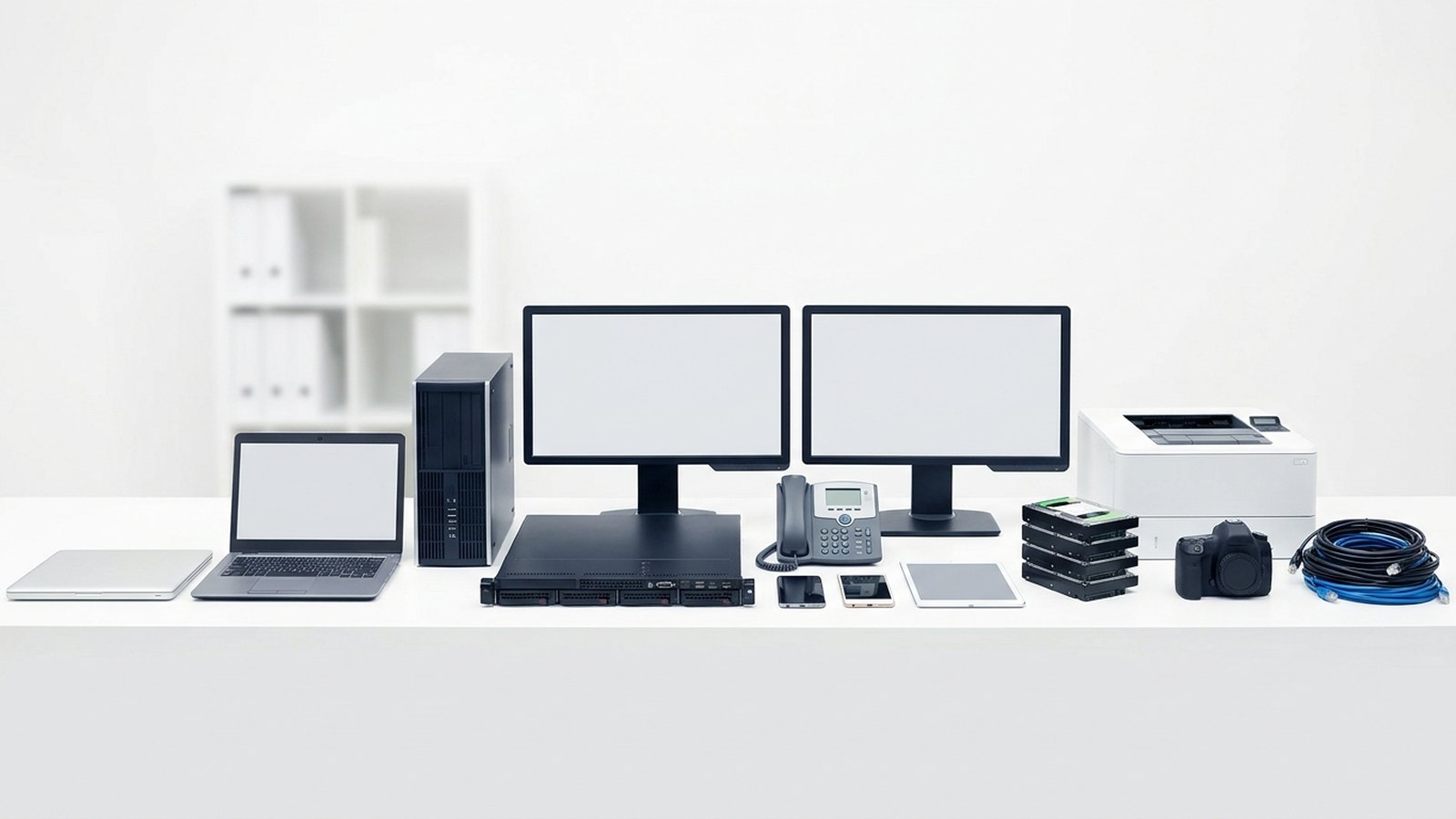
The range of business IT we collect: laptops, desktop tower, server, monitors, desk phone, mobiles, tablet, hard drives, printer, camera and cables

How it works

1

Book a collection

Tell us roughly what you have.

2

We collect & log

We pick up and record every asset.

3

Certified data wipe

Secure destruction + a certificate.

4

Refurbish & rehome

Reuse what we can, recycle the rest.

5

Your impact report

Proof of where it all went.

Refurbished laptops boxed and ready to be given to digitally-excluded Londoners

Where your old kit ends up

Every device that still has life in it is wiped, refurbished and tested, then given free to a Londoner who can't afford one — through our network of partner charities, schools and community organisations.

Nothing is resold for profit. Whatever can't be reused is recycled responsibly through licensed WEEE channels, and you get the paperwork that proves it.

See our impact

Our impact so far

0
Devices rehomed
0
People connected
0
E-waste diverted
0
CO₂ saved

Launching 2026 — numbers update as we grow.

Frequently asked questions

No. Degaussing generates a magnetic field that disrupts magnetic storage, but SSDs store data in NAND flash memory, which is not magnetic. A degaussed SSD is physically unchanged and the data remains fully readable. Never use degaussing as a method of data destruction for SSDs.

Standard host-level overwrite tools designed for magnetic hard drives may not reach all storage locations on an SSD due to wear levelling and over-provisioning. For reliable software sanitisation of an SSD, use firmware-level commands — ATA Secure Erase for SATA drives or NVMe Sanitise for NVMe drives — through certified software that produces a verification report.

No. A factory reset reinstalls the operating system and removes user data from the file system, but it does not issue the firmware-level commands needed to sanitise an SSD. Data can often be recovered from a factory-reset device. Use certified software wiping or have the device shredded.

ATA Secure Erase is a firmware-level command built into the SATA specification. When issued, it instructs the SSD's own controller to erase all storage cells — including over-provisioned areas inaccessible to normal write commands. It is one of the two accepted methods for software sanitisation of SATA SSDs under NIST SP 800-88.

If the laptop is going to a certified ITAD provider, they will destroy the SSD as part of the service. If you are managing the process in-house, use certified software with ATA Secure Erase or NVMe Sanitise support, or remove the SSD and have it physically shredded. Never simply delete files or reset the operating system and assume the data is gone.

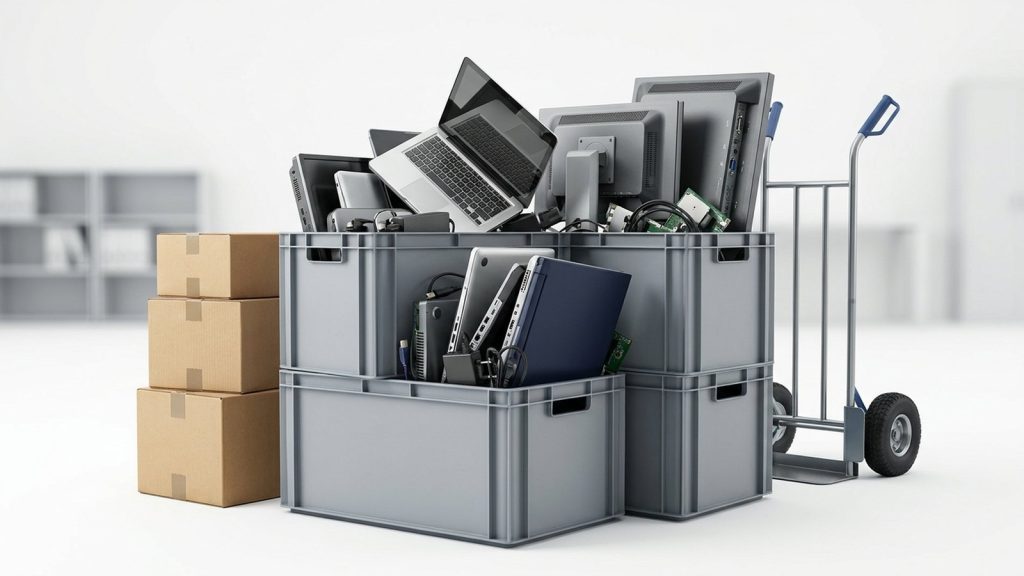
Crates and boxes of office IT equipment stacked with a sack trolley, staged for collection

Upgrading your office IT?

Turn your old kit into compliance, ESG impact and digital opportunity for someone who needs it.

Book a free collection

Why SSDs are different from hard drives

A traditional hard drive stores data as magnetic patterns on spinning platters. Overwriting those patterns with new data — or demagnetising the platters with a degausser — destroys the original data. An SSD stores data in NAND flash memory cells. There are no magnetic fields, no platters, and no heads.

This difference has three important implications for data destruction:

Degaussing is useless. A degausser generates a magnetic field. NAND flash memory has no magnetic properties to disrupt. Running an SSD through a degausser has zero effect on the data it contains. The drive emerges intact, data fully readable. Any organisation that degausses SSDs believing this constitutes data destruction is not protected.

Standard overwrite tools may not reach all data. Because SSDs use a technique called wear levelling — distributing writes across all flash cells to extend the drive’s life — a conventional overwrite command may not address every cell that has held data. Over-provisioned cells (spare capacity maintained by the drive’s firmware) may be inaccessible to host-level write commands.

Specific firmware commands are required for reliable software sanitisation. The ATA Secure Erase command (for SATA SSDs) and the NVMe Sanitise command (for NVMe drives) instruct the drive’s own firmware to cryptographically or physically erase all cells, including over-provisioned areas. These are the correct software-based methods for SSD data destruction.

Method 1: ATA Secure Erase or NVMe Sanitise

For SSDs that will be reused or donated, firmware-level commands are the appropriate method. The process works as follows:

  1. Check compatibility: Confirm that the SSD supports ATA Secure Erase (SATA drives) or NVMe Sanitise (NVMe M.2 drives). Most modern SSDs do, but older or budget models may not. Consult the manufacturer’s documentation.

  2. Use certified software: Tools such as Blancco Drive Eraser and similar enterprise-grade products support these commands and produce a per-drive verification report. The report confirms that the command completed successfully and is the evidence needed for a certificate of data destruction.

  3. Verify completion: The tool should confirm that the Secure Erase or Sanitise command was accepted by the drive and completed without errors. A failed or unsupported command must be treated as incomplete — the drive should then be physically shredded.

  4. Document the result: The verification report should record the drive make, model, serial number, firmware version, the command issued, and the outcome. This feeds into the certificate of data destruction.

Note that NIST Special Publication 800-88 (“Guidelines for Media Sanitisation”) addresses flash-based media and recommends Secure Erase or Sanitise commands for the “purge” level of sanitisation.

Method 2: Encryption then wipe

Some SSD manufacturers implement hardware-based encryption that encrypts all data on the drive at rest. Cryptographic erase — destroying the encryption key — renders all data permanently unreadable because the ciphertext cannot be decrypted without the key.

Where a drive supports this (known as a Self-Encrypting Drive, or SED), the process is to enable encryption from the outset and then issue a cryptographic erase command at disposal. NIST SP 800-88 accepts cryptographic erase as a “purge”-level method for supported drives.

This method requires planning ahead: the drive must have been operating in encrypted mode from the start. An SSD that was not encrypted during use cannot be retrospectively made secure by enabling encryption — the existing data was written in plaintext.

Method 3: Physical shredding

Where certified software sanitisation cannot be confirmed — because the drive does not support the required commands, the firmware is unresponsive, or the drive is faulty — physical shredding is the reliable alternative.

Industrial shredders reduce the SSD to fragments that destroy the NAND flash chips. Once shredded, data recovery is not possible regardless of what data was present or how it was stored. Shredding is also the right choice when:

  • The SSD is at end of life and has no residual value
  • The data held was of the highest sensitivity
  • The device type is a smartphone, tablet, or other device where the storage is integral and firmware-level commands are not accessible
  • You need absolute certainty without reliance on firmware behaviour

For more on shredding as a method, see our guide to hard drive shredding explained.

What does not work on SSDs

The following methods are commonly misunderstood or misapplied to SSDs and should not be relied upon:

  • Degaussing: Has no effect on NAND flash memory. Zero protection.
  • Standard disk overwrite (e.g. DoD 5220.22-M applied to SSDs via host-level writes): May not reach all storage cells due to wear levelling and over-provisioned areas.
  • Factory reset: A factory reset on a laptop or phone does not constitute a secure wipe of the SSD. It removes the operating system’s access to the data but does not overwrite or sanitise the flash cells.
  • Drilling or hammering: Damaging one area of an SSD does not destroy the flash chips elsewhere. Data recovery laboratories can retrieve data from physically damaged SSDs.

UK GDPR obligations

Under UK GDPR and the Data Protection Act 2018, personal data held on an SSD must be destroyed securely when it is no longer needed. The method must be appropriate to the device type and the sensitivity of the data, and destruction must be evidenced by a certificate of data destruction.

The ICO does not prescribe specific technical methods, but it expects organisations to follow recognised standards. For SSDs, that means either certified firmware-level sanitisation or physical shredding.

Recycle4Charity provides certified SSD data destruction for London businesses — using certified software tools where supported or physical shredding where not — and issues a certificate of data destruction with every collection. Visit our hard drive and media destruction page, or contact us to arrange a collection.

Why the choice of ITAD company matters

Selecting the wrong ITAD company is not merely an inconvenience — it can expose your organisation to regulatory enforcement. Under UK GDPR and the Data Protection Act 2018, you remain legally responsible for personal data on retired devices until you can prove it has been destroyed. If an unqualified provider fails to wipe a hard drive and that data later resurfaces, the ICO may hold your organisation accountable, not the provider.

Similarly, under the WEEE Regulations 2013, your duty of care for waste electrical and electronic equipment does not end when a carrier collects it. If that carrier is not properly licensed, your organisation may face enforcement from the Environment Agency.

Choosing a properly certified ITAD company is the only way to transfer these risks effectively. For background on what the service covers, see our guide on what ITAD is and how it works.

What certifications should an ITAD company hold?

These are the credentials to verify before signing a contract with any UK ITAD provider:

Certification / Registration Issuing body What it confirms
Environment Agency waste carrier licence Environment Agency Legal authority to transport WEEE on public roads
Authorised Treatment Facility (AATF) status Environment Agency Permission to process WEEE at their facility
ADISA certification Asset Disposal and Information Security Alliance Independently audited data destruction processes
ISO 27001 BSI / accredited certification body Information security management system
ISO 14001 BSI / accredited certification body Environmental management system
ICO registration (data processor) Information Commissioner’s Office Registered to process personal data on your behalf

You can verify Environment Agency permits through the public register on gov.uk. ADISA certification can be confirmed on the ADISA website. ICO registration is searchable at ico.org.uk/ESDWebPages/Search.

Do not accept a provider’s assurances at face value. Ask to see their licence numbers and check them.

What questions should you ask a prospective ITAD company?

Before committing, put these questions to any provider:

On data destruction:
– What standards do you use for data wiping (NIST 800-88, HMG Infosec Standard 5)?
– Do you issue individual data destruction certificates per device?
– What happens to drives that cannot be wiped — are they physically shredded on-site or off-site?

On chain of custody:
– How do you log assets from collection to final destination?
– Will I receive a manifest of every device collected, including serial numbers?

On recycling:
– Which authorised treatment facilities do you use?
– Do you supply a waste transfer note as required under the Environmental Protection Act 1990?

On resale:
– If devices are remarketed, how do you ensure data has been wiped before resale?
– Do I receive any financial return from devices that are sold?

On social impact:
– Do you offer donation pathways for functional devices?

What red flags should you watch for?

Be cautious of ITAD companies that:

  • Cannot provide a valid Environment Agency waste carrier licence number
  • Offer data destruction without issuing certificates
  • Are unwilling to disclose which recycling facilities they use
  • Promise collection “for free” with no explanation of where revenue comes from — devices may be resold without proper data wiping
  • Lack any ISO or ADISA certification for data security

A provider that cannot answer questions about their certifications transparently is not a provider you should trust with your data.

Should you choose a local or national ITAD company?

Both can be appropriate, depending on your needs.

A national provider may be preferable for multi-site or high-volume projects, where scale and logistics infrastructure matter. A London-based provider such as Recycle4Charity will typically offer faster response times for London offices and a more personal account relationship. Local providers also often have stronger community ties — our refurbishment programme gives devices to digitally-excluded Londoners, which is something a large national operation rarely does.

For smaller businesses with a single office, a local certified provider is often the most cost-effective and responsive option. Read our guide on secure IT disposal for small businesses for considerations specific to smaller organisations.

How to compare quotes from ITAD companies

When comparing proposals, look beyond the headline price. Ask each provider to break down:

  • Collection and logistics costs
  • Data destruction costs (per device or per project)
  • Resale credit or revenue share on remarketed devices
  • Recycling fees for non-resaleable equipment
  • Certification and reporting costs

A provider offering a very low price may be cutting corners on data destruction, using unlicensed recycling routes, or reselling devices without adequate wiping. Our guide to IT asset disposal costs in the UK explains what drives pricing and what a reasonable fee structure looks like.

Ready to choose?

Recycle4Charity operates across London and the South East, holds the relevant certifications and publishes its processes transparently. We give every reusable device a second life in the community before anything is recycled. Visit our business services page to request a quote or arrange a collection.

Why manufacturing is the biggest carbon event in a device’s life

To understand why IT reuse cuts carbon, it helps to understand where carbon comes from in a device’s lifecycle.

A laptop, for instance, accumulates greenhouse gas emissions at three stages: manufacturing, use, and end of life. Of these, manufacturing is consistently the most carbon-intensive phase.

Manufacturing a laptop requires extracting and refining metals including aluminium, copper, cobalt, and rare earth elements. It requires fabricating semiconductors — a process that demands vast amounts of ultra-pure water, specialty chemicals, and energy. It requires assembling hundreds of components, sourced from supply chains spanning multiple continents, into a finished product. Each of those steps has a carbon cost.

Research from manufacturers and independent lifecycle analysis studies suggests that, for a typical laptop, up to 80% of total lifetime carbon emissions occur before the device reaches the customer. (Source: Apple Environmental Progress Reports and independent lifecycle assessments; figures vary by device type and manufacturer.)

This has a crucial implication: every time a working device is discarded and replaced with a new one, a fresh carbon debt is created — regardless of how “green” the replacement device is marketed to be.

What carbon savings does reuse deliver?

If manufacturing represents the majority of a device’s lifetime carbon, then avoiding a new manufacture is the most effective carbon intervention available.

When a device is refurbished and reused, it displaces the need for a new device. The carbon saving is equivalent to the embodied carbon of the device that was not manufactured. This saving is direct, measurable, and immediate.

Compare this with recycling. Certified WEEE recycling is valuable — it recovers metals and reduces demand for virgin material extraction. But it does not preserve the device as a device. The embodied carbon already invested in assembling it is effectively lost. Recycling recovers some of the material value but none of the manufacturing value.

This is why the waste hierarchy places reuse above recycling. It is not an arbitrary ordering — it reflects the relative carbon benefit of each intervention. Reuse first; recycle only when reuse is no longer possible.

The carbon saving from reusing a single laptop is estimated at 300–400 kg CO₂ equivalent for a typical business laptop, compared with manufacturing a new device. (Source: lifecycle assessment studies; Recycle4Charity uses verified data where available.) Across a fleet of 50, 100, or 500 devices, this adds up to figures that are material to a corporate carbon inventory.

How does IT reuse affect Scope 3 emissions?

For organisations reporting under the Greenhouse Gas (GHG) Protocol — as required for many listed companies and recommended for all serious net zero commitments — IT equipment disposal falls under Scope 3 emissions. Specifically, it appears under Category 5: Waste generated in operations, and potentially Category 12: End-of-life treatment of sold products (for manufacturers).

Scope 3 is typically the largest component of a corporate carbon footprint — often 70% or more of total emissions — and historically the hardest to address. IT asset management is one of the areas where organisations can make a documented, third-party-verified difference.

When a business sends its retired devices to a certified ITAD provider who prioritises refurbishment, those devices — and the carbon embedded in them — remain in circulation. The Scope 3 emissions associated with disposal are replaced by documented impact: devices donated, CO₂ avoided, waste diverted.

This documentation matters. As Scope 3 disclosure becomes more common — driven by the Task Force on Climate-related Financial Disclosures (TCFD) framework and incoming ISSB standards — companies need to be able to demonstrate the outcomes of their waste and disposal decisions, not just describe their intentions.

How Recycle4Charity’s model maximises carbon savings

At Recycle4Charity, every device collected from a London business follows a consistent process designed to maximise its useful life and the carbon benefit of its disposal.

Collection and assessment: devices are collected from business premises, with collection logistics arranged end to end.

Secure data destruction: all data is destroyed to recognised standards before any device is assessed for reuse. Certificates of data destruction are issued for every asset.

Refurbishment: devices that are functional — or can be made functional — are cleaned, tested, and prepared for reuse. This is the stage that delivers the greatest carbon saving: the device remains a device.

Donation: refurbished devices are donated free of charge to digitally excluded Londoners through our network of partner schools, charities, and community organisations. The device gets a second life. The recipient gets technology they could not otherwise afford.

Certified recycling: devices that cannot be refurbished are sent to certified WEEE recycling partners. No device goes to landfill.

The impact of this process — in devices donated, kg diverted, and CO₂ avoided — is documented and reported. Businesses receive an impact summary that can be used directly in ESG reporting.

To see the full picture of what IT reuse achieves environmentally and socially, visit our impact page. And to understand the broader carbon story of e-waste, read our article on the carbon footprint of e-waste.


Every device you hand to us is a carbon saving in the making. Book a collection and we’ll do the rest.

How hard drive shredding works

An industrial hard drive shredder is not a paper shredder scaled up. It uses hardened cutting blades or rotary hammers to tear apart the drive casing, platters, circuit boards, and any flash memory chips into small, irregular fragments. The fragments are typically collected in a secure container, audited by weight or count, and then separated by material type for recycling as raw metals and plastics.

The security assurance of shredding is determined by the particle size: the smaller the fragments, the harder data recovery becomes. Industrial ITAD shredders typically produce fragments of between 6 mm and 20 mm, depending on the machine and the settings used. Security-critical applications may require smaller particle sizes — HMG IA Policy No.5, which governs the destruction of UK government-classified information, specifies maximum particle dimensions by classification level.

Once shredded, no data recovery technique — including laboratory-level forensic analysis — can reconstruct the original data.

Which devices can be shredded?

Physical shredding works on all types of storage media, including:

  • Traditional magnetic hard drives (HDDs)
  • Solid-state drives (SSDs)
  • USB flash drives
  • Backup tapes
  • Optical media (CDs, DVDs, Blu-ray discs)
  • Smartphones and tablets (where the storage chip is integral to the device)
  • Memory cards and microSD cards

This universality is one of shredding’s key advantages. Where software wiping may not be suitable — for example, on certain SSDs with non-standard firmware, or drives with bad sectors — shredding provides reliable destruction regardless of the device’s internal architecture.

For SSDs in particular, degaussing is not effective because SSDs store data using flash memory, not magnetic fields. Shredding is the recommended alternative when certified software wiping cannot be confirmed. See our guide to how to destroy an SSD for more detail.

When is shredding the right choice?

Shredding is the appropriate method in several situations:

  • Highest sensitivity data: Where drives have held personally sensitive data (health records, legal files, financial data classified under sector regulation), the absolute certainty of physical destruction may be required or preferred.
  • Drives with faults: A drive with bad sectors or firmware issues may not respond correctly to software wiping tools. Verification failures mean the wipe cannot be confirmed — shredding removes the uncertainty.
  • No residual value: Drives that are too old, too small, or too damaged to be refurbished have no economic reason to be preserved. Shredding is appropriate when there is nothing to gain from wiping.
  • Government and regulated sectors: Public sector organisations and businesses handling data classified under HMG IA Policy No.5, or subject to sector-specific regulation, may be required to use physical destruction for certain asset types.
  • SSD disposal without certified wiping tools: If you cannot confirm that your wiping software fully supports the specific SSD model and firmware, shredding is the safer option.

When is shredding not the right choice?

Shredding destroys the device entirely, so it is not appropriate if the drive is to be reused, refurbished, or donated. A drive in good working condition that holds personal data can be certified-wiped and returned to service. Shredding a working drive removes that option.

For devices that will be reused, certified software wiping to NIST SP 800-88 standard is the preferred route. See our guide to how to wipe a hard drive for step-by-step guidance.

On-site vs off-site shredding

Hard drive shredding can be carried out on your premises (on-site) or at a secure facility operated by an ITAD provider (off-site).

On-site shredding uses a mobile shredder brought to your location. You witness the destruction directly, which provides immediate assurance and eliminates the chain-of-custody risk of transporting unshredded drives. It is the preferred option for organisations with very high sensitivity requirements or large volumes.

Off-site shredding involves drives being collected in locked, tamper-evident containers and transported to a secure facility for shredding. A documented chain of custody records the transfer. Off-site shredding is more practical for smaller volumes and lower-sensitivity situations, and it allows the ITAD provider to use high-capacity industrial equipment rather than a mobile unit.

Both options should result in a certificate of data destruction and a WEEE-compliant recycling route for the shredded material.

What happens to shredded material?

Shredded hard drives are not simply discarded. The fragments — a mixture of aluminium, steel, copper, circuit board material, and glass platters — are sorted by material type and sent to specialist recycling facilities. Metals are smelted and reused as raw materials. This process complies with the WEEE Regulations 2013, which require electronic waste to be processed through an authorised treatment facility rather than sent to landfill.

Documentation and compliance

Shredding must be evidenced. For every collection, your ITAD provider should issue a certificate of data destruction that records:

  • The serial numbers and asset identifiers of every drive shredded
  • The destruction method (physical shredding) and the particle size achieved
  • The date of destruction
  • The name and contact details of the provider
  • A statement confirming WEEE-compliant disposal of residual material

This certificate is your evidence of compliance with UK GDPR’s accountability principle. Keep it alongside your IT asset register.

Recycle4Charity provides certified hard drive shredding for London businesses, with a certificate of data destruction issued for every collection. Visit our hard drive and media destruction page to learn more, or contact us to arrange a collection.

Why Healthcare Data Requires Special Attention

Health data is classified as special category data under UK GDPR Article 9. Processing it requires not only a lawful basis under Article 6 but also a separate condition under Article 9 — and healthcare organisations must identify and document both. The elevated status of health data reflects the serious and lasting harm that its unauthorised disclosure can cause: discrimination, distress, damaged relationships and loss of employment.

For IT disposal, the practical consequence is that any device that has ever stored or processed health records must be treated with the highest level of care. This includes clinical workstations, servers running patient management systems, tablets used for ward rounds, diagnostic equipment with digital outputs, and printers or photocopiers used to handle patient correspondence.

NHS DSP Toolkit Requirements

For NHS organisations and their suppliers, the Data Security and Protection (DSP) Toolkit sets out the minimum information governance standards expected. Published by NHS England and accessible via dsptoolkit.nhs.uk, the DSP Toolkit covers ten data security standards, several of which bear directly on IT asset disposal:

  • Standard 1 (Personal confidential data) requires that personal data is only accessible to staff who need it, and that it is not retained longer than necessary
  • Standard 9 (Unsupported systems) requires that systems no longer receiving security support are removed from use
  • Standard 10 (IT protection) requires that devices are securely decommissioned

NHS organisations must attest annually to compliance with all ten standards. Failure to meet the DSP Toolkit standards can affect CQC ratings, NHS contract compliance and access to NHS systems. For IT disposal specifically, the Toolkit expects that end-of-life devices are disposed of through a process that ensures data cannot be recovered.

Special Category Data and the Disposal Obligation

Under UK GDPR, health data is special category data. The storage limitation principle (Article 5(1)(e)) requires that it be erased when no longer needed. The security principle (Article 5(1)(f)) requires that when it is erased, erasure is done securely. The accountability principle (Article 5(2)) requires that the organisation can demonstrate both.

For healthcare IT disposal, this means:

Device type Disposal requirement
Clinical workstations Certified data wiping or physical drive destruction
Servers (patient management, EHR systems) Physical destruction of drives or certified wiping to NIST 800-88 or equivalent
Tablets and mobile devices Certified factory reset to manufacturer standard or physical destruction
Diagnostic equipment with digital storage Manufacturer-advised secure wipe; physical destruction where not possible
Printers and photocopiers Internal drive removed and destroyed; or certified third-party disposal
Backup tapes and removable media Degaussing or physical shredding

Healthcare organisations that return leased equipment — particularly photocopiers and print management devices — without clearing internal storage have a well-documented history of inadvertently exposing patient correspondence. This risk must be addressed contractually with the leasing company and operationally at the point of return.

Data Protection Officers and Governance in Healthcare

Most healthcare organisations are required to appoint a Data Protection Officer (DPO) under UK GDPR Article 37, because they process special category health data on a large scale. The DPO is responsible for advising on data protection obligations, monitoring compliance and acting as the first point of contact with the ICO.

In the context of IT disposal, the DPO should:

  • approve or specify the disposal procedure for end-of-life clinical and administrative devices
  • ensure that certificates of data destruction are obtained and retained
  • review the organisation’s data retention schedule to ensure disposal triggers are set correctly
  • liaise with IT and procurement to ensure that supplier contracts include data security obligations

The Role of the ICO in Healthcare Data Protection

The ICO enforces UK GDPR in healthcare as in every other sector. The NHS and healthcare providers are not exempt from investigation or fines. The ICO has previously taken action against healthcare organisations following incidents involving improperly disposed equipment, misdirected correspondence and data left on returned devices.

Healthcare organisations should treat an ICO investigation as a realistic possibility following any significant IT disposal incident, and ensure that their disposal records are comprehensive enough to demonstrate what steps were taken.

Supplier Obligations and Data Processing Agreements

Where a healthcare organisation engages a third-party ITAD (IT asset disposal) provider, a data processing agreement (DPA) must be in place under UK GDPR Article 28. This agreement must specify the nature of the processing, the purpose, the type of personal data involved, and the obligations of the processor — including the requirement to destroy data securely and to assist the controller in demonstrating compliance.

Healthcare organisations should not engage ITAD providers that cannot demonstrate the necessary security controls or that are unwilling to sign a data processing agreement and provide certificates of data destruction.

Recycle4Charity works with healthcare organisations in London to provide certified data destruction and WEEE-compliant recycling for end-of-life IT equipment. Where devices can be securely wiped and refurbished, they are donated free of charge to digitally-excluded Londoners.

Find out more about our process on our data centre IT recycling and disposal page and read our guide to GDPR data disposal duties for a step-by-step approach to compliant disposal.

To discuss secure disposal of healthcare IT equipment, contact Recycle4Charity.

The Regulatory Context for Financial Services Data

Financial services firms in the UK operate under a more complex regulatory environment than most other sectors. UK GDPR and the Data Protection Act 2018 apply to all personal data processing, but the Financial Conduct Authority (FCA) also sets operational and conduct standards that overlap with data security obligations. Getting IT disposal wrong in financial services carries the risk of regulatory action from two directions.

The ICO enforces data protection law. The FCA enforces conduct and prudential standards. While they operate under different legislation, both expect firms to implement appropriate controls to prevent unauthorised access to customer data — and the disposal of hardware containing that data is a point at which both sets of expectations apply.

What Personal Data Do Financial Services Firms Hold?

Financial services organisations typically process large volumes of personal data, including some of the most sensitive categories:

  • Customer identification data (names, addresses, dates of birth, National Insurance numbers)
  • Financial data (account numbers, transaction histories, credit information, salary details)
  • Identity verification documents (passport scans, utility bills)
  • Biometric data where used for identity verification
  • Employment and income data collected during onboarding or lending decisions
  • Communications data (recorded calls, email correspondence under record-keeping obligations)

Much of this data sits on trading workstations, customer service terminals, servers running core banking or CRM systems, and the laptops of advisers and analysts. Each of these devices is a potential vector for data exposure if not properly disposed of at end of life.

UK GDPR Obligations for Financial Services IT Disposal

UK GDPR imposes the same core obligations on financial services firms as on any other organisation, but the volume and sensitivity of data held makes the practical stakes higher.

The key principles for disposal are:

  • Storage limitation (Article 5(1)(e)): personal data must not be retained beyond its defined retention period. Financial services firms typically have long retention requirements — seven years or more for many transaction and advice records — but these are not indefinite. When the retention period expires, data must be erased.
  • Integrity and confidentiality (Article 5(1)(f)): data must be processed securely, including at the point of erasure. This means certified data wiping or physical destruction — not standard deletion.
  • Accountability (Article 5(2)): firms must be able to demonstrate compliance. For IT disposal, that means a formal ITAD procedure and certificates of data destruction retained as audit records.

FCA Expectations on Data Security

The FCA’s Senior Managers and Certification Regime (SMCR) places individual accountability on senior managers for the firm’s compliance with regulatory requirements. Under the SMCR, a senior manager may be personally accountable for failures in data security — including failures at the point of IT disposal — where those failures result from inadequate governance.

The FCA also requires firms to maintain operational resilience, including appropriate controls over data security. FCA Principle 11 requires firms to deal with their regulators in an open and cooperative way. Where a data breach occurs as a result of improper IT disposal, firms should consider their reporting obligations to both the FCA and the ICO.

The FCA and ICO have a memorandum of understanding setting out how they cooperate and share information, particularly in cases involving data incidents at regulated firms. A breach affecting customer financial data may therefore trigger parallel investigations by both regulators.

Common IT Disposal Risks in Financial Services

Risk Example Consequence
Unwiped workstations Desktops sold or recycled with customer account data on drives Personal data breach; ICO and FCA investigation
Server decommissioning without certified destruction Core banking or CRM server retired without drive destruction Mass data breach; potential criminal liability
Trading floor equipment Workstations with recorded voice and transaction data not properly cleared Breach of FCA record-keeping obligations as well as UK GDPR
Leased equipment returned without data clearing Photocopiers or terminals returned to lessors with internal drives intact Exposure of correspondence; data breach
Mobile devices (advisers’ phones and tablets) Client contact data and email correspondence not wiped before retirement Personal data breach

Record-Keeping and Audit Trail

Financial services firms are already well accustomed to extensive record-keeping obligations — MiFID II, the Consumer Duty, and FCA conduct rules all impose documentation requirements. Extending that culture to IT asset disposal is a natural fit.

For each retired device, firms should retain:

  • an asset record identifying the device, its data classification and the date of retirement
  • a certificate of data destruction confirming the method and date of destruction
  • confirmation that the destruction was carried out by a provider with appropriate security controls
  • evidence of the data processing agreement with the ITAD provider

These records should be retained for at least as long as the firm’s standard retention period for regulatory documents — and available for production to both the FCA and the ICO if requested.

Choosing an ITAD Provider for Financial Services

Financial services firms should apply the same due diligence to their ITAD provider as to any other critical supplier. Key questions include:

  • Can they provide certificates of data destruction for each asset?
  • Do they maintain a documented chain of custody?
  • Are they willing to sign a data processing agreement?
  • What security standards govern their destruction processes?
  • How do they handle devices containing particularly sensitive data?

Firms with data centre infrastructure should read our data centre IT recycling and disposal guidance for considerations specific to server and network equipment. For the core legal framework governing your disposal obligations, our data destruction service page explains what certified destruction involves.

To discuss secure disposal of financial services IT equipment, contact Recycle4Charity.

Why Data Disposal Is a GDPR Obligation

Many UK businesses treat data disposal as a practical or logistical task — clearing out old equipment or deleting records to save storage space. UK GDPR frames it very differently. The storage limitation principle (Article 5(1)(e)) and the integrity and confidentiality principle (Article 5(1)(f)) together create a positive legal duty to erase data that is no longer needed, and to do so securely.

Failure to meet this duty is not just poor practice — it is a breach of UK GDPR, and the Information Commissioner’s Office (ICO) has enforcement powers that include fines of up to £17.5 million or 4% of global annual turnover, whichever is higher.

The Storage Limitation Principle

Article 5(1)(e) of UK GDPR requires that personal data be kept “in a form which permits identification of data subjects for no longer than is necessary for the purposes for which the personal data are processed.”

In practice, this means every category of personal data your organisation holds must have a defined retention period. Once that period expires, the data must be erased — not archived indefinitely, not moved to a “cold storage” folder and forgotten, but genuinely deleted. For digital data on hardware, deletion must be carried out in a way that prevents recovery.

What “Securely Erased” Means in Law

UK GDPR does not define a specific technical standard for data deletion. The ICO’s guidance, however, is clear that standard deletion — emptying a recycle bin, removing files or formatting a drive — does not constitute secure erasure. Data deleted this way remains recoverable using widely available tools.

Secure erasure means one of two things:

  • Certified data wiping: software overwrites every sector of the storage medium, typically multiple times, to a recognised standard. NIST Special Publication 800-88 (Guidelines for Media Sanitisation) is widely accepted as the benchmark.
  • Physical destruction: the storage medium — the hard drive, SSD, USB stick or backup tape — is physically destroyed to the point of being unreadable. This is appropriate for media at the end of its serviceable life or where data sensitivity warrants it.

Both approaches, properly carried out and documented, satisfy the GDPR data disposal obligation. The choice between them depends on whether the device can be reused after wiping, and on the sensitivity of the data it held.

Which Data and Which Devices Need Secure Disposal?

Any storage medium that has held personal data requires secure disposal. This includes:

  • Hard drives and SSDs in desktop computers, laptops and servers
  • Mobile phones and tablets
  • USB drives, SD cards, memory sticks and backup tapes
  • Internal drives in printers, photocopiers and multi-function devices
  • Network-attached storage (NAS) and external hard drives
  • Cloud accounts and virtual machines (data must be deleted, not merely decommissioned)

Organisations often overlook printers and photocopiers. Many hold hard drives that store copies of every document scanned, copied or printed. A photocopier returned to a leasing company without its drive being cleared can expose months or years of business correspondence.

The Accountability Requirement: Documenting Disposal

UK GDPR Article 5(2) — the accountability principle — requires organisations to be able to demonstrate compliance with all other principles, including the disposal obligation. For GDPR data disposal, this means retaining documentary evidence that disposal took place.

The standard document for this purpose is a certificate of data destruction. A reputable ITAD (IT asset disposal) provider will issue a certificate for each device destroyed, specifying the asset, the destruction method, the date and the standards applied. These certificates are your audit trail.

The ICO may request this documentation during an investigation or audit. Organisations that cannot demonstrate that data was securely disposed of face greater regulatory exposure than those that have clear records.

Building a Compliant Data Disposal Process

A formal GDPR data disposal process should cover the following steps:

Step Action
1. Identify Audit end-of-life devices and data stores requiring disposal
2. Classify Determine the sensitivity of data held on each device
3. Select method Choose certified wiping (for reusable devices) or physical destruction
4. Execute Engage a certified ITAD provider; maintain chain of custody
5. Document Obtain and retain certificate of data destruction for each asset
6. Record Log the disposal in your Record of Processing Activities

Organisations should not rely on individual staff members to carry out ad hoc deletion. Disposal should be a documented, auditable process managed by a responsible person — typically the data protection officer, IT manager or equivalent.

Responding to Individuals’ Right to Erasure

UK GDPR Article 17 gives individuals the right to request erasure of their personal data in certain circumstances — for example, where it is no longer necessary for the purpose for which it was collected, or where they withdraw consent and there is no overriding legal basis to continue. This “right to be forgotten” applies to digital records, paper records and any device that holds personal data about that individual.

Where a valid erasure request is received, the organisation must act within one calendar month. The response must confirm that data has been erased — and again, the organisation must be able to demonstrate this.

Choosing a Responsible ITAD Partner

Not all IT recyclers carry out certified data destruction. Before engaging a provider, verify that they:

  • provide a written certificate of data destruction for each asset
  • use a recognised standard for data wiping or physical destruction
  • maintain a documented chain of custody from collection to destruction
  • can describe what happens to devices or components after destruction

For businesses in London, Recycle4Charity offers certified data destruction alongside WEEE-compliant recycling. Where devices can be securely wiped and still function, they are refurbished and given free to digitally-excluded Londoners — turning your compliance obligation into a direct social benefit.

Find out more about how our process works on our data destruction service page, and read our overview of what is data destruction for more on methods and standards.

To arrange GDPR-compliant data disposal for your organisation, contact Recycle4Charity.

Why GDPR Applies When You Dispose of IT

Most organisations focus on GDPR when they collect or share data. Far fewer think carefully about the end of the data lifecycle — the moment an old device leaves the building. Yet UK GDPR Article 5(1)(e) requires that personal data be kept “no longer than is necessary” and Article 5(1)(f) requires that it be processed with “appropriate technical and organisational measures” to ensure security. Both obligations apply at the point of disposal.

When a hard drive, SSD, USB stick, photocopier or mobile phone passes from your organisation to a skip, an auction house or even a charity, you remain the data controller. The data on that device is still your responsibility until it has been demonstrably and irreversibly destroyed.

What Counts as a Data Security Failure at Disposal?

The Information Commissioner’s Office (ICO) has investigated organisations that sold second-hand computers still containing customer records, patient data or employee files. In each case the organisation assumed that deleting files or reformatting a drive was sufficient. It is not. Standard deletion leaves data recoverable using freely available tools. Even a factory reset on a mobile phone may leave residual data accessible to a determined attacker.

Under the Data Protection Act 2018 and UK GDPR, a recoverable data remnant on a disposed device is a potential personal data breach. If discovered — by a journalist, a researcher or a malicious actor — it must be reported to the ICO within 72 hours of the organisation becoming aware of it.

Which Devices Need Secure Data Destruction?

Any device that has ever stored, processed or transmitted personal data requires proper attention at end of life. That includes:

  • Desktop computers and laptops
  • Servers and network-attached storage (NAS) devices
  • Mobile phones and tablets
  • Printers, photocopiers and multi-function devices (many store scanned documents internally)
  • USB drives, SD cards and backup tapes
  • Smart building controllers and IoT devices that log access or behaviour

Many organisations overlook printers and photocopiers. These commonly hold internal hard drives that retain copies of every document scanned, copied or printed. Disposing of a leased photocopier without clearing its drive is a frequent source of data exposure.

The Storage Limitation and Data Minimisation Principles

Two of the seven principles of UK GDPR are especially relevant to disposal. The storage limitation principle (Article 5(1)(e)) means you must not keep personal data longer than necessary for the purpose for which it was collected. If you are retaining old equipment simply because disposal feels complicated, you may already be in breach. The data minimisation principle (Article 5(1)(c)) reinforces that you should hold no more data than required — and by extension, no more devices containing that data than you actively need.

A documented IT asset disposal (ITAD) policy, reviewed regularly, helps demonstrate compliance with both principles.

What Does “Secure Disposal” Actually Mean?

Secure disposal means the data cannot be recovered by any reasonably foreseeable means. In practice, organisations should look for one of two approaches:

Method How it works Suitable for
Certified data wiping Software overwrites every sector of the drive multiple times to a recognised standard (e.g. NIST 800-88) Devices to be reused or resold
Physical destruction Drive is shredded or crushed so media is unreadable Drives at end of serviceable life

A certificate of data destruction issued by the disposal provider gives you documentary evidence that destruction took place. This is your audit trail for GDPR accountability purposes.

For devices that can be securely wiped and still function, refurbishment and reuse is the better environmental outcome. Recycle4Charity wipes business devices and passes working equipment free of charge to digitally-excluded Londoners, supporting both your compliance and your social impact obligations.

Building an Audit Trail

UK GDPR’s accountability principle (Article 5(2)) requires you to be able to demonstrate compliance, not merely assert it. For IT disposal, that means keeping records of:

  • Which assets were disposed of and when
  • The method of data destruction used
  • Who carried it out (and what certifications they hold)
  • The certificate of data destruction for each device

These records should be retained for at least as long as your organisation’s standard data retention period, and made available to the ICO if requested.

Choosing a Responsible ITAD Partner

Not every IT recycler offers certified data destruction. When selecting a provider, ask for evidence of the standards they work to, how they document the chain of custody, and what happens to devices after data is destroyed. A reputable partner will provide a certificate of data destruction as a matter of course.

Learn more about what certified data destruction involves on our data destruction service page, or read our guide to what a certificate of data destruction covers.

If you are ready to dispose of old IT equipment in a compliant, environmentally responsible way, contact Recycle4Charity to arrange a collection.

What does ESG stand for and why does it matter?

ESG stands for Environmental, Social, and Governance. It is a framework used by investors, lenders, clients, and regulators to assess how an organisation manages risks and creates value beyond its immediate financial results.

  • Environmental covers resource use, emissions, waste, and biodiversity impact
  • Social covers employee welfare, supply chain ethics, community impact, and equality of access
  • Governance covers leadership, risk management, data integrity, and compliance

ESG is no longer a niche concern for large listed companies. UK legislation including the Companies Act 2006 (Strategic Report requirements), the Environment Act 2021, and the Streamlined Energy and Carbon Reporting (SECR) framework has progressively broadened the range of organisations expected to report on sustainability-related matters. Meanwhile, many businesses face ESG scrutiny through procurement processes, investor relations, and client due diligence, regardless of their legal reporting obligations.

For most organisations, ESG programmes focus on energy use, supply chain standards, and board diversity. IT disposal is often overlooked. It should not be.

How does IT disposal relate to the Environmental pillar?

The environmental dimension of IT disposal is the most straightforward connection to ESG.

Waste diversion is the most immediate metric. Every tonne of IT equipment diverted from landfill through certified WEEE recycling or refurbishment represents a measurable environmental outcome. Under the UK’s WEEE Regulations 2013, businesses have obligations to ensure waste electronics are handled by authorised treatment facilities — so compliance and environmental reporting are directly linked.

Carbon impact is the more significant metric in the long term. Retired IT equipment carries substantial embodied carbon — emissions locked in at the point of manufacture. When a device is refurbished and reused rather than discarded, the carbon cost of manufacturing a replacement device is avoided. This feeds directly into Scope 3 emissions reporting under the GHG Protocol, specifically Category 5 (Waste generated in operations) and potentially Category 11 (Use of sold products) for manufacturers.

Resource circularity is an emerging area of ESG disclosure. Frameworks such as the Global Reporting Initiative (GRI) and the Sustainability Accounting Standards Board (SASB) include indicators related to circular material use. Documenting the proportion of retired IT assets refurbished, reused, or certified-recycled gives organisations data against these indicators.

How does IT disposal relate to the Social pillar?

This is where IT disposal becomes distinctly more interesting than most ESG activities — and where organisations working with Recycle4Charity create impact that goes well beyond compliance.

Digital inclusion is a recognised social priority in the UK. The ONS Internet Access Survey consistently shows that access to technology and the internet remains unequal across income levels, age groups, and geographies. Households without a functional device are excluded from online job applications, benefits access, NHS services, educational resources, and social connection.

When a business donates retired but functional devices through a programme like ours, it directly addresses this gap. The device that was a retiring asset becomes someone’s first laptop, a child’s homework tool, or a family’s connection to essential services. That outcome is concrete, documentable, and entirely consistent with social value reporting.

Supply chain ethics is a further social consideration. Choosing a certified ITAD provider — one that handles devices in compliant facilities, pays employees fairly, and does not export waste to informal markets in lower-income countries — is a positive supply chain decision. Conversely, disposing of IT through uncertified channels risks contributing to exploitative informal recycling operations. That risk has reputational and supply chain ESG implications.

How does IT disposal relate to the Governance pillar?

Governance is often the entry point for IT disposal discussions, because data security is a governance concern that most organisations take seriously.

Data destruction is the most immediate governance dimension. When a business retires devices containing personal data, confidential business information, or regulated data categories, it has legal obligations under UK GDPR and the Data Protection Act 2018. Failure to ensure secure data destruction before disposal constitutes a data breach risk and potentially a reportable incident to the Information Commissioner’s Office (ICO).

Certified ITAD providers address this through documented data destruction processes — software wiping to NCSC-approved standards, physical destruction where required, and certificates of data destruction for every asset processed.

Audit trail and compliance are governance outputs that ESG reporting depends on. An organisation that disposes of IT equipment through certified, documented channels has an audit trail it can rely on. One that uses ad hoc or uncertified disposal methods has a gap — and that gap can become a liability in due diligence processes, client audits, or regulatory inspections.

Risk management is the broader governance frame. Organisations that manage IT disposal carefully are managing regulatory risk (WEEE, data protection), reputational risk (association with harmful disposal practices), and carbon risk (undisclosed Scope 3 emissions) simultaneously. ESG frameworks recognise all three as material governance considerations.

What makes a good ESG IT disposal programme?

A well-structured ESG IT disposal programme has four components:

  1. A certified partner — ITAD provider with documented WEEE compliance, data destruction certification, and clear policies on reuse vs recycling
  2. Documented outcomes — data on devices processed, refurbished, donated, and recycled; weight of WEEE diverted; CO₂ avoided
  3. Data security evidence — certificates of data destruction for every asset, aligned with UK GDPR obligations
  4. Social impact reporting — evidence of devices donated to beneficiaries, including the type of organisations receiving them and the communities served

At Recycle4Charity, we provide all four. Businesses that partner with us receive an impact summary documenting their environmental and social outcomes — designed to be used directly in ESG reports and sustainability disclosures.

For guidance on how to include IT disposal data in your ESG report, we’ve written a practical guide for sustainability managers. And to understand the full environmental and social impact of responsible IT disposal, visit our business services page.


Ready to make your IT disposal part of your ESG story? Contact our team to discuss a disposal programme that delivers documented, reportable impact.

What is e-waste and why does its carbon footprint matter?

E-waste — or waste electrical and electronic equipment (WEEE) — refers to any device with a plug, battery, or electrical component that has been discarded. It includes laptops, desktops, smartphones, tablets, monitors, printers, and networking equipment, as well as household appliances.

The WEEE Forum, which coordinates e-waste data internationally, estimated in its 2023 report that 62 million tonnes of e-waste were generated globally in 2022. The UK is among the highest per-capita generators of e-waste in the world, according to figures from the Global E-waste Monitor.

What makes e-waste particularly significant from a carbon perspective is not simply that devices end up in waste streams — it is the emissions baked in long before a device ever reaches a consumer, and the additional emissions released when it is disposed of incorrectly.

What is embodied carbon in electronics?

Embodied carbon refers to the greenhouse gas emissions associated with manufacturing a product — from raw material extraction through component production to final assembly. It stands in contrast to operational carbon, which is the emissions produced during use.

For electronics, embodied carbon is disproportionately high relative to operational carbon. This is because:

  • Mining and refining the metals inside a device (copper, aluminium, cobalt, lithium, rare earth elements) is extremely energy-intensive
  • Semiconductor fabrication — producing the chips inside every device — requires vast quantities of ultra-pure water, chemicals, and energy
  • Global supply chains mean materials and components are transported multiple times before final assembly

Studies have suggested that for a typical laptop, manufacturing accounts for up to 80% of its total lifetime carbon footprint — more than all the electricity it will ever consume. (Source: Apple Environmental Progress Reports and independent lifecycle assessments; specific figures vary by manufacturer and model.) The implication is significant: the moment a working device is discarded and replaced by a new one, a large carbon debt is created.

How does improper e-waste disposal add to the carbon footprint?

When devices reach end of life and are not processed responsibly, additional carbon impacts occur.

Landfill leakage: electronic components contain materials — including certain flame retardants and refrigerants in older devices — that can release greenhouse gases as they degrade. Landfill is the worst possible outcome for electronics, both from a carbon and a toxicity perspective.

Informal recycling: a significant proportion of global e-waste is exported to informal recycling operations, primarily in West Africa and South-East Asia. Informal processing often involves open burning of cables to recover copper, releasing carbon dioxide, carbon monoxide, and other pollutants. This is both a carbon problem and a serious public health issue.

Lost materials: when valuable materials are not recovered — or are recovered at low efficiency — new mining must take place to replace them. Each tonne of virgin copper or aluminium extracted has a carbon cost that could have been avoided by recovering and recycling existing material.

Wasted embodied carbon: every device that is discarded prematurely wastes the embodied carbon already spent on its manufacture. If a device could have provided three more years of service but is retired after one, two-thirds of that embodied carbon investment is effectively written off.

What contribution does the UK’s e-waste make?

The UK generates a substantial volume of e-waste annually. According to the Environment Agency and WEEE compliance scheme data, the UK formally collected over 600,000 tonnes of WEEE for treatment in 2022 (Environment Agency WEEE data tables, gov.uk). However, collection rates for certain categories — including small IT and telecommunications equipment — remain well below the levels required to meet circular economy targets.

A significant portion of discarded IT equipment either enters general waste streams — where it is not separately processed — or is handled by uncertified operators who may not meet the standards required under the WEEE Regulations 2013.

For businesses, this creates both a compliance risk and a carbon reporting gap. If IT equipment disposed of through general waste channels has not been tracked, the carbon impact of that disposal cannot be accurately reported — including for Scope 3 emissions disclosures under GHG Protocol frameworks.

How does responsible ITAD reduce the e-waste carbon footprint?

Certified IT asset disposal (ITAD) addresses the e-waste carbon footprint at two levels.

Avoiding new manufacturing is the higher-impact intervention. When a device is refurbished and reused rather than discarded, it displaces the need for a new device. The new device that is not manufactured represents a substantial carbon saving — equivalent to the embodied carbon that would have been created. This is why reuse is more valuable than recycling in carbon terms.

Maximising material recovery is the second-level benefit. When recycling is necessary, certified WEEE processors recover metals at high efficiency using controlled processes. This reduces the volume of virgin material that must be mined and refined to meet demand.

At Recycle4Charity, our priority is always reuse. Devices collected from London businesses are assessed, refurbished where possible, and donated to digitally excluded Londoners. Only when refurbishment is not viable are devices recycled through our certified partners. This hierarchy — reuse first, then recycle — maximises the carbon benefit at every stage.

To understand the full environmental case for IT reuse, visit our impact page or read about how reusing IT equipment cuts carbon emissions.


Every device you send to Recycle4Charity avoids landfill, achieves secure data destruction, and — wherever possible — finds a new home rather than being reduced to scrap. Book a collection today.