

Recycle4Charity technician with business laptops, a server unit and hard drives ready for secure collection
Tech-for-good · London

How Donated Devices Change Lives: The Real Impact of Device Donation

A donated laptop or smartphone is more than a piece of hardware — it is a route to a job application, a child's homework, an NHS appointment, and a connection to family. The impact of donated devices on digitally-excluded people is well documented: access to a device is consistently the first and most necessary step towards full participation in digital life.

Business tech → someone's new start

Certified data destruction
WEEE-registered
Fully insured
Proudly London

One problem on each side. One simple loop.

The UK throws away around 1.65 million tonnes of electronic waste a year — the fastest-growing waste stream. At the same time, up to 19 million adults live in digital poverty, without the device they need to work, learn or stay connected.

So we take the tech your business has finished with and put it back to work. Every device is collected, wiped to certified standards and refurbished — then given free to a Londoner who needs one. Nothing usable is thrown away, and nothing is sold for profit.

Book a free collection
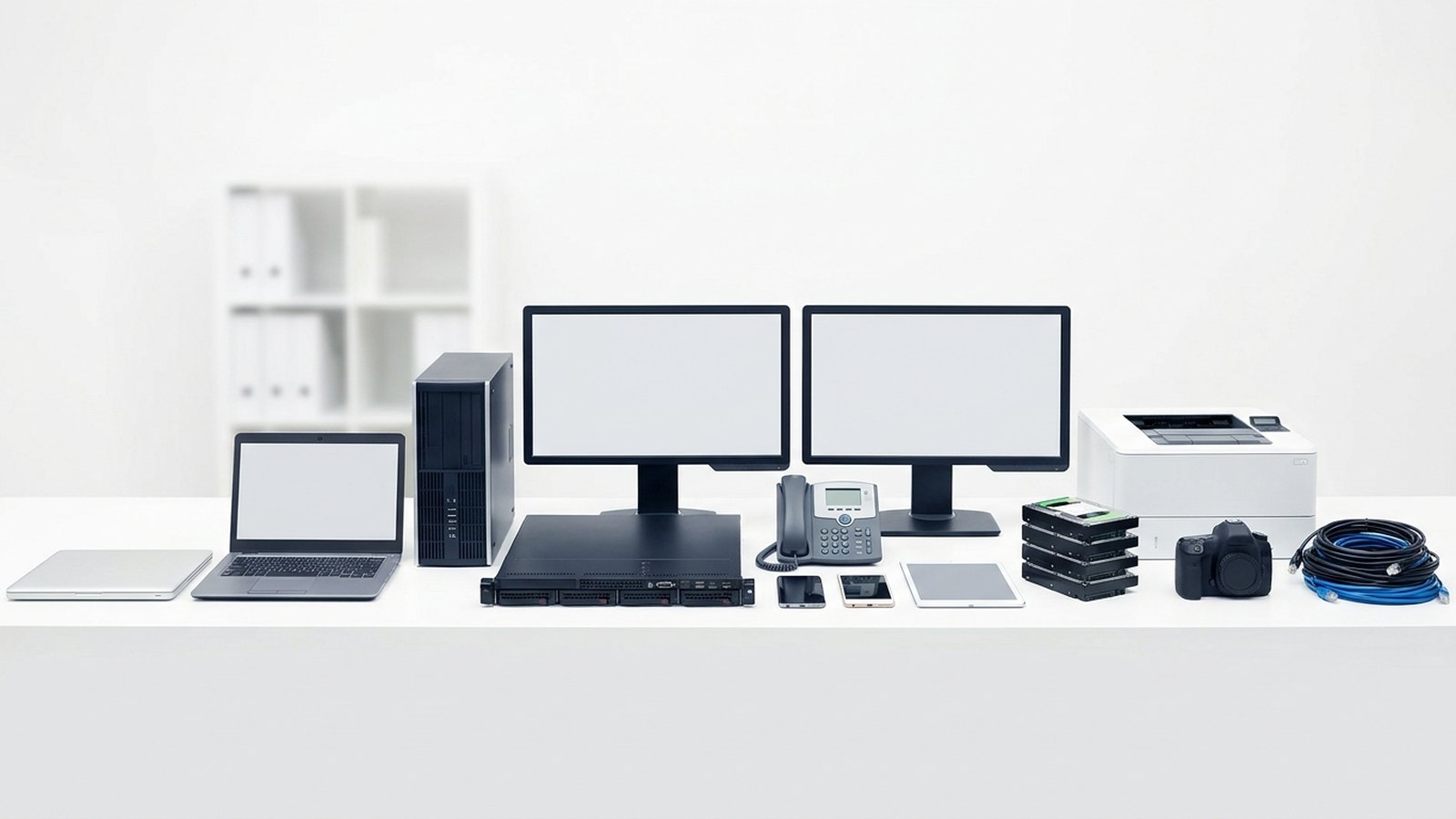
The range of business IT we collect: laptops, desktop tower, server, monitors, desk phone, mobiles, tablet, hard drives, printer, camera and cables

How it works

1

Book a collection

Tell us roughly what you have.

2

We collect & log

We pick up and record every asset.

3

Certified data wipe

Secure destruction + a certificate.

4

Refurbish & rehome

Reuse what we can, recycle the rest.

5

Your impact report

Proof of where it all went.

Refurbished laptops boxed and ready to be given to digitally-excluded Londoners

Where your old kit ends up

Every device that still has life in it is wiped, refurbished and tested, then given free to a Londoner who can't afford one — through our network of partner charities, schools and community organisations.

Nothing is resold for profit. Whatever can't be reused is recycled responsibly through licensed WEEE channels, and you get the paperwork that proves it.

See our impact

Our impact so far

0
Devices rehomed
0
People connected
0
E-waste diverted
0
CO₂ saved

Launching 2026 — numbers update as we grow.

Frequently asked questions

Yes. Research by the Good Things Foundation and others consistently shows that access to a device leads to improved employment, financial, health, and social outcomes for people who were previously excluded. A device alone is not sufficient — people also need data and skills — but it is the necessary first step.

Recycle4Charity distributes refurbished devices through community partners in London, reaching unemployed adults, older people, families, recent migrants, people with disabilities, and students — all of whom lack a working device at home.

Every device is refurbished — cleaned, hardware-tested, data-wiped, and loaded with a clean operating system and essential free software — before it reaches a recipient. Recycle4Charity does not distribute damaged or unreliable devices.

Recycle4Charity's community distribution programme launched in 2026, and verified figures will be published on our impact page as data becomes available. We are committed to transparent, evidence-based reporting of our outcomes.

We share aggregated impact updates on our impact page. If you would like specific information about your donation, contact us directly and we will share what we can, subject to the privacy of recipients.

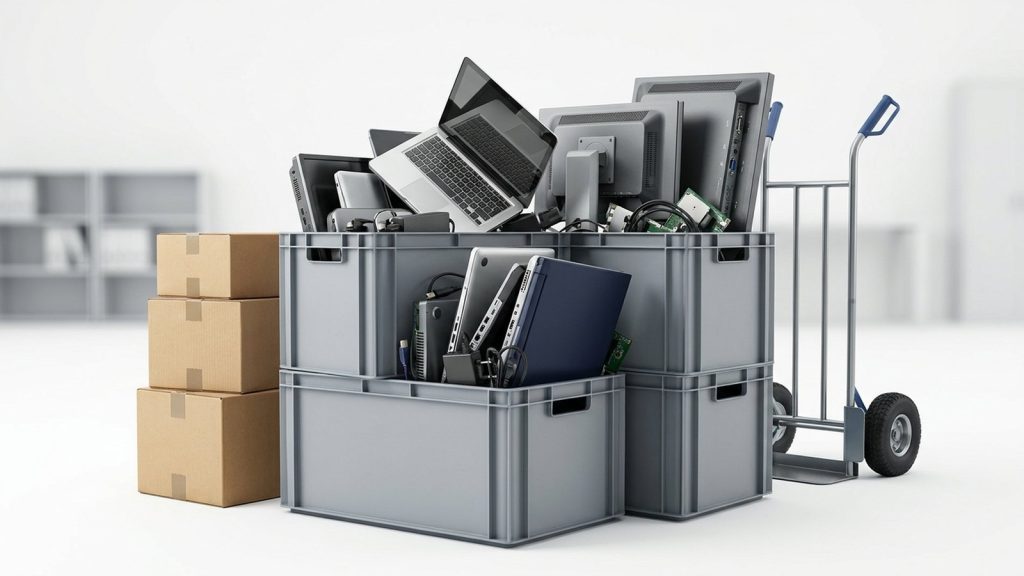
Crates and boxes of office IT equipment stacked with a sack trolley, staged for collection

Upgrading your office IT?

Turn your old kit into compliance, ESG impact and digital opportunity for someone who needs it.

Book a free collection

Why a Device Changes Everything

Digital services that were once optional have become essential infrastructure. NHS appointment booking, Universal Credit, job applications, school homework platforms, and online banking all assume internet access. For the millions of people in the UK who lack a suitable device, these services are effectively inaccessible.

A donated and refurbished device does not solve every problem — people also need affordable data and the skills to use it. But it removes the most fundamental barrier. No skills programme works without something to practise on. No social tariff matters without a device to connect. Device provision is the necessary first step.

That is the argument for donating. What does the evidence say about outcomes?

What Research Tells Us About Device Donation Impact

Evidence from organisations working in this space consistently shows that device access leads to meaningful life changes.

The Good Things Foundation — the UK’s leading digital inclusion organisation — has conducted extensive research on what happens when people gain internet access for the first time or after a period of exclusion. Their findings show that people who get online report improvements in:

  • Employment outcomes — searching and applying for jobs, completing online assessments, attending virtual interviews
  • Financial wellbeing — accessing better tariffs, managing benefits online, switching energy suppliers
  • Health management — booking appointments, ordering repeat prescriptions, accessing mental health resources
  • Social connection — video calling family, participating in community groups, reducing isolation

The Lloyds Consumer Digital Index estimates that improving digital engagement across the population could generate significant economic value annually, through productivity gains, reduced public service costs, and better health outcomes.

Research by the Digital Poverty Alliance found that children without a device at home were significantly more likely to fall behind in school — a gap that widened sharply during the Covid-19 school closures.

Who Receives Donated Devices?

Recycle4Charity distributes refurbished devices through community partners — organisations already working with digitally-excluded Londoners. Recipients include:

  • Unemployed adults — particularly those required to manage Universal Credit online but lacking a device
  • Older people — isolated by lack of digital access, often referred through social prescribing services
  • Families with children — where a shared smartphone is the only household device
  • Recent migrants and asylum seekers — who need online access to navigate services and communicate with legal support
  • People with disabilities — where a device, configured with appropriate accessibility settings, can be transformative
  • Students and young people — particularly those in further education without home computer access

Each of these groups faces different circumstances, but the common thread is that the absence of a device is not a lifestyle choice — it is a consequence of poverty, age, or circumstance.

Recycle4Charity’s Own Impact

Recycle4Charity launched its community device distribution programme in 2026, and verified impact figures are being collected throughout our first year of operation. Rather than publish estimates we cannot yet verify, we are committed to reporting real data as it becomes available.

What we can report now:

  • Every device we distribute goes through certified data destruction, full hardware testing, and refurbishment before reaching a recipient
  • Devices are allocated at no cost to recipients — they do not pay for the device or delivery
  • We issue data destruction certificates to donors, supporting GDPR compliance
  • Devices that cannot be refurbished are dismantled and recycled under WEEE regulations — nothing goes to landfill

We will publish verified impact figures — devices distributed, recipients reached, and outcome data from community partners — as our programme matures. Check our impact page for the latest updates.

What Happens to a Device After Donation?

Stage Detail
Collection Free from business or individual donor in Greater London
Data destruction Certified wipe to ADISA standards; certificate on request
Hardware testing Screen, battery, keyboard, ports, camera, audio
Refurbishment Physical clean, component replacement where needed
Software Clean OS, essential free applications pre-installed
Accessibility setup Screen readers, magnification, or other settings configured where a recipient’s needs are known
Allocation Delivered free to recipient via community partner

The Environmental Case for Donation

A donated device is also an environmentally better outcome than disposal. Manufacturing a new laptop generates roughly 300–400 kg of CO₂ equivalent, and consumes significant quantities of rare earth metals, water, and energy. Every refurbished device reused is one fewer new device manufactured.

The WEEE regulations exist to ensure that devices which cannot be reused are properly recycled — but the highest point on the waste hierarchy is reuse, not recycling. Donation achieves reuse.

For more on the environment and e-waste, see our articles on what is digital exclusion and digital poverty — and for what you can do right now, visit our donate page.

Who receives donated cameras?

London is home to a significant number of people who cannot access digital technology — through poverty, age, language barriers, or circumstance. The cameras donated through Recycle4Charity reach people and organisations including:

  • Schools without the budget for photographic or media equipment — cameras enable students to study art, media, and technology subjects with hands-on kit
  • Community photography projects — grassroots programmes that use photography to build confidence, social connection, and creative skills among participants who would otherwise not have access
  • Refugee and migrant support organisations — where cameras enable people to document their lives, build portfolios, and develop marketable digital skills
  • Youth work charities — where learning to use a camera gives young people a productive creative outlet and a potential vocational pathway
  • Adult education programmes — where cameras support people retraining, developing creative skills, or accessing digital literacy for the first time
  • Hospice and care settings — where photography is used therapeutically, and donated cameras enable people to record meaningful moments

These organisations cannot typically afford professional or even prosumer camera equipment at retail prices. A donated camera that is a step down from your current kit is often a significant step up for the group receiving it.

What condition does a donated camera need to be in?

The camera needs to work. Recycle4Charity accepts cameras that:

  • Power on and function correctly
  • Have no missing critical parts (body cap, battery compartment cover)
  • Produce a clean image without sensor damage that would render them unusable

Cameras do not need to be pristine. Cosmetic wear — scuffs, worn rubber grip, light scratches on the body — is entirely fine. Recycle4Charity’s team assesses donated equipment and carries out basic cleaning and testing before passing it on.

If a donated camera is found to be beyond economic repair after assessment, it is recycled through a certified authorised treatment facility (ATF) — nothing goes to landfill, and you receive confirmation either way.

What types of camera can you donate?

Recycle4Charity accepts:

  • DSLR cameras (all brands and mounts)
  • Mirrorless cameras
  • Compact cameras in working order
  • Bridge cameras
  • Digital camcorders
  • Camera lenses and accessories (including memory cards, batteries, battery chargers, bags, and straps)

If you are unsure whether a specific item is suitable, get in touch — the team can advise before you arrange a collection.

How to donate a camera through Recycle4Charity

The process for business donations is straightforward:

  1. Wipe all data from the camera before handover. This means formatting memory cards using the camera’s own low-level format function, performing a factory reset to clear Wi-Fi credentials and user settings, and removing any memory cards you intend to keep. For help with this step, see our guide on how to wipe a camera before selling or donating.

  2. Contact Recycle4Charity via the camera donation page to arrange a free collection. Collections are available across London and the South East.

  3. Arrange collection. Recycle4Charity will collect from your premises at a time that suits you. There is no minimum quantity — a single camera is as welcome as a box of twenty.

  4. Receive confirmation. After collection, you receive written confirmation that the equipment has been received. For businesses, this supports ESG reporting and provides a record of charitable giving in kind.

Donating as an individual

If you are an individual rather than a business, you are equally welcome to donate. You can drop equipment off at locations across London, or get in touch to discuss a small collection. The same principles apply: wipe the data first, make sure the camera works, and include any accessories you no longer need.

Visit the donate a camera page for current drop-off options and contact details.

Why donation matters more than recycling for working cameras

Recycling recovers the raw materials in a camera — metals, plastics, glass — but loses the value of the assembled, functional object. A working camera that goes to recycling when it could have been used represents wasted social potential.

The carbon cost of manufacturing a new camera is significant. Extending the usable life of existing equipment — even by three or four more years in a school or community project — reduces the demand for new manufacturing. Donation is the more sustainable outcome for working equipment, as well as the more socially valuable one.

Recycle4Charity’s approach prioritises donation over recycling wherever equipment is viable. Visit the impact page to see the number of devices donated and the communities reached so far.

A note on tax

Businesses donating equipment to charity may be able to treat the donation as a gift in kind for tax purposes. The rules depend on your organisation’s accounting treatment and the original value of the equipment. Speak to your accountant or tax adviser about whether a camera donation qualifies for tax relief under current HMRC rules.

What Is the Digital Divide?

The term “digital divide” describes the structural gap between groups who have meaningful access to digital technology — devices, connectivity, skills, and confidence — and those who do not. It is different from digital exclusion, which describes the experience of individuals; the divide is about the broader patterns in society that determine who ends up on which side.

The divide is not simply about owning a smartphone. Two people can both own smartphones and still be on opposite sides of the divide if one has fast home broadband, digital literacy, and the ability to use services online, while the other has a cracked handset, expensive mobile data, and no confidence navigating a government website.

For a detailed definition of what individuals experience, see our article on what is digital exclusion.

What Causes the Digital Divide in the UK?

The divide is driven by overlapping structural factors:

Income and Affordability

Devices cost money. Home broadband costs money. Mobile data costs money. For households in the lowest income quintiles, these are significant expenses that compete with food, rent, and heating.

The Lloyds Consumer Digital Index consistently finds a strong correlation between household income and digital capability. Significantly higher proportions of adults in the lowest income brackets lack basic digital skills compared to those in the highest.

The irony is that being offline is often more expensive in the long run. People without internet access cannot shop for the cheapest energy tariffs, cannot access online-only bank accounts, and often have to travel to access services available online for free.

Age

Internet use in the UK falls sharply with age. OFCOM’s Access and Inclusion report shows that while internet use among 16–34 year olds is near-universal, usage among people aged 75 and over is significantly lower — with around a third of people in that age group saying they never use the internet.

Age-related barriers include unfamiliarity with digital interfaces designed for younger users, physical barriers such as poor vision or reduced dexterity, concerns about online scams, and simply not having grown up in a digital environment.

Geography

Broadband infrastructure is uneven. Rural and remote areas of the UK — particularly parts of Scotland, Wales, Northern Ireland, and rural England — have historically had poorer broadband speeds and higher rates of no connectivity. The government’s Project Gigabit aims to extend gigabit-capable broadband to 85% of UK premises by 2025, though rollout has been slower than planned, but rollout has been slower than planned.

Even within cities, there are significant variations. London boroughs with high concentrations of deprivation — Tower Hamlets, Newham, Hackney — have relatively high rates of digital exclusion despite sitting in one of the most connected cities in the world.

Disability

People with disabilities face multiple, overlapping barriers. Physical disabilities can make standard keyboards, screens, and pointing devices difficult or impossible to use without adaptive technology. Cognitive and learning disabilities can make navigating complex websites challenging. Sensory impairments — particularly visual impairment — require accessible design that many websites do not provide.

The Good Things Foundation notes that disabled adults are significantly more likely to be digitally excluded than non-disabled adults. Assistive technology exists but is often expensive and not routinely provided.

Skills and Confidence

Even with a device and a connection, many people lack the skills to use the internet safely and effectively. The Lloyds Consumer Digital Index measures “essential digital skills for life” — tasks like sending email, searching online, filling in forms, staying safe online, and communicating using video. An estimated 6–9 million UK adults cannot complete all five essential skill areas.

Confidence is closely related. People who have had a negative experience online — encountered a scam, been confused by a website, or felt patronised in a training session — often disengage entirely.

How Does the Divide Manifest Across Groups?

Group Primary barriers
Adults aged 75+ Skills, confidence, physical access
Low-income households Device affordability, data costs
People with disabilities Physical access, accessible design, cost of assistive tech
Rural residents Connectivity infrastructure
Recent migrants Language, unfamiliarity with UK digital systems
Unemployed adults Device access, skills, data costs

These groups overlap. An older person on a pension living in a rural area faces barriers in multiple categories simultaneously.

What Is Being Done?

Several organisations and government initiatives are working to close the divide:

  • OFCOM’s Universal Service Obligation — guarantees a right to request a decent broadband connection, though take-up and enforcement have been limited
  • Good Things Foundation’s National Device Bank — redistributes refurbished devices to people in need through community organisations
  • Good Things Foundation’s National Databank — provides free SIM cards with data to people who cannot afford mobile connectivity
  • Government’s UK Digital Strategy — sets out aims around skills, infrastructure, and inclusion, though critics argue funding has been insufficient
  • Organisations like Recycle4Charity — collect donated IT equipment from businesses and individuals, refurbish it, and distribute it free to digitally-excluded Londoners

Device donation is one of the most direct ways individuals and businesses can contribute to closing the divide. See how donated devices make a difference on our donated devices impact page, or find out how your business can get involved on our impact page.

Why Device Donation Matters for Charities and Schools

Many charities work directly with people who are digitally excluded — and a device is often the most transformative thing they can offer a client or service user. Schools supporting pupils from low-income families face the same challenge: a student without a laptop at home cannot complete online homework, access e-learning platforms, or develop the digital skills that employers increasingly expect.

Buying devices, even refurbished ones, requires budget. Device donation — where a charity or school receives refurbished equipment at no cost — removes that barrier. But receiving organisations need to be confident that donated devices are safe, functional, and appropriate for their users.

What Specification Should You Expect?

Reputable device donation programmes set minimum specifications before refurbishing devices for reuse. At Recycle4Charity, we aim to distribute devices that meet the following benchmarks:

Component Minimum standard
Processor Intel Core i3 4th generation or AMD equivalent
RAM 4 GB (8 GB preferred)
Storage 128 GB HDD or any SSD
Operating system Windows 10 or 11 (licensed)
Screen Intact, no significant dead-pixel clusters
Battery Holds sufficient charge for normal use
Connectivity Wi-Fi functional; USB ports working

Devices that do not meet these thresholds are not distributed for reuse — they go to responsible WEEE recycling. We do not pass on devices that would frustrate or fail users.

If your organisation has specific requirements — for example, you need tablets for an older adult support programme, or laptops with particular accessibility settings pre-configured — discuss this with us when you register as a receiving partner.

What About Data Security?

This is the question most procurement officers and data protection officers ask first — and rightly so.

Every device Recycle4Charity distributes has been data-wiped to an ADISA-certified standard before it enters our refurbishment process. ADISA (Asset Disposal & Information Security Alliance) is the UK’s primary certification body for IT asset disposal and data destruction. Certification means our process has been independently audited and verified.

For receiving organisations:

  • You do not receive a device that retains any data from the previous owner
  • We can provide a certificate of data destruction for each device batch on request
  • This documentation supports your own data governance and safeguarding obligations

Charities working with vulnerable adults or children have safeguarding obligations that extend to the technology they provide. Certified data destruction means you are not inadvertently exposing clients or pupils to a previous user’s data.

What Software Comes Pre-installed?

Devices from Recycle4Charity are distributed with:

  • A clean, licensed installation of Windows 10 or Windows 11 (where the device is eligible for the free upgrade)
  • An up-to-date web browser
  • Essential free productivity software

We do not pre-install proprietary software that would require a paid licence to use. Recipients and their support organisations are free to install additional free software appropriate to their needs.

If you have specific software requirements for your user group — for example, a particular reading aid, communication app, or educational platform — discuss this during your partner onboarding. We can often accommodate requests within our refurbishment workflow.

How to Register as a Receiving Organisation

Recycle4Charity partners with charities, community organisations, schools, and social enterprises that support digitally-excluded people in London. To become a receiving partner:

  1. Contact us via the partners page and tell us about your organisation and the people you support
  2. Complete a brief partner assessment — we want to understand your users’ needs, your data governance arrangements, and your capacity to receive and distribute devices
  3. Agree on device types and quantities — based on your users’ needs and our current refurbished stock
  4. Receive devices — delivered to your premises, with documentation

We do not charge receiving organisations for devices. Our costs are covered by the businesses and individuals who donate equipment to us.

What Should Charities Ask a Device Donation Organisation?

Not all device donation programmes operate to the same standard. Before accepting devices, procurement and data protection officers should ask:

Question Why it matters
Are devices data-wiped before transfer? GDPR and safeguarding
Is data destruction independently certified? Evidences audit-trail for your DPO
What is the minimum specification? Ensures devices are actually usable
What operating system is installed? Compatibility with your systems and users
Is the OS licence legitimate? Avoids software compliance issues
What happens to non-refurbishable devices? Environmental responsibility
Can you provide documentation per batch? For your asset register and grant reporting

Recycle4Charity can answer yes or provide documentation for every item on this list. If an organisation cannot answer these questions clearly, approach with caution.

Can Schools Request Devices for Pupils?

Yes. Schools are among the organisations Recycle4Charity works with as receiving partners. We understand that pupil premium and catch-up funding may not stretch to device provision for every student in need, and donated devices can fill that gap.

When working with schools, we are particularly mindful of safeguarding: every device is factory-reset with a clean OS, with no residual data. Schools can apply appropriate parental controls and school network policies as they would with any school-managed device.

For schools and charities wanting to understand the wider context of why device access matters, our article on what is digital poverty provides the evidence base, and our donated devices impact page shows what difference device provision makes in practice.

Ready to explore a partnership? Visit our partners page to get in touch.

Why the method matters

Not all data destruction is equal. The method you choose determines whether a device can be reused, whether destruction can be independently verified, and whether your process meets recognised standards such as NIST Special Publication 800-88 or NCSC secure sanitisation guidance. Selecting the wrong method can leave data fully recoverable — or result in a compliance gap under UK GDPR and the Data Protection Act 2018.

For context on the legal obligations, see our overview of what is secure data destruction.

Comparison: data wiping vs shredding vs degaussing

Data wiping Physical shredding Degaussing
How it works Software overwrites every storage sector with random or patterned data Mechanical shredder reduces the device to fragments Powerful electromagnet demagnetises the storage medium
Works on HDDs Yes Yes Yes
Works on SSDs Yes (with certified software) Yes No — ineffective
Works on tapes Yes (some formats) Yes Yes
Works on USB/flash Yes (with certified software) Yes No — ineffective
Device reusable after? Yes No No (HDD rendered inoperable)
Verifiable? Yes — software produces a verification report Yes — chain of custody + witnessed destruction Partial — no sector-level verification
Certificate issued? Yes Yes Yes
Relevant standard NIST SP 800-88, NCSC guidance NCSC guidance, HMG IA Policy No.5 particle size requirements NCSC guidance (magnetic media only)
WEEE compliant disposal? Device may be reused or recycled Fragments recycled via authorised treatment facility Device must be recycled

Data wiping explained

Data wiping — also called overwriting or data erasure — uses software to write new data over every addressable location on a storage device. Because the original data is overwritten at the sector level, it cannot be recovered with standard forensic tools.

The effectiveness of wiping depends on the software used and how it handles edge cases such as remapped sectors and wear-levelled flash memory. Certified wiping tools produce a verification report that confirms every sector was successfully overwritten. This report is the primary evidence of compliance and forms part of the certificate of data destruction.

NIST SP 800-88 (Guidelines for Media Sanitisation) sets out accepted overwrite approaches and distinguishes between “clear” (suitable for lower-sensitivity data) and “purge” (required for higher-sensitivity data). The NCSC publishes similar guidance aligned to UK government classification levels.

Wiping is the preferred method when devices will be reused or donated, because it preserves the hardware. At Recycle4Charity, wiped devices that pass our quality check are donated free of charge to digitally-excluded Londoners.

Physical shredding explained

Physical shredding uses a mechanical shredder to reduce storage media to small fragments, making data recovery physically impossible. Industrial shredders used for IT asset destruction are rated by the particle size they produce — smaller fragments represent higher security assurance.

HMG IA Policy No.5, which governs the destruction of UK government-classified information, specifies maximum particle sizes for different classification levels. For TOP SECRET magnetic media, for example, the particles must be below a defined size threshold (refer to current NCSC secure sanitisation guidance on ncsc.gov.uk for the latest particle-size specifications).

Shredding is the most certain method of destruction for all device types, including SSDs and USB drives, because it destroys the physical medium regardless of how data was stored. It is the method of choice when a device has no residual value, when the data is of the highest sensitivity, or when the device type cannot be reliably wiped (for example, certain enterprise SSDs with non-standard firmware).

The fragments produced by shredding are recycled as raw materials through authorised treatment facilities, in compliance with the WEEE Regulations 2013.

For more on shredding specifically, see our detailed guide to hard drive shredding explained.

Degaussing explained

Degaussing exposes a storage device to a powerful magnetic field that randomises the magnetic domains on which data is recorded. For traditional hard drives and magnetic tapes, this renders the data permanently unreadable.

However, degaussing has a critical limitation: it is entirely ineffective on solid-state storage. SSDs, USB flash drives, SD cards, and smartphones store data using NAND flash memory, which is not magnetic. A degaussed SSD is functionally unchanged — the data remains fully intact. This is a common and dangerous misconception.

Degaussed hard drives are also rendered permanently inoperable — the servo tracks that allow the drive heads to navigate the platters are destroyed along with the data — so the device cannot be reused. The degaussed drive must then be disposed of through a WEEE-compliant recycling route.

Because degaussing does not produce a sector-level verification report, some auditors regard it as less verifiable than software wiping. It is often used as a precursor to physical shredding to add an additional layer of assurance.

Which method should you choose?

The right choice depends on three factors: device type, data sensitivity, and whether the device will be reused.

  • Reusing the device? Use certified software wiping. It is the only method that allows a device to be returned to service.
  • SSD, USB drive, or flash memory? Do not use degaussing. Use software wiping or physical shredding.
  • Magnetic hard drive or tape, highest sensitivity, no reuse? Degaussing followed by shredding provides the highest assurance.
  • Mixed estate of devices, large volume? A certified ITAD provider can apply the appropriate method to each device type and provide a single certificate covering the entire batch.

For organisations with specific compliance requirements — government contracts, regulated industries, or particularly sensitive data categories — review the current NCSC secure sanitisation guidance and, where applicable, HMG IA Policy No.5 before selecting a method.

Recycle4Charity offers certified data wiping and physical shredding for London businesses. Every collection includes a certificate of data destruction. Visit our data destruction for business page to find out more, or contact us to arrange a collection.

The problem with “recycled” computers

When an organisation retires a computer — a desktop, laptop, or server — and sends it to a recycling centre or donates it, the assumption is often that the device is blank. It rarely is.

Research by independent security organisations over many years has found personal data — sometimes including financial records, medical files, and login credentials — on computers purchased second-hand from online marketplaces, charity shops, and IT resellers. The previous owners believed their data had been removed. In many cases, the drives had only been formatted, or the operating system had been reinstalled.

A formatted drive is not a wiped drive. A reinstalled operating system does not remove the data underneath it. Recovery tools — available free online — can retrieve files from drives that have been formatted, deleted, or even had a new operating system installed.

What data is typically at risk?

A business computer reaching end of life may contain:

  • Customer and client records (names, addresses, contact details, purchase history)
  • Employee personal information (payroll data, HR records, performance reviews)
  • Financial data (invoices, bank details, accounting records)
  • Intellectual property (contracts, proposals, internal strategy documents)
  • Credentials and authentication tokens (saved passwords, VPN certificates, session data)
  • Email archives containing any or all of the above

Under UK GDPR and the Data Protection Act 2018, personal data in any of these categories is subject to legal protection. Allowing it to leave your organisation’s control on an unwiped device constitutes a data breach — and could result in enforcement action by the Information Commissioner’s Office (ICO).

What happens to data during the recycling process?

This depends entirely on the recycling route you use.

General WEEE recycling without data destruction:
If a device is sent to a general e-waste recycler that does not offer data destruction, the drive will typically be removed and shredded along with other materials — but only after the device has passed through a facility where other people handled it. The data risk during that transit period is real.

Refurbishment and resale:
Some recyclers refurbish computers and resell them. If the drive is not wiped before refurbishment, the new user may be able to access the previous owner’s data. Reputable refurbishers wipe drives as a matter of course, but standards vary widely.

Donation without data destruction:
Computers donated to schools, charities, or community groups are sometimes set up directly without the previous user’s data having been removed. This is a well-documented source of data breaches in the charitable sector.

Certified IT asset disposal (ITAD):
A certified ITAD provider carries out data destruction — either wiping or shredding — before the device enters the recycling or refurbishment stream. The provider issues a certificate of data destruction as evidence. This is the only route that provides compliance assurance.

What should happen before a computer is recycled?

Before any computer leaves your organisation’s control, the following must occur:

  1. Data destruction: The drive must be wiped to a certified standard (NIST SP 800-88 or NCSC guidance) or physically shredded. Deletion and formatting are not sufficient.
  2. Verification: For software wiping, a verification report must confirm every sector was overwritten. For shredding, the chain of custody must be documented.
  3. Documentation: A certificate of data destruction must be issued and retained as compliance evidence.
  4. WEEE-compliant disposal: The hardware must be routed to an authorised treatment facility under the WEEE Regulations 2013, not sent to general waste.

For a step-by-step guide to wiping a laptop specifically, see our article on how to wipe a laptop before recycling.

Does the type of storage affect the risk?

Yes, significantly.

Traditional hard drives (HDDs): Data is written magnetically to spinning platters. Standard deletion leaves the data fully intact. Certified software wiping or physical shredding addresses this reliably.

Solid-state drives (SSDs): Data is stored in NAND flash memory. Standard overwrite tools may not reach all storage areas due to wear levelling. Certified firmware-level commands (ATA Secure Erase, NVMe Sanitise) or physical shredding are required. Degaussing has no effect on SSDs.

Hybrid drives: Contain both a magnetic platter and flash cache. Both components require treatment.

Understanding which type of drive a computer contains is the first step in selecting the appropriate destruction method.

The accountability gap in common practice

Many businesses believe they are compliant because they have “recycled” their old computers through a local scheme or donated them to charity. The accountability gap is this: unless they have a certificate of data destruction — a document recording what was destroyed, how, and when — they cannot demonstrate compliance if challenged.

The ICO’s accountability principle is explicit: data controllers must be able to demonstrate that they comply with the data protection principles, not simply assert it. “We recycled the computers” is an assertion. A certificate of data destruction is evidence.

For more on what the certificate should contain, see our guide to certificates of data destruction.

How Recycle4Charity handles data when recycling a computer

Recycle4Charity is a London-based Community Interest Company that collects computers and other IT equipment from businesses, carries out certified data destruction — wiping or shredding as appropriate — and issues a certificate of data destruction for every collection. Devices that pass wiping and a hardware quality check are donated free to digitally-excluded Londoners. Those that cannot be refurbished are recycled through WEEE-compliant routes.

Visit our data destruction for business page to find out more, or contact us to arrange a collection.

Why standards matter

Saying that data has been “destroyed” or “wiped” is not sufficient for compliance. UK GDPR’s accountability principle requires organisations to demonstrate compliance, not just assert it. That means being able to point to a specific, recognised standard that was applied, and to a verification record showing the standard was met.

Standards serve a second purpose: they resolve technical ambiguity. Questions such as how many overwrite passes are needed, which commands to use for SSD sanitisation, and what fragment size is required for shredded magnetic media — all of these have specific answers within recognised frameworks. Following a standard removes guesswork and gives auditors and regulators a common reference point.

For a broader introduction to the data destruction process, see our guide to what is secure data destruction.

NIST Special Publication 800-88 (Guidelines for Media Sanitisation)

NIST SP 800-88 is published by the National Institute of Standards and Technology in the United States and is the most widely cited international standard for media sanitisation. It is used extensively by UK private sector organisations and ITAD providers, and it is referenced by the ICO in its guidance on data deletion.

The three sanitisation levels

NIST SP 800-88 defines three levels of sanitisation:

Clear: Applies logical techniques to sanitise data in all user-addressable storage locations. For an HDD, this means overwriting the entire drive. For an SSD, it means using the ATA Secure Erase or NVMe Sanitise command. Clear is appropriate for media being reused within the same security domain.

Purge: Applies more rigorous techniques that render recovery infeasible even with state-of-the-art laboratory methods. For SSDs, Purge requires Secure Erase with an Enhanced Security Erase option, or NVMe Sanitise (Overwrite or Block Erase). For magnetic drives, Secure Erase or degaussing achieves Purge level. This is the level required for media leaving an organisation’s control.

Destroy: Physical destruction of the media. Disintegration, shredding, or incineration to the point where the storage medium cannot function as such. For highly sensitive data or end-of-life media with no residual value, physical destruction provides the strongest assurance.

Key points from NIST SP 800-88

  • A single overwrite pass is sufficient for modern drives. Multiple passes (seven, 35) are not required and are not recommended for contemporary media.
  • Degaussing achieves Purge level for magnetic drives but is completely ineffective for SSDs and flash memory.
  • All sanitisation activities should be documented, including the method, the tool used, the media identifier, and the person who performed the sanitisation.
  • The standard includes decision trees for selecting the appropriate sanitisation level by media type.

NCSC secure sanitisation guidance

The National Cyber Security Centre (NCSC) publishes guidance on secure sanitisation of storage media aimed at UK organisations, including businesses and public sector bodies. The NCSC guidance is broadly aligned with NIST SP 800-88 but uses UK terminology and is framed around the UK government’s security classification scheme.

Key points from NCSC guidance include:

  • Different sanitisation methods are appropriate for different media types. SSDs and flash memory cannot be degaussed and require firmware-level commands or physical destruction.
  • Physical destruction should render media unrecoverable to a level appropriate for the classification of data held.
  • Organisations should keep records of sanitisation activity, including the media identifier, method, date, and operator.
  • Where a product or service is used, organisations should be confident that it implements the required standard correctly — not simply accept marketing claims at face value.

The NCSC does not operate a formal product approval scheme for commercial ITAD services, but it does publish lists of assured products and services in relevant assurance programmes that organisations may wish to consult.

HMG IA Policy No.5 (Secure Sanitisation of Protectively Marked or Sensitive Information)

HMG IA Policy No.5 is a UK government policy that sets mandatory requirements for the sanitisation of media holding government-classified information (OFFICIAL, SECRET, and TOP SECRET under the Government Security Classifications). It specifies:

  • Required sanitisation methods for each classification level
  • Particle size requirements for physical destruction (expressed as maximum dimensions for shredded fragments)
  • Overwrite parameters for software sanitisation
  • Requirements for degaussing equipment

HMG IA Policy No.5 applies directly to government departments, agencies, and contractors handling classified information. For organisations that hold government contracts or process data classified under the scheme, the policy requirements are mandatory, not advisory.

The specific values — overwrite passes, particle sizes, degausser field strengths — are set out in the policy document, which is published by the Cabinet Office (see the NCSC secure sanitisation guidance at ncsc.gov.uk for current technical requirements).

Other relevant standards

ICO guidance on data deletion

The Information Commissioner’s Office publishes guidance on the secure deletion of personal data. It does not prescribe specific technical standards but expects organisations to follow recognised best practice, which in the UK context means NCSC guidance or NIST SP 800-88.

ISO/IEC 27001 and 27040

ISO/IEC 27001 (information security management systems) includes controls relating to media disposal, and ISO/IEC 27040 addresses storage security, including sanitisation. Organisations certified to ISO 27001 are expected to have documented and implemented media disposal procedures.

BS EN 15713 (Secure Destruction of Confidential Material)

This British Standard covers the secure destruction of confidential material, including procedures for mobile and off-site destruction services. It specifies particle sizes for different security grades and is relevant to providers of physical shredding services.

Which standard applies to your business?

Organisation type Applicable standard(s)
Private sector — personal data under UK GDPR NIST SP 800-88 and/or NCSC guidance
Public sector — government data NCSC guidance + HMG IA Policy No.5
Government contractor — classified data HMG IA Policy No.5 (mandatory)
ISO 27001 certified ISO 27001 Annex A + NIST SP 800-88 / NCSC
Healthcare (NHS) DSPT requirements + NCSC guidance
Financial services (FCA regulated) FCA operational resilience + NIST SP 800-88

For most UK businesses, NIST SP 800-88 applied by a certified ITAD provider, with NCSC guidance as the UK-specific reference, is the appropriate framework. The certificate of data destruction issued by the provider should name the standard applied.

For more on how these standards apply in practice, see our guide to data wiping vs shredding vs degaussing.

Recycle4Charity provides certified data destruction for London businesses, applying recognised standards and issuing a certificate of data destruction for every collection. Visit our data destruction for business page to find out more, or contact us to discuss your specific compliance requirements.

Why data centre decommissioning requires a formal process

A data centre holds more sensitive data per square metre than almost any other part of a business. Servers, storage arrays, network equipment, and even decommissioned UPS units may hold personal data, commercially sensitive information, or cryptographic material.

UK GDPR and the Data Protection Act 2018 require organisations to remain accountable for personal data until its verified destruction. The WEEE Regulations 2013 require that electrical equipment is disposed of through authorised channels. A decommission without documented process leaves your organisation exposed on both fronts.

The checklist below applies whether you are decommissioning a single server room, vacating a co-location facility, or retiring a full on-premises data centre.

The data centre decommissioning checklist

Phase 1: Planning and scoping

  1. Appoint a project owner. Assign a named individual responsible for sign-off at each stage. This person owns the audit trail.
  2. Inventory all assets. Conduct a full physical audit. Record every asset: serial number, make, model, location, and data classification of workloads previously hosted. Cross-reference against your configuration management database (CMDB) — discrepancies are common and must be resolved before disposal begins.
  3. Classify data by sensitivity. Identify which devices held personal data, financial records, or other regulated information. Data classification drives the destruction method required.
  4. Confirm dependencies. Verify that all workloads have been migrated or decommissioned before any hardware is touched. Premature disconnection of a live system can cause outages.
  5. Engage your ITAD provider early. Share your asset inventory with a certified IT asset disposal provider before the project starts. They can advise on data destruction methods, logistics, and documentation requirements. Our data centre IT recycling service is specifically designed for projects of this scale.

Phase 2: Data security

  1. Back up any data you intend to retain. Confirm backups are complete and verified before touching hardware.
  2. Revoke all active credentials and API keys associated with decommissioned systems. Update your identity management systems.
  3. Remove encryption keys from hardware security modules (HSMs) and TPM chips. Document this step with timestamps.
  4. Agree a data destruction standard. For overwriting, common standards include HMG Infosec Standard 5 and NIST 800-88. For physical destruction, confirm the shred size and the certification your provider issues. High-security environments may require on-site destruction — discuss this with your ITAD provider.
  5. Do not rely on factory resets alone. Factory resets on servers, storage arrays, and networking equipment do not reliably overwrite all data. Certified software erasure or physical destruction is required.

Phase 3: Physical removal

  1. Label and bag each asset individually. Maintain the link between physical device and serial number throughout transit. Tamper-evident bags or cages prevent unauthorised access.
  2. Document chain of custody at every transfer. A signed manifest should accompany every pallet or cage. Record who collected, when, and what vehicle registration was used.
  3. Handle specialist equipment separately. UPS batteries, cooling units, and cabling infrastructure follow different disposal routes. Confirm your ITAD provider can handle all asset types — or arrange separate streams.
  4. Photograph the empty racks before leaving the facility. This protects you if a dispute arises over what was collected.

Phase 4: Certified processing

  1. Confirm your ITAD provider is an authorised treatment facility (ATF) approved under the WEEE Regulations 2013. Ask for their registration number.
  2. Receive data destruction certificates for every storage-bearing device. Each certificate should cite the device serial number, destruction method, standard applied, and technician signature.
  3. Receive a full asset disposition report. This lists every serial number and its outcome: wiped and reused, donated, disassembled, or recycled.
  4. Obtain a WEEE transfer note. This is your legal evidence that electrical waste was transferred to an authorised facility.

Phase 5: Closure and reporting

  1. Update your asset register. Remove all decommissioned serial numbers and mark them as disposed with the date and method.
  2. File all certificates and transfer notes in your compliance records. ICO guidance on data security recommends retaining these for the duration of your data retention policy, and typically a minimum of three to five years.
  3. Notify relevant parties. If the data centre processed personal data on behalf of clients, notify them that destruction is complete and provide certificates as required under data processing agreements.
  4. Conduct a post-project review. Identify any gaps between the CMDB and the physical inventory found. Update asset tracking processes before your next refresh cycle.

Common mistakes to avoid

Most decommissioning failures come from the same sources: assets not captured in the original inventory, destruction certificates not requested or not retained, and WEEE documentation not obtained because the project moved too fast.

A rushed decommission that skips documentation can result in ICO enforcement action if a data breach is later traced to a disposed device. The ICO has fined organisations for inadequate data destruction practices — the evidence standard it expects is a certificate, not an assurance.

For an overview of what to expect from a certified server recycling service, read our dedicated guide on that topic.

Ready to plan your decommission? Talk to our data centre team for a scoping conversation and asset inventory support.

How IT Disposal Becomes a Data Breach

The connection between IT disposal and data breach is straightforward: when a device is retired and passes out of an organisation’s control — to a recycler, a second-hand market, a landfill or even a member of staff — any personal data remaining on its storage media is potentially accessible to whoever obtains the device.

Unlike a cyberattack, which requires an attacker to penetrate live systems, an IT disposal breach requires only that someone obtain a physical device and use widely available recovery software. Standard file deletion and drive formatting leave data recoverable. Even devices that appear blank often yield large amounts of data when examined by researchers using basic tools.

Researchers and journalists have repeatedly demonstrated this by purchasing second-hand hard drives from online marketplaces and finding detailed personal records: customer databases, employee files, medical records, financial correspondence and login credentials. When these findings are published, the organisations identified face ICO investigations.

What Makes IT Disposal Breaches Distinctive

Data breach risks from IT disposal differ from other types of breach in several important ways:

  • They are preventable: unlike a sophisticated cyberattack, a disposal breach can be entirely avoided by following a documented destruction process.
  • They are often discovered late: an organisation may not know a breach has occurred for weeks or months, until data appears publicly or a third party reports it.
  • They may be large in scale: a single server or file store can contain the records of thousands or tens of thousands of individuals.
  • They affect individuals who may have no current relationship with the organisation: customer data from years or decades past may still be on a device being retired today.

Devices Most Commonly Involved in Disposal Breaches

Device type Why it poses a risk
Desktop computers and laptops Used by employees over many years; contain documents, emails, credentials
Servers Hold databases, application data, backups — often very large volumes of personal data
Mobile phones and tablets Contact lists, emails, messaging apps, authentication apps, browser data
Printers and photocopiers Internal drives retain copies of scanned, printed and faxed documents
USB drives and backup tapes Portable; easily overlooked when auditing assets for disposal
Network switches and routers May hold configuration files containing credentials and internal network data

Photocopiers and multi-function devices deserve particular attention. Many organisations are surprised to learn that a standard office photocopier has an internal hard drive that stores images of every document scanned, copied or printed. Organisations that return leased photocopiers without clearing this drive routinely expose months of confidential correspondence.

What UK GDPR Requires When a Disposal Breach Occurs

Under UK GDPR Article 33, a personal data breach that is likely to result in a risk to the rights and freedoms of individuals must be reported to the ICO within 72 hours of the organisation becoming aware of it. A disposal breach — where personal data on a retired device has been, or may have been, accessed — will almost always meet this threshold.

The notification to the ICO must include:

  • a description of the nature of the breach, including the categories and approximate number of individuals and records affected
  • the contact details of the data protection officer or other contact point
  • a description of the likely consequences of the breach
  • a description of the measures taken or proposed to address the breach

Where the breach is likely to result in a high risk to individuals — for example, where financial data or special category data (health, biometric, criminal) has been exposed — those individuals must also be notified directly under Article 34.

The ICO’s Response to Disposal Breaches

The ICO treats IT disposal breaches seriously, particularly where they result from a failure to implement reasonable processes. Organisations that had no documented disposal procedure, did not obtain certificates of data destruction, or did not train staff on disposal obligations are in a weaker position than those that had appropriate processes in place.

Key aggravating factors the ICO considers include:

  • No written IT asset disposal policy
  • No due diligence on the ITAD provider used
  • No certificate of data destruction obtained
  • Previous warnings or incidents not addressed
  • Failure to notify the ICO promptly

Mitigating factors include prompt notification, full cooperation with the investigation, remediation steps taken quickly, and evidence that the organisation had appropriate policies in place that were not followed in the specific incident.

Under the DPA 2018 and UK GDPR, fines for the most serious infringements can reach £17.5 million or 4% of global annual turnover.

Building a Process That Prevents Disposal Breaches

Preventing data breach risks from IT disposal requires a documented, auditable process — not ad hoc decisions made by whoever happens to be clearing out equipment.

The key elements of a robust disposal process are:

  1. Asset tracking: maintain an accurate register of all IT assets, including their data classification and location. You cannot dispose of equipment safely if you do not know what you have.
  2. Defined triggers: specify the conditions — end of life, staff departure, office move, lease expiry — that trigger the disposal process.
  3. Certified data destruction: engage a reputable ITAD provider that uses certified data wiping (to a standard such as NIST 800-88) or physical destruction, and provides a certificate of data destruction for each device.
  4. Chain of custody: maintain documentation of the device from collection to destruction. Gaps in the chain of custody are a source of both breach risk and accountability failure.
  5. Record retention: retain certificates of data destruction and asset disposal records to satisfy the accountability principle.

Organisations that have previously experienced a disposal-related incident should review their process end to end and document what has changed.

Learn more about how certified data destruction works on our data destruction service page, and read our guide to GDPR data disposal duties for a step-by-step overview of your legal obligations.

To arrange secure disposal of end-of-life IT equipment for your organisation, contact Recycle4Charity.

Why Cleaning Before Donation Is Important

A laptop you donate may pass through several pairs of hands — a refurbisher, a volunteer, and eventually the recipient. Any personal data still on the drive — documents, passwords saved in a browser, email, banking details — could be accessed by anyone who handles the device.

Simply deleting files is not sufficient. Even formatting a drive does not guarantee data is gone. The only reliable approach is a full factory reset with data overwrite, or a certified data wipe using specialist software.

If you are not able to do this yourself, do not let that stop you donating. Recycle4Charity performs certified data destruction on every device we receive — you can donate the laptop as-is and we handle it securely. Find out more on our donate page.

Step 1: Back Up Anything You Want to Keep

Before wiping the device, save everything you want:

  • Documents, photos, and downloads to an external drive or cloud storage
  • Browser bookmarks (export from your browser’s settings menu)
  • Software licence keys (check your email inbox for original purchase confirmations)
  • Any locally saved passwords — export from your password manager or browser

Once the wipe is complete, nothing can be recovered.

Step 2: Sign Out of All Accounts

Sign out of every account tied to the device before resetting it. Failing to do this can leave accounts connected even after a reset.

Essential sign-outs:
– Apple ID / iCloud (on MacBooks: System Preferences → Apple ID → Overview → Sign Out)
– Microsoft account (Windows: Settings → Accounts → Your Info → Sign out)
– Google account (Chrome browser: profile icon → Sign out)
– Dropbox, OneDrive, and any other cloud sync services
– Any business VPN or remote access software

Step 3: Perform a Full Factory Reset

Windows 10 / Windows 11

  1. Open SettingsSystemRecovery
  2. Under “Reset this PC,” click Get started
  3. Choose Remove everything
  4. Select Remove files and clean the drive (not just “Remove files” — this overwrites the data)
  5. Confirm and allow the process to complete (this can take 1–3 hours)

macOS (Monterey 12.0 and later)

  1. Open System PreferencesGeneralTransfer or Reset
  2. Click Erase All Content and Settings
  3. Follow the prompts — macOS will sign you out of Apple ID automatically

macOS (Big Sur 11 and earlier)

  1. Restart in Recovery Mode: hold Command + R during startup
  2. Open Disk Utility → select your startup drive → Erase
  3. Format as APFS or Mac OS Extended (Journaled)
  4. Quit Disk Utility and select Reinstall macOS

Chromebook

  1. Sign out of your Google account
  2. Press Ctrl + Alt + Shift + R at the sign-in screen, or go to Settings → Advanced → Reset Settings → Powerwash
  3. Confirm and restart

Step 4: Verify the Wipe Completed Correctly

After the reset:
– The laptop should boot to a “Welcome” or setup screen as if it were new
– No user accounts, files, or installed applications should remain
– On Windows, confirm by completing a brief setup without signing in to a Microsoft account, then checking that Documents, Desktop, and Downloads folders are empty

Step 5: Physical Cleaning

A clean laptop is easier to refurbish and better for the person who receives it.

What you will need:
– Microfibre cloth
– Isopropyl alcohol (70% concentration) or screen-safe wipes
– Compressed air canister (optional but useful)

How to clean:

  1. Power off and unplug the laptop completely
  2. Keyboard: Use compressed air to blow out crumbs and debris between keys. Wipe the keycaps with a slightly dampened microfibre cloth
  3. Screen: Wipe gently with a dry microfibre cloth in circular motions. For smears, use a screen-safe wipe — never spray liquid directly onto the screen
  4. Lid and base: Wipe down with a microfibre cloth dampened with isopropyl alcohol. Pay attention to corners and vents
  5. Ports: Use a dry cotton swab to gently clean USB ports and headphone sockets
  6. Vents: Blow compressed air through the vents to clear dust — a dusty laptop runs hot and shortens component life

What to Include — and What to Leave Out

Include Leave out
Charger / power adapter Laptop bag or sleeve
Original box if available USB drives or SD cards
Any accessories that came with the laptop Old software discs

The charger is the most important accessory. A matching, working charger makes the device complete for the recipient and reduces costs for the charity.

Can Recycle4Charity Wipe the Laptop for Me?

Yes. If you cannot perform a factory reset — because you have forgotten the password, the operating system will not load, or you simply are not sure how — donate the laptop to us anyway. Every device Recycle4Charity receives is data-wiped to an ADISA-certified standard before anyone works on it. We issue a certificate of data destruction on request.

This means businesses and individuals with GDPR concerns can donate with confidence. For more on this, see our article on how to donate a laptop to charity, which covers the full donation process from start to finish.

Ready to donate your cleaned-up laptop? Book a free collection or drop-off — we handle the rest.