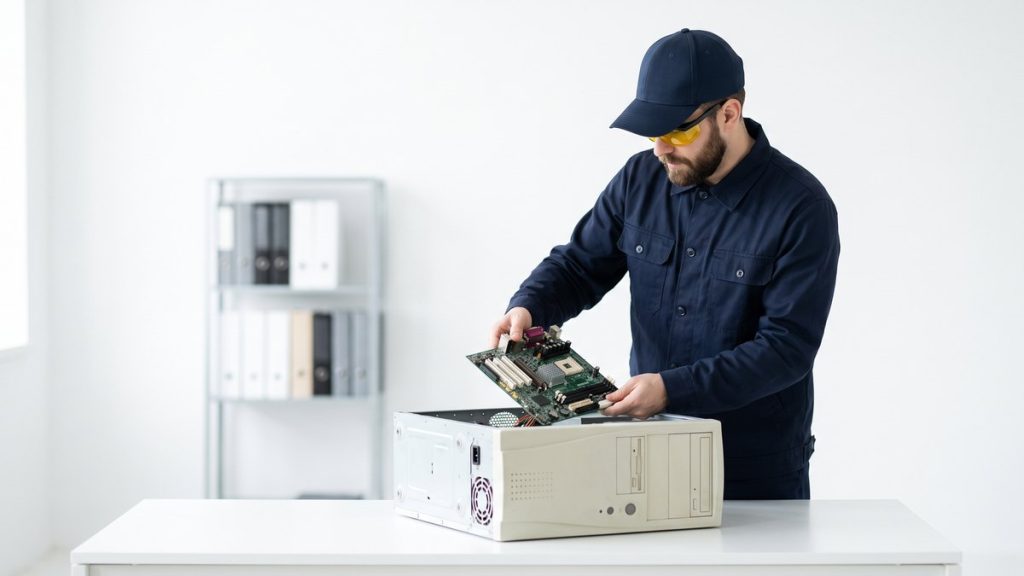
What counts as a computer for WEEE purposes?
Desktop towers, all-in-one PCs, workstations, and their internal components — hard drives, RAM, graphics cards, power supplies — are classified as Waste Electrical and Electronic Equipment (WEEE) under the WEEE Regulations 2013. This means they cannot be disposed of in general commercial or household waste. Businesses that do so risk enforcement action from their local authority or the Environment Agency.
Monitors, keyboards, mice, and cables are also WEEE, though they fall under different sub-categories. If you are disposing of a full desktop set-up, treat every component as WEEE.
Why data destruction must come first
Before any computer leaves your premises, you must address the data on its storage media. Hard disk drives (HDDs) and solid-state drives (SSDs) can retain sensitive information long after files are deleted or a factory reset is performed. A standard delete operation removes the pointer to a file, not the file itself.
Under the UK General Data Protection Regulation (UK GDPR) and the Data Protection Act 2018, organisations are responsible for personal data until it is provably destroyed. The Information Commissioner’s Office (ICO) has issued fines for organisations that allowed equipment containing personal data to enter the second-hand market or recycling stream without adequate erasure.
Acceptable methods include:
- Software overwrite — tools that meet HMG Infosec Standard 5 or NIST 800-88 guidelines write random data across every sector, making recovery impractical.
- Physical destruction (degaussing or shredding) — appropriate for drives that cannot be wiped (failed drives, encrypted drives with lost keys).
- Certified erasure with an auditable certificate — the preferred route for businesses, as it provides documented proof of destruction.
For a fuller explanation of these options, see our guide to data destruction for businesses.
How to recycle old computers: step by step
1. Audit your equipment
List every machine by make, model, serial number, and condition. This record supports your duty-of-care documentation and helps a recycler assess whether devices are suitable for refurbishment.
2. Back up any data you need
Transfer files, licences, and application data to a new machine or secure cloud storage before wiping.
3. Wipe or destroy storage media
Use certified erasure software or arrange for a recycler to destroy drives on your behalf. Request a data destruction certificate for each device.
4. Choose a certified WEEE recycler
Look for a recycler approved under the UK WEEE compliance scheme, or one that holds ISO 14001 (environmental management) and ISO 27001 (information security) certification. Ask for a Waste Transfer Note — you are legally required to keep this for two years.
5. Arrange collection or drop-off
Many certified recyclers, including Recycle4Charity, offer free business collection across London. Devices in working condition may be refurbished and donated to people who cannot afford digital access, extending their useful life before materials are eventually recovered.
6. Receive your documentation
A reputable recycler will issue a certificate of recycling or reuse, confirming compliant disposal. Keep this alongside your Waste Transfer Note.
Can computers be donated instead of recycled?
Yes — and donation is preferable wherever a device is functional. Refurbished computers support digital inclusion and reduce the environmental cost of manufacturing new equipment. Recycle4Charity gives refurbished devices free to digitally-excluded Londoners, so your old hardware can have a meaningful second life.
Donated machines still require data wiping before they leave your organisation. No exceptions apply under UK GDPR.
Comparison: recycling options for businesses
| Option | Data security | Compliance documentation | Cost |
|---|---|---|---|
| Certified ITAD provider | High (certificate issued) | Waste Transfer Note + destruction certificate | Often free for bulk collections |
| Local authority HWRC | Low (no erasure service) | None | Free (consumer only) |
| Manufacturer take-back | Variable | Variable | Free or low cost |
| General waste bin | None | None — and it is illegal | Potentially significant fine |
What happens to a recycled computer?
A certified recycler will first assess whether the machine can be refurbished. If so, the device is wiped, tested, and prepared for reuse — the most environmentally preferable outcome. Devices beyond repair are disassembled: plastics, steel, aluminium, copper, and circuit boards are each processed through specialist waste streams. Hazardous materials such as lead solder and cadmium-containing components are handled by licensed contractors to prevent soil and groundwater contamination.
Ready to recycle your computers?
Recycle4Charity provides certified WEEE recycling and secure data destruction for London businesses, with free collection for qualifying volumes. Visit our computer recycling for businesses page to book a collection or request a quote.